Why General PM Tools Fail Business Advisors (And What Works Instead)
General project management tools fail business advisors because they were designed for internal teams, not for structured advisor and client relationships where ownership, accountability, and visibility must be carefully managed. That single mismatch creates daily friction. When your client asks for a status update you open Asana. Then you check your email. Then you scroll through Slack. You review your notes. You search through many Google Docs. After all that you try to give a clear answer with confidence. That routine feels normal now. It should not be.
Most advisors stack different tools for consultants and hope they will somehow work together smoothly. They combine a task manager with consultant management software, then add a CRM, billing software, time tracking, file storage, and messaging apps. On paper, it looks organized. In reality, it feels scattered. These systems rarely support true advisor client management because they were never built for that dynamic in the first place.
The result shows up quietly. You spend too much time managing tools instead of serving clients. Tasks slip through gaps. Scope expands without control. Clients feel mild confusion even if they never say it directly. This is not a productivity issue. It is a design issue. And once you see that, everything changes. This article will walk you through why standard PM tools fail advisors, what that failure actually costs you, and what kind of system works far better for real consulting relationships.
The 5 Reasons Standard PM Tools Fail Advisors
1. They Are Built for Internal Teams, Not Client Relationships
Most project management tools assume everyone using the system belongs to the same company and shares the same internal goals. That assumption breaks immediately in advisory work. You and your client are not one unified team. You have your deliverables and expertise. They have responsibilities, approvals, and internal execution tasks. Accountability is split across organizational boundaries. Most consulting project management software treats all users the same, which creates visibility problems.
When you invite a client into a generic PM tool, you usually face two choices. You either give them full access or heavily restrict them in awkward ways. Full access exposes internal notes, early ideas, and messy drafts that were never meant for client viewing. Restricted access often makes the system confusing and incomplete from their perspective. Neither option feels professional.
Strong project management software for consultants should allow you to maintain a clean separation between internal strategy work and client-facing progress tracking. Without that separation, your system feels cluttered and unpolished.
I have seen consultants proudly share their Monday.com board only to realize the client could see brainstorming notes and time tracking entries that made the whole engagement look chaotic. That is not a tool’s problem. That is a design mismatch.
2. No Built-In Client Context
Generic project management platforms are intentionally flexible. They give you blank boards and unlimited customization. That sounds powerful until you realize you must build everything yourself. They do not understand your role. They do not understand advisory workflows. They do not understand client review cycles or structured accountability rhythms.
A business coach operates differently from a fractional CFO. A strategy consultant works differently from an operations advisor. Most management consulting software in the generic category ignores these distinctions. So you start building. You create custom fields. You design tags. You write automations. You tweak views for each client type. You replicate this structure again and again. This becomes a hidden tax on your time.
Instead of using true consultant time management software that reduces friction, you spend hours configuring systems that should already understand your workflow. Each new client requires manual setup. Each new process adjustment requires rebuilding automations. Standardization becomes fragile. Over time, your system becomes complex and hard to maintain. That complexity does not serve your clients. It drains your energy.
3. Scope Creep Is Invisible in Generic Tools
Scope creep rarely explodes dramatically. It grows quietly. A client sends a quick request. You add it to the task list. Another small request arrives the next week. You add that too. In most consulting business management software built for general use, these additions appear as simple new tasks. There is no structured intake process. There is no built-in impact analysis. There is no automatic update to the timeline or budget. That means the client never sees the trade-off clearly.
When the project runs late, it feels surprising to them. In their mind, each request was small. In your reality, the cumulative impact was massive. Proper management software for consulting should show consequences before work begins. It should display how adding a new request affects delivery dates, cost, and resource allocation. It should require client approval inside the system. Without that structure, you absorb the cost of scope creep. And that erodes profitability.
4. Ownership and Authority Are Blurry
In advisory work, clarity around ownership matters deeply. You need to know what you own. The client must know what they own. There must be visibility into who approves decisions and who escalates delays. Most project management software for consulting firms offers only simple task assignment. It does not manage decision rights. It does not trigger escalation workflows. It does not automatically notify higher stakeholders when deadlines pass. That creates awkward follow-ups.
If a client task sits untouched for weeks, the system remains silent unless you manually check it. Strong consultancy management software should surface blockers automatically and create structured reminders for client-side accountability. You should not have to chase people constantly. A well-designed advisor system protects your reputation by ensuring delays are visible and documented.
5. Progress Visibility Depends on Meetings
Many advisors live on the status update treadmill. They prepare updates before meetings. They chase information ahead of calls. They summarize progress manually. Generic systems rely heavily on manual updates. There are rarely structured prompts for clients to update progress asynchronously. This means progress becomes meeting-driven instead of system-driven.
Robust advisor client management tools should provide real-time dashboards that show what is moving and what is blocked without requiring a scheduled conversation. When visibility is constant, meetings become strategic instead of reactive. That shift alone reduces stress significantly.
The Tool Sprawl Tax
Let’s talk about the hidden cost of stacking apps. The average advisor tech stack includes a project management app, email, Slack or Teams, file storage, scheduling software, billing systems, CRM tools, proposal software, and time tracking tools. Some advisors also experiment with specialized software project management consulting platforms layered on top of everything else.
Each tool solves one problem. Together they create new ones.
Time Cost
- You check multiple systems daily. You duplicate information across platforms. You search across apps when clients ask simple questions.
- Advisors often lose eight to twelve hours per week managing tools instead of serving clients.
- That is more than one full workday gone.
Money Cost
- Each tool charges monthly fees. You may spend several hundred dollars each month.
- Yet the return on that stack is often unclear.
Professional Cost
- Clients ask where to upload files. They ask which system to log into. They hesitate because the experience feels fragmented.
- Many software management consultants struggle with this perception gap.
Cognitive Cost
- Switching between tools drains focus. Remembering where information lives adds mental friction.
- You built your advisory practice to create value, not to orchestrate software.
What Advisors Actually Need
You need systems built for advisor and client relationships from day one. Not internal team management.
Requirement 1: Client-First Design
- Clients should see only what matters to them. Internal strategy notes and working drafts should remain private. That separation strengthens advisor client management and preserves professionalism.
- Clients benefit from clean dashboards showing tasks awaiting their input, upcoming milestones, and recent updates. Behind the scenes, you maintain deeper planning layers. True consultant management software respects that boundary.
Requirement 2: Advisor-Specific Workflows
- Advisors should not start from a blank board.
- Coaches need structured weekly check-ins and progress tracking. Fractional CFOs need month-end close workflows and financial review templates. Strategy consultants need milestone tracking and stakeholder approvals.
- Purpose-built systems for advisors embed these patterns. Strong client management software for financial advisors supports recurring review cycles and structured documentation.
- Reliable financial advisor client management software keeps client-facing summaries separate from complex internal analysis. This built-in structure reduces setup time dramatically.
Requirement 3: Built-In Scope Control
- A proper advisor system uses structured intake forms for new requests.
- The platform automatically shows the timeline and budget impact before approval. That is what effective consulting project management software should deliver. No more silent backlog growth.
Requirement 4: Embedded Accountability
- Tasks must have clear owners.
- Clients should receive automated reminders.
- Escalation paths should activate when deadlines pass.
- High-quality project management software for consultants reduces manual chasing and makes accountability visible.
Requirement 5: Real-Time Visibility
- Advisors need dashboards that show blockers instantly and highlight priority actions. Modern management consulting software should surface issues before they become crises. This allows you to address risks early and maintain strong client trust.
How We Compare: The Landscape of Advisor Technology
When evaluating financial advisor technology tools, it’s easy to get lost in the noise. The market is flooded with point solutions, all-in-one platforms, and generic software that claims to do it all. To help you navigate this crowded landscape, we’ve analyzed some of the most popular options and categories to show where they shine—and where they fall short for true advisor client management.
1. The “List of Tools” Approach (Investopedia)

Many advisors start their search by looking at top-ten lists, like those found on Investopedia. These lists often highlight excellent point solutions such as Black Diamond Wealth Platform for portfolio management or Nitrogen Wealth for risk analysis.
- The Strength: These are powerful, specialized tools. If you need deep portfolio analytics or complex risk modeling, they are industry leaders.
- The Weakness: They are siloed. A portfolio management tool is not a client management system. It doesn’t handle the day-to-day communication, scope creep, or accountability tracking that defines the advisor-client relationship. You end up with great data but no unified way to manage the actual engagement.
- The Difference: Unlike Zapier, Wispa offers “batteries included” simplicity, with pre-built workflows for scope control, onboarding, and accountability, requiring zero setup time. Our platform doesn’t try to replace your portfolio analysis. Instead, it acts as the operating system for the relationship itself, connecting the dots between your analysis and the client’s actions.
2. The AI Automation Specialists (Jump AI)
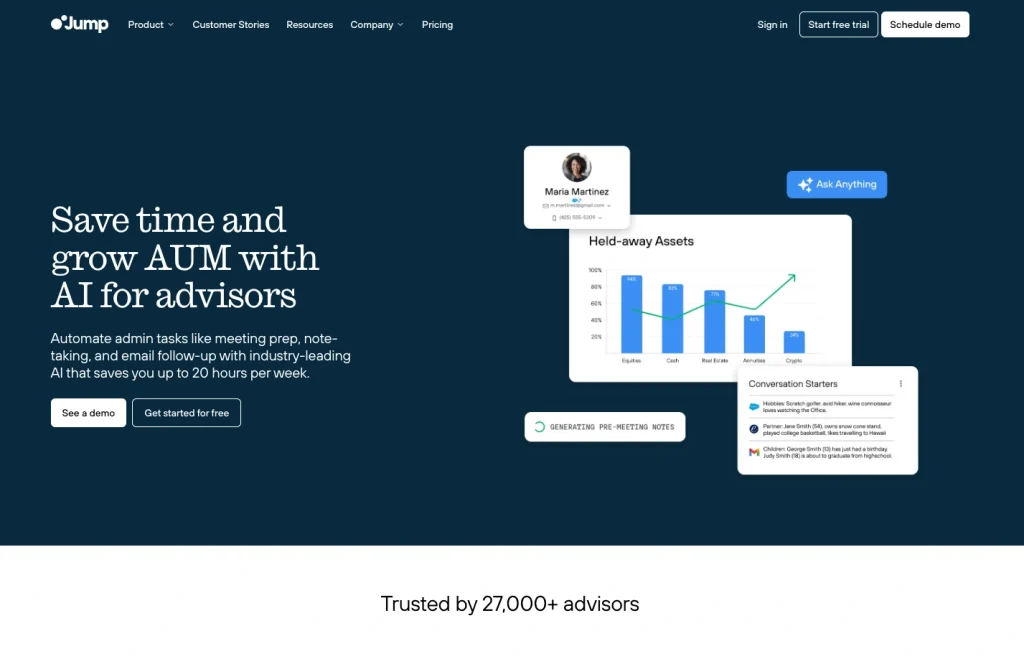
New entrants like Jump AI are making waves by using artificial intelligence to automate meeting notes and administrative tasks. They promise massive time savings—up to 20 hours a week—by handling the busy work.
- The Strength: incredible efficiency for administrative tasks. If your primary pain point is typing up notes after a Zoom call, these tools are game-changers.
- The Weakness: AI note-taking is reactive, not proactive. It records what happened, but it doesn’t structure the engagement moving forward. It doesn’t prevent scope creep or enforce mutual accountability. It essentially documents the chaos faster, rather than organizing it.
- The Difference: We believe in proactive structure. While AI is useful, consultant management software needs to do more than just transcribe; it needs to drive the process. We provide the framework that keeps projects on track before the meeting even starts.
3. The Niche Planners (Snap Projections)
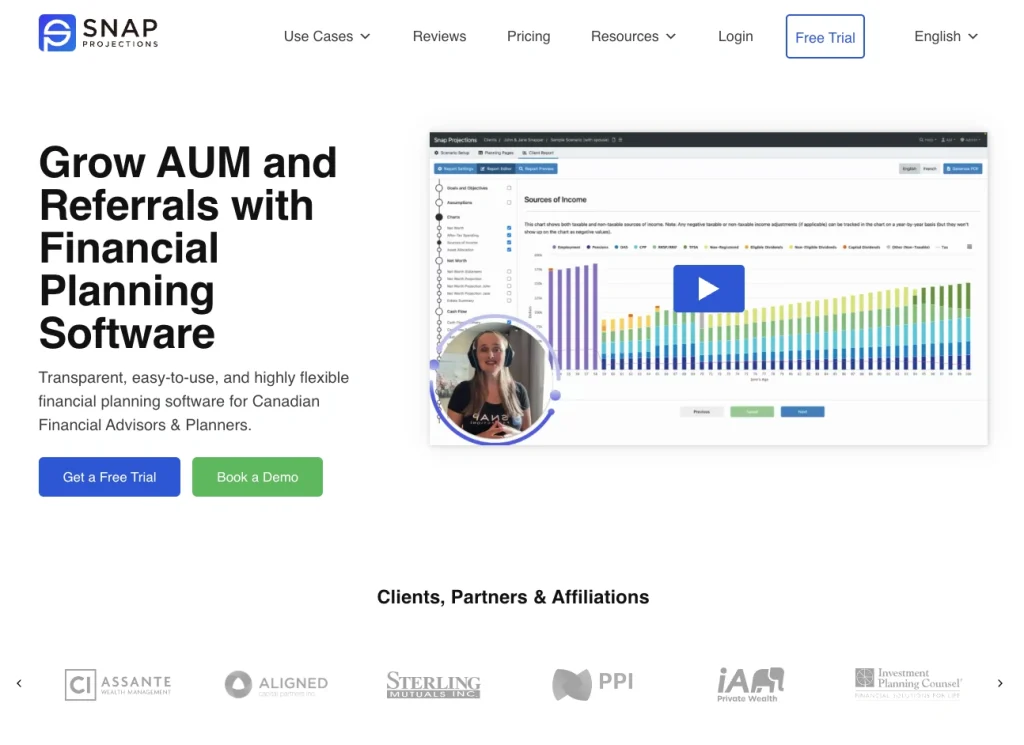
Snap Projections offers a robust solution for Canadian financial planning, focusing heavily on tax optimization and compliance.
- The Strength: Deep vertical expertise. For Canadian advisors specifically looking for tax and estate planning projections, this is a top-tier choice.
- The Weakness: Geographic and functional limits. It is a planning tool, not a practice management tool. It generates the plan, but it doesn’t help you manage the implementation of that plan over the next 12 months. Once the PDF is generated, the “management” aspect often reverts to email.
- The Difference: Our platform is designed for the lifecycle of the relationship, not just the planning phase. Whether you are in the US, Canada, or the UK, the need for advisor client management is universal. We bridge the gap between “here is the plan” and “here is what we achieved.”
4. The DIY Connectors (Zapier)
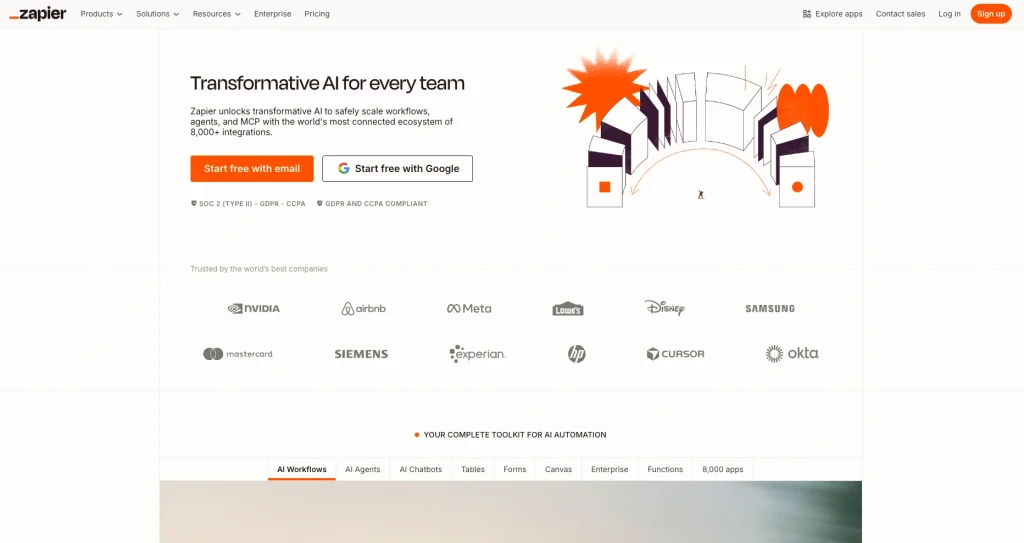
Zapier is the glue of the internet, allowing you to connect thousands of apps. It’s a favorite for tech-savvy advisors who want to build their own custom workflows connecting CRMs like Zoho or HubSpot.
- The Strength: Infinite flexibility. If you have the time and engineering mindset, you can build almost anything.
- The Weakness: Complexity and fragility. As mentioned in the “Tool Sprawl Tax” section, building your own system via Zapier often leads to a house of cards. One API change can break your entire workflow. Plus, you become a software maintainer, not an advisor.
- The Difference: We offer “batteries included” simplicity. You don’t need to be a systems architect to get world-class consultancy management software. Our workflows for scope control, onboarding, and accountability are pre-built and battle-tested, requiring zero setup time.
Why “Good Enough” Tools Are Costing You Growth
The common thread among these competitors is that they solve pieces of the puzzle.
- CRMs store data but don’t manage the work.
- Project tools manage tasks but ignore the client relationship.
- Planning tools create the strategy but don’t track the execution.
You end up paying for three different subscriptions and still relying on email to bridge the gaps.
Wispa was built to be the missing link. We don’t replace your tax software or your email, but we replace the friction that exists between them. By centralizing the advisor client management experience into one purpose-built platform, you stop playing IT manager and start acting like the trusted partner your clients hired.
Real-World Scenario: The Scope Creep Battle
With Generic Tools (Zapier/CRM):
A client emails a request. You forward it to your assistant. They add it to Trello via a Zapier integration. It gets lost in a list of 50 other tasks. Two weeks later, the client asks why it isn’t done. You check three tools to find the status. You realize it was out of scope, but you never flagged it. You do the work for free to save face.
- Result: Lost revenue, high stress.
With a Purpose-Built Platform:
With Wispa, the client submits the request through your branded portal. The system instantly flags it as “New Request,” estimates the impact on the timeline, and notifies the client of the updated schedule. This ensures clear boundaries, protected revenue, and a professional experience.
- Result: Clear boundaries, protected revenue, professional experience.
Generic Tools vs Purpose-Built Advisor Platforms
Generic tools require heavy customization. They often need client training. They rely on manual scope tracking. Purpose-built advisor platforms reduce friction by design. Onboarding becomes faster. Workflows are pre-configured. Approval flows are structured.
With platforms like Wispa, advisors can onboard clients quickly and maintain a clean separation between internal work and client-facing visibility. Scope changes flow through structured forms. Approvals are recorded automatically. Reminders trigger without manual effort. That difference compounds over time.
H3: The Comparison Table:
| Feature | Monday/Asana/ClickUp | Purpose-Built (e.g., Wispa) |
|---|---|---|
| Client Access | All-or-nothing | Curated client portal |
| Advisor Workflows | Build from scratch | Pre-built templates |
| Scope Management | Manual | Structured intake + impact analysis |
| Client Accountability | Assign task | Escalation workflows + reminders |
| Progress Visibility | Manual updates | Real-time + async |
| Setup Time | 3-5 hours per client | 20 minutes per client |
| Learning Curve (Client) | Steep | Minimal |
| Industry Context | None | Built-in (coach/fractional/consultant) |
| Pricing Model | Per seat | Per advisor (unlimited clients) |
The Hidden Cost of Making It Work – The DIY Trap
Many advisors believe they can customize generic tools to match their process. They can. But at a cost. Initial setup often takes dozens of hours. Ongoing maintenance consumes time each month. Each new client requires configuration. Over a year, this may total sixty or more hours. Those are billable hours lost.
DIY systems also break. Automations fail. Clients get confused. Processes evolve and require rebuilding. Eventually, many advisors revert to spreadsheets because the custom system becomes too heavy. That is not scalable consulting business management software. That is temporary survival.
When It Is Time to Switch – Red Flags
- You know it is time when you spend more time managing tools than delivering value.
- You know it is time when clients ask where to find things.
- You know it is time when onboarding a new client feels exhausting.
- Ask yourself whether your system was built for advisor and client collaboration.
- Ask whether clients can use it without training.
- Ask whether it reduces your tool stack instead of expanding it.
Purpose-built management software for consulting can free hours each week and restore clarity to your workflow.
Conclusion
The real problem is not your project management ability. The real problem is using systems designed for internal teams when your work spans between organizations. Generic platforms are not true tools for consultants operating in client environments. They do not fully support structured advisor client management.
When you adopt purpose-built platforms like Wispa, your systems align with your expertise. They are not integrated consultant management software built specifically for advisory workflows. You spend less time chasing updates. You reduce scope creep. You gain clean visibility. You create a smoother client experience. Book a trial now and choose the best project management software for your business.
Frequently Asked Questions
The best project management software for consultants is built for client work. It helps you control scope changes. It helps track accountability. You need a system that shows who owns each task. Many advisors choose Wispa because it reduces tool overload. It keeps communication simple. Generic tools often need a heavy setup. Purpose-built platforms make onboarding faster. The right system saves time.
Good consultancy management software lets you manage several clients without mixing information. It should keep internal notes separate from client views. It highlights deadlines. Wispa helps advisors track many projects in one place. It keeps each client workspace clean. It also makes you look more professional.
Consultants use task managers. They use CRMs and billing tools. They use file storage apps. Many now prefer all-in-one consulting business management software instead of many separate tools. Platforms like Wispa combine workflow tracking with accountability. This reduces confusion.
Yes. Consultants need advisor client management tools to stay organized. Without the right system, tasks get missed. Scope grows without control. A strong platform like Wispa helps you track progress. It sends reminders automatically. This allows you to focus on clients.