
Best Shift Handover Software in 2026: The Complete Guide for Manufacturing Teams
What Is Shift Handover Software?
Shift handover software is a digital tool that helps manufacturing teams, plant operators, and frontline workers pass critical information from one shift to the next. Instead of using paper logs, verbal updates, or scattered messages, teams use a structured digital system to record what happened, what needs attention, and what the incoming team must act on right away.
Think of it like a relay race. When one runner passes the baton to the next, that handoff needs to be clean and accurate. One bad handoff can cost the entire race. In manufacturing, one bad shift handover can cost you hours of productivity, a serious safety incident, or thousands of dollars in rework and downtime.
If you are exploring workflow management tools for your small or mid-size business, understanding shift handovers is one of the most important operational problems you can solve first.
Why Shift Handovers Are More Than a Documentation Problem
Most companies treat shift handover as a paperwork task. They think the fix is a better form, a fancier template, or a shiny new app. But here is the truth most software vendors will not tell you: shift handovers fail because of communication problems, not documentation problems.
When the outgoing supervisor rushes through a verbal briefing and skips the written log, that is a culture problem. When incoming workers do not read what was written before they start machines, that is an accountability problem. When three departments each do their own handover in different systems without talking to each other, that is a coordination problem.
Software helps. But it is not the whole solution.
This guide covers everything the top-ranking pages in Google skip entirely. You will learn how to calculate what bad handovers cost your operation, how to fix the process before buying any software, what a good handover actually looks like, and how to choose the right tool for your specific manufacturing type.
If you want to learn about common workflow challenges that slow down small businesses, the issues around shift handovers will feel very familiar.
The Real Cost of a Bad Shift Handover (And How to Calculate It for Your Plant)
Enterprise articles throw around numbers like “$2.3 million per hour in downtime at a large automotive plant.” That number means nothing if you run a 40-person job shop with two shifts.

Here is a simple cost model you can fill in with your own numbers right now:
Calculate your daily confusion cost
Take the average time in minutes that your incoming shift spends figuring out what happened on the previous shift (repeating troubleshooting, searching for context, asking around). Multiply that by the number of workers affected. Multiply again by their average hourly wage, converted to minutes. Do this for every shift change in your week.
For example: 15 minutes of confusion x 8 workers x $28 per hour = $56 per shift change. If you run 14 shift changes per week, that is $784 per week, or around $40,000 per year just in wasted startup time.
Add your rework cost
Count the number of rework incidents per month that can be traced back to information not passed at shift change (machines started wrong, incorrect settings, missed quality flags). Multiply each incident by the average cost of rework in your operation.
Add your near-miss frequency cost
Safety incidents that happen in the first 30 minutes of a shift are disproportionately linked to poor handovers. Even if you never have a recordable incident, near-misses carry hidden costs in investigation time, worker stress, and regulatory exposure.
When you add these three numbers together, most small and mid-size plants discover their bad handovers cost between $30,000 and $150,000 per year. That number changes the conversation entirely when you are evaluating a $5,000 to $15,000 software investment.
Check out this guide on top signs your business needs better task management to see if your operation has other hidden cost leaks beyond shift handovers.
Is Your Problem Process or Software? Take This Self-Diagnostic

Before you spend a single dollar on shift handover software, answer these six questions honestly:
Question 1: Do supervisors on your floor skip the written log when they are in a hurry?
If yes, you have a culture problem. Software will not fix this. In fact, adding more software often gives people more boxes to ignore.
Question 2: Does the incoming shift team read the handover log before speaking to the outgoing team?
If no, your team does not value written documentation. You need to build that habit first before investing in digital tools.
Question 3: Is the same equipment problem being flagged in your handover notes more than twice?
If yes, your team records problems but no one takes action on them. That is a process ownership problem, not a documentation tool problem.
Question 4: Do production, maintenance, and quality all hand over information separately without a shared summary?
If yes, you have a coordination problem. Most single-purpose handover apps will not solve this.
Question 5: Does an incoming supervisor have no one physically present to receive a handover on certain shifts (night-to-day transitions, lone workers)?
If yes, you need to design an asynchronous handover process before choosing tools.
Question 6: Has a supervisor ever said out loud that they “do not have time” for the handover process?
If yes, your current template is too long and asks for too much. A shorter, smarter template will solve more than a new software platform.
If you answered yes to questions 1, 2, or 6, fix your process first. Software will amplify your existing habits, both good and bad. If you answered yes to questions 3, 4, and 5, you are genuinely ready for a digital tool that can help you solve coordination and visibility problems.
Learn how workflow management can transform your business operations once you have your foundational process in place.
The Minimum Viable Shift Handover Template

Every shift handover tool or form you create should capture exactly five things and nothing more at the start:
Field 1: Production Status What was the output this shift? Are we ahead, behind, or on target? Include the specific job or line number and units completed versus units planned.
Field 2: Open Faults and Active Issues What equipment is running degraded, tagged out, or waiting for maintenance? Be specific about which machine, what the symptom is, and what temporary measure (if any) is in place.
Field 3: Safety Flags Did any near-miss, injury, or unsafe condition occur or get observed this shift? Even if you resolved it, the incoming team needs to know.
Field 4: Priority Carryovers What must the incoming shift complete or follow up on that was started but not finished? Include customer deadlines, open work orders, and any escalations in progress.
Field 5: One Free-Text Notes Field Give operators one open field to write anything that does not fit the four categories above. Keep it limited to one field, not three or four.
That is the full template. Five fields. Done.
Now here is what to cut from your current form if you want people to actually fill it out: shift morale scores, weather observations, general notes with no action required, reference numbers for tickets no one checks, and any field that generates no follow-up action.
If a field has never triggered a conversation or an action, remove it. Every unnecessary field you add to a handover form reduces the completion rate of the important fields.
Explore how Wispa’s task management features can help you structure carryover tasks so incoming teams see exactly what needs attention the moment they start their shift.
Before and After: What a Good Shift Handover Actually Looks Like
This is the thing almost no handover software article shows you. Here are three real scenarios with a weak handover entry versus a well-structured one.

Scenario 1: A Recurring Equipment Fault
Weak paper log entry: “Line 3 had issues again. Fixed it and ran fine.”
Well-structured digital entry: “Line 3 feeder motor threw error code E14 at 2:47 AM. Reset and resumed. This is the third occurrence this week (Tuesday 6 PM and Wednesday 2 AM also). Maintenance ticket #1042 is open. Do not run Line 3 above 80% speed until the bearing inspection is completed. Estimated maintenance window: Friday morning shift.”
The second entry gives the incoming team specific information, a pattern they can track, a constraint on operation, and a timeline. The first entry gives them nothing useful.
Scenario 2: A Mid-Run Quality Drift
Weak paper log entry: “Quality was off for a while. Got it back on spec.”
Well-structured digital entry: “Dimension drift on Part #7743 was detected at 1:15 AM on Press 2. Root cause identified as tooling wear on die set 4B. Swapped to die set 4C at 2:00 AM. Parts produced between 1:00 AM and 2:00 AM (approx. 240 units) have been quarantined in bin 7 and tagged for quality review. First article inspection on 4C confirmed in-spec at 2:20 AM. No further issues this shift.”
The second entry tells the quality team exactly what to inspect, where the suspect parts are, and when the correction was made. That is the difference between a clean shift start and a two-hour investigation at 6 AM.
Scenario 3: An Urgent Customer Order Deadline
Weak paper log entry: “Still working on XYZ order. Should be fine.”
Well-structured digital entry: “Customer order CO-4891 for 500 units (due Thursday 8 AM) is at 340 units complete as of end of shift. We need 160 more units in the next two shifts to hit the deadline. Current run rate is 85 units per hour on Line 1. No issues with materials or tooling. Incoming day shift supervisor should confirm with logistics that the truck is scheduled for Thursday 7:30 AM pickup.”
The second entry gives the incoming supervisor everything they need to make a decision in the first five minutes of their shift without calling anyone.
For tools that help you track open work and carryover actions across shifts, explore Wispa’s full features page to see how task assignments and workflow automation support this kind of operational clarity.
How to Get Experienced Shift Workers to Use a New System (The Adoption Playbook)
This is the most common reason shift handover software implementations fail. A software vendor openly admitted in one industry article that “frontline technicians did not want to use mobile tools because of poor UI and UX, and they would rather use paper.” That is a real problem and it has nothing to do with which software you chose.
Here is a practical adoption playbook based on what actually works in manufacturing environments:
Phase 1: The Floor Champion Model (Weeks 1 and 2)
Do not roll out the new system to everyone at once. Pick one person per shift who is respected by their peers, not necessarily the supervisor, but the person others listen to. Get them trained first. Give them ownership of helping others learn. Frontline workers are far more likely to accept guidance from a trusted peer than from management or a software trainer.
Phase 2: The 30-Day Trial Without Threat (Weeks 3 and 6)
Frame the rollout as a trial, not a mandate. Tell your team explicitly: “We are going to try this for 30 days, keep the paper log running in parallel, and then decide together what works better.” This reduces resistance dramatically because it removes the fear of permanent change.
Phase 3: Handle the Supervisor Who Pushes Back
If a shift supervisor actively undermines the new system by skipping it or encouraging their team to skip it, address this privately and directly. Show them the cost data from your cost calculation (see the section above). Ask them specifically what is wrong with the new process. Most supervisors who resist do so because the tool is adding time, not saving it. If the tool is genuinely adding friction without adding value, simplify the template first before asking anyone to comply more strictly.
Phase 4: Define “Good Enough” at Month 1 vs Month 6
In month 1, success means that at least 70% of handovers are being logged digitally with the five required fields completed. In month 6, success means 95% completion rates, handover data is being reviewed weekly by supervisors, and at least one recurring issue has been identified and resolved using handover log patterns.
Setting different expectations for different phases prevents early discouragement and gives the team visible milestones to hit.
Learn how automating recurring tasks can reduce the manual burden on your team so that your shift workers spend less time on admin and more time on work that matters.
WhatsApp vs. Dedicated Shift Handover Software: An Honest Comparison
Most software vendor articles dismiss informal tools like WhatsApp or a shared Google Sheet in one sentence. But for a 15-person plant running two shifts, a disciplined WhatsApp group with a pinned template might genuinely be the best tool right now.

Here is the honest breakdown:
What a disciplined WhatsApp group with a template can do well: It is free. Everyone already has it on their phone. Setup takes 30 minutes. Compliance is higher because workers use it for everything else anyway. A pinned message template ensures consistent format. Notifications are instant.
What WhatsApp cannot do: It is not searchable in any organized way after two weeks of messages. It does not create accountability through read receipts or acknowledgment workflows. It does not integrate with your CMMS or ERP system. It provides no audit trail for compliance purposes. It does not allow you to assign carryover tasks with due dates and owners. It cannot generate trend reports or pattern analysis on recurring issues.
The threshold at which dedicated software starts to pay:
When your team size goes above 20 to 25 shift workers, the search and audit limitations of WhatsApp start costing more time than the tool saves. When you have a compliance requirement (ISO, FDA, OSHA) that requires a documented, traceable log, WhatsApp is not defensible. When the same problem shows up in your handover notes three times in a month and no one connects the dots, you need analytics that WhatsApp cannot provide.
The honest verdict: For operations under 20 people with low compliance requirements and simple shift structures, start with a disciplined template in WhatsApp or a shared document. When you outgrow it, you will know exactly why you need dedicated software.
For a deeper look at how Wispa compares to other workflow tools in terms of features and value, this comparison article breaks it down clearly.
How to Handle Shift Handovers When Supervisors Are Not Physically Present
A growing number of manufacturing operations are dealing with a real and unaddressed problem: what do you do when the incoming supervisor is not physically at the plant at shift changeover time?

This happens more than anyone talks about. Night-to-day transitions where the day supervisor arrives after the night crew has already left. Partially overlapping shifts where there is no shared time window. Single-person overnight operations. Remote plant directors who need shift context without attending the handover. Off-site quality managers who need to know what happened before the 8 AM quality meeting.
Here is how to design a shift handover that works asynchronously:
Make the written log the source of truth, not the verbal briefing.
In co-located handovers, the verbal briefing is primary and the log is a backup. For async operations, flip this. The log is primary. The verbal update, if it happens, is a supplement.
Set a read-and-acknowledge requirement.
Before any incoming supervisor can start production on their shift, they must open the handover log and mark it as read. This creates a visible timestamp and accountability record. If a problem happens in the first hour of a shift and the incoming supervisor had not read the log, that is a different conversation than if they had read and acknowledged it.
Build escalation triggers.
Some items in the handover log should automatically trigger a notification to someone outside the shift chain. A safety flag should alert the safety manager. An open fault that was flagged on the previous shift and is still unresolved after 24 hours should alert the maintenance supervisor. These escalations should happen automatically, not because someone remembered to forward a message.
Create a 15-minute catch-up protocol.
For supervisors who arrive after shift changeover, build a standard protocol: read the log (5 minutes), walk the floor with the first worker from the outgoing shift who is still present (5 minutes), and check the top three open items before releasing the outgoing team (5 minutes). Fifteen minutes is enough if the log is well-written.
Explore how Wispa’s operations and workflow features support remote team visibility and async accountability across shifts, departments, and locations.
Shift Handover by Manufacturing Type: Discrete vs. Process vs. Make-to-Order
This is a topic that almost no shift handover article covers, and it is one of the most important factors in choosing the right tool and template.
Process Manufacturing (Chemical, Pharma, Refining, Food and Beverage)
In process plants, you are handing over the state of a continuous operation. Temperature, pressure, flow rates, batch status, permit status, and equipment alarms are the core handover items. The handover window is often formalized and structured. Compliance requirements (FDA, EPA, OSHA PSM) often mandate specific documentation. Enterprise tools like Hexagon j5 or Sphera are built for this context and are appropriate at scale.
Discrete Manufacturing (Automotive Parts, Electronics Assembly, Metal Fabrication)
In discrete plants, you are handing over the status of specific jobs, machines, and setups. Which part numbers ran, what setups need to change for the next batch, which machines have pending PM work, and which jobs are behind schedule. Handover templates here are job-centric and machine-centric, not parameter-centric. Most enterprise process-industry tools are a poor fit here and add complexity without benefit.
Make-to-Order and Job Shop Manufacturing
In a custom or make-to-order environment, every shift handover has a customer-specific urgency layer. You are handing over which customer orders are running, what the delivery date is, where each job is in the process flow, and what risks exist to hitting the date. The handover is more like a project status update than an equipment log. Tools that work well here support task-level tracking, deadline visibility, and customer-order tagging.
If you run a job shop or make-to-order operation and you have been looking at process-industry handover tools that feel too heavy and too expensive, that mismatch is real. You need a tool built around job status and deadline accountability, not continuous-process parameter logging.
This is exactly where a platform like Wispa provides a practical alternative, combining task tracking, workflow visibility, and team communication in a single platform that fits the operational reality of smaller discrete and make-to-order manufacturers.
The Multi-Department Handover: Production, Maintenance, and Quality Together
Here is a problem every real manufacturing plant faces and no shift handover article solves: production, maintenance, and quality all need to hand over at shift change, but they use different systems, speak different languages, and hand over to different people.

The production supervisor is handing over output status and open jobs. The maintenance technician is handing over active work orders, locked-out equipment, and pending PMs. The quality inspector is handing over in-process inspection results, non-conformance records, and any material on quality hold.
When these three streams are disconnected, the incoming team gets three separate briefings in three separate places and has to piece together a full picture on their own. This is where critical context gets lost.
Here is a tiered handover architecture that solves this:
Department-Level Logs (Real-Time During Shift)
Each department maintains their own running log during the shift. Production updates job status. Maintenance logs work orders opened and closed. Quality logs inspection results and holds. These are separate and specific.
Cross-Functional Summary (30 Minutes Before Shift Change)
One person (usually the outgoing production supervisor) pulls the three key items from each department’s log and creates a brief cross-functional summary: the top three production issues, the top two maintenance constraints, and the top quality flag.
Unified Incoming Briefing (First 10 Minutes of New Shift)
The incoming supervisor, maintenance lead, and quality lead read the unified summary together. Each confirms receipt. Any cross-departmental escalations get raised immediately.
This three-tier structure eliminates the “parallel handover bottleneck” where three separate department handovers all happening at the same time create a 45-minute changeover window instead of a clean 15-minute transition.
Read more about effective project management strategies and how structured coordination across teams drives better outcomes.
Mining Your Handover Logs for Root-Cause Intelligence
Most plants collect shift handover data and never use it for anything except compliance. That is a massive missed opportunity.

A well-maintained handover log is one of the richest operational intelligence sources in your plant. It tells you which machines fail most often and when, which shifts have the highest incident rates, which jobs consistently miss their carryover targets, and which quality issues recur before anyone treats them as a systemic problem.
Here is a practical review cadence you can start this week:
- Weekly (15 minutes for supervisors): Scan the past week’s handover logs for any item that appeared more than once. Flag it. Ask yourself: did we take corrective action, or did we just log it again?
- Monthly (30 minutes for the plant manager): Pull all flagged recurring items from the past 30 days. Group them by machine, shift, and issue type. Look for three patterns: the machine that generates the most entries, the shift that generates the most safety flags, and the job type that generates the most carryover tasks.
- Quarterly (1-hour cross-functional meeting): Correlate handover-flagged issues with your actual downtime records and quality escapes. If a machine shows up in handover logs consistently before a major breakdown, your handover logs predicted that failure. Use this to build a predictive maintenance case.
The weekly habit is the most important one. Most plants that start a monthly or quarterly review discover within 60 days that they have been reacting to problems for months that their own shift workers were trying to warn them about in the handover log.
Learn how Wispa’s workflow automation and dashboard features help teams surface patterns and reduce the manual work of monitoring operational health.
Top Shift Handover Software Tools Reviewed (Honest Assessment)
Here is a straightforward overview of the tools most commonly mentioned for shift handover, along with who each one actually fits.
Hexagon j5 Shift Handover
Best for large process plants (chemical, energy, utilities) with complex permit-to-work requirements and regulatory compliance obligations. Robust feature set. Requires dedicated implementation. Not suited for discrete manufacturing or operations without IT support.
eLogbook
A niche digital logbook tool designed to replace paper shift logs. Clean and focused. Best for operations that need a simple structured log with searchability and audit trails. Limited workflow and task management capabilities beyond the log itself.
MaintainX
A maintenance and operations platform that includes shift handover as part of a broader work order management system. Strong for teams that want to link handover items directly to work orders. Good fit for maintenance-heavy operations. Less suited as a standalone shift log for production-focused teams.
Fabrico
An integrated CMMS and operations platform with strong editorial content and genuine depth. Best for medium-size manufacturers that need maintenance, production tracking, and handover in one system. Heavier implementation effort than standalone tools.
Innovapptive
Enterprise connected-worker platform with AI-powered shift summaries, voice-to-text input, and SAP integration. Best for large asset-intensive operations already running SAP. Zero practical fit for operations without an SAP backbone or dedicated IT configuration resources.
Wispa
A business management and workflow platform built for small and mid-size operations. While not marketed exclusively as shift handover software, Wispa covers the core operational needs of shift-based teams through its task management, workflow processes, team communication, and dashboard visibility features. Particularly well-suited for discrete manufacturers, job shops, and multi-department operations that need one platform to coordinate across production, HR, and operations without enterprise-level complexity or cost. Unlimited users on the free plan make it accessible for smaller operations evaluating digital tools for the first time.
See how Wispa compares to single-purpose tools and why all-in-one platforms are increasingly the practical choice for small and mid-size operations.
What Features to Look for in Shift Handover Software
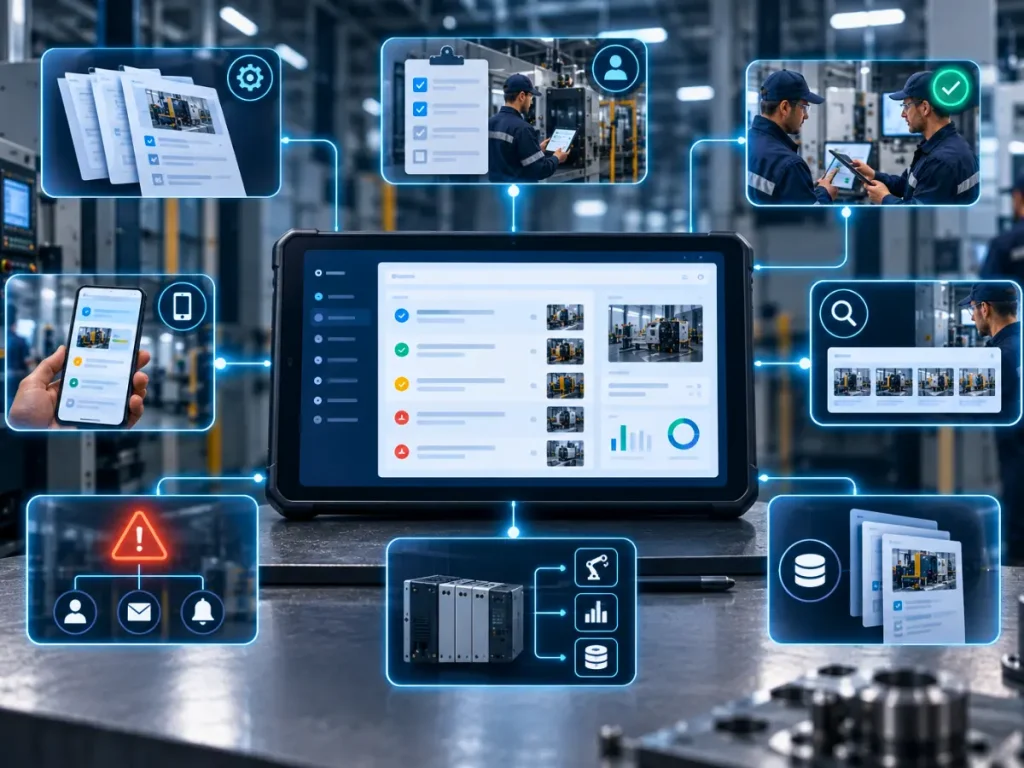
When you are ready to evaluate tools, use this checklist to compare options against your actual operational needs:
Structured Templates Can you build a custom shift log template that matches your operation without requiring developer help?
The tool should let your team define the five key fields specific to your manufacturing type without weeks of configuration.
Task Assignment and Carryover Can you convert a handover item into an assigned task with a due date and owner?
Logging a problem is not enough. The tool needs to close the loop by ensuring someone owns the follow-up action.
Read-and-Acknowledge Functionality Can incoming supervisors mark the handover as read with a timestamp?
This creates the accountability record that both async operations and compliance audits require.
Mobile Accessibility Can shift workers and supervisors update and read the log from a phone or tablet on the floor?
If the tool requires a desktop computer, your completion rates will suffer.
Search and Historical Access Can you search past handover logs by date, machine, issue type, or keyword?
If you cannot find what happened three weeks ago in less than 30 seconds, the tool is not generating intelligence, just archives.
Notification and Escalation Does the tool send automatic alerts when a high-priority item is not acknowledged within a defined window?
Escalation automation is the difference between a tool that monitors problems and one that just records them.
Integration with Your Existing Systems Does the tool connect to your CMMS, ERP, or quality system? Integrations matter when carryover items in the handover log need to become work orders or non-conformance reports in other systems.
Explore Wispa’s full features, including task management, workflow automation, reminders, and integrations to see which of these capabilities are already available without additional tools.
How Wispa Supports Shift-Based Manufacturing Operations
Wispa is a business management platform built for small and private businesses that need to manage people, processes, tasks, and communication in one place without the complexity or cost of enterprise software.

For manufacturing teams navigating the shift handover challenge, Wispa provides several relevant capabilities:
- Task Management for Carryover Items: When something cannot be completed on one shift, it becomes an assigned task with a specific owner, due date, and priority level. The incoming supervisor sees open items immediately on their dashboard without needing to read through a long text log.
- Work Processes and Workflow Automation: Wispa’s configurable work process templates let you define what a complete shift handover looks like and ensure every step is completed before the outgoing team signs off. Automated reminders ensure that nothing gets skipped even on busy nights.
- Unified Communication Hub: Instead of maintenance, production, and quality messaging in three separate systems, Wispa brings team communication into one platform. Cross-departmental updates live in the same workspace, reducing the information gaps that cause costly shift-start confusion.
- Dashboard Visibility for Plant Managers: Plant managers and supervisors get a real-time view of open tasks, flagged issues, and team activity across all shifts without walking the floor or calling people at home. This is especially valuable for off-site managers and remote operations directors.
- Reminders and Escalation: Wispa’s reminder system can be configured to trigger notifications when high-priority handover items go unacknowledged, ensuring that safety flags and critical equipment issues always reach the right person.
- Customization for Your Process: Unlike enterprise handover tools that force you into a pre-built structure, Wispa lets you define your own workflow labels, task categories, and process steps so the platform speaks your operation’s language.
Start your free trial today and see how Wispa can simplify your shift operations without the complexity of enterprise software. No credit card is required and the free plan includes unlimited users.
Summary: The Shift Handover Software Decision Made Simple
Here is a quick decision framework based on everything covered in this guide:
- If your handovers are failing because of culture or supervisor behavior, fix the culture first. Software will not help and may make things worse.
- If your handovers are failing because your template is too long or unclear, simplify to the five-field minimum template before buying anything.
- If your team is under 20 people, start with a structured template in your existing communication tool and build the habit before investing in dedicated software.
- If your team is over 20 people, you have compliance requirements, or you are losing more than $50,000 per year in handover-related costs (use the calculation above), dedicated software is justified and will return its cost quickly.
If you are in discrete manufacturing or a make-to-order job shop, avoid enterprise process-industry tools. They are built for different operational realities. Look for platforms that handle task management, job status tracking, and team communication together, like Wispa.
If you have a multi-department coordination problem (production, maintenance, and quality handing over in parallel), solve the tier architecture problem first, then choose a tool that supports cross-departmental visibility.
And if you are ready to start mining your handover logs for intelligence, start the weekly pattern scan tomorrow. No new software required.
For more resources on building better workflows and team operations, explore the Wispa blog where we cover practical guides on productivity for distributed teams, choosing the best workflow tools, and how to build operational systems that actually scale.
Ready to simplify your shift operations?
Start Wispa free for 3 months. No credit card needed. Unlimited users included.
Frequently Asked Questions
A shift handover is the process of transferring knowledge, responsibilities, and operational context from one team or worker at the end of their shift to the team starting the next shift. It covers equipment status, open issues, safety flags, production targets, and any critical actions that need to be carried over.
A shift log is the document or record itself. Shift handover software is the digital platform used to create, share, search, and manage those records. Good shift handover software also adds features like task assignment, read receipts, escalation alerts, and analytics that a simple log (paper or digital document) cannot provide.
A well-designed shift handover should take 10 to 15 minutes. If yours takes longer, your template is collecting too much low-signal information. If it takes less than 5 minutes, you are likely missing critical items. The incoming supervisor should be able to read the log, ask one or two clarifying questions, and start their shift informed and ready.
The five most important items are: current production status, open equipment faults and active issues, any safety flags from the previous shift, priority carryover tasks that need immediate action, and one free text field for anything that does not fit the other four. Everything else is noise until your team masters these five.
Not necessarily, at least not to start. If your team has fewer than 20 workers, a structured template in a messaging app or a simple shared document can work well while you build the habit. Once you outgrow that, or once compliance requirements demand it, purpose-built software or a platform like Wispa becomes the right investment.
The most effective approach uses the floor champion model: identify the most respected worker per shift and train them first. Run a 30-day parallel trial alongside your current process rather than mandating full replacement immediately. Simplify your template to the minimum required fields. And address supervisor resistance privately with data about the cost of poor handovers, not with top-down mandates.