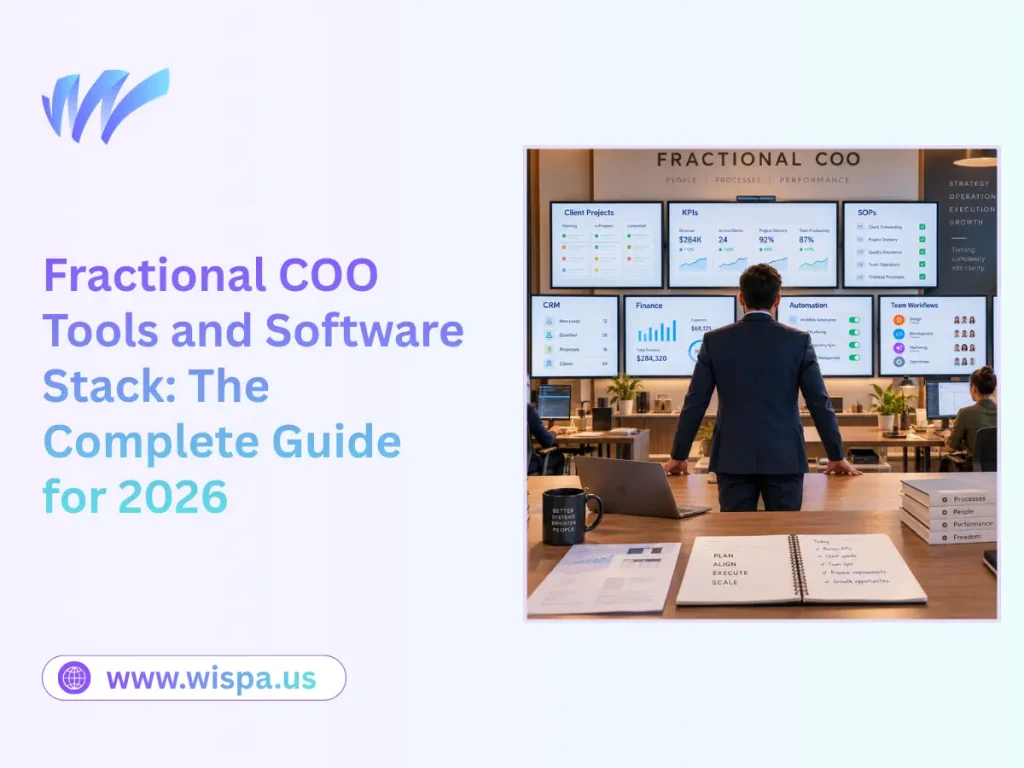
Fractional COO Tools and Software Stack: The Complete Guide for 2026
A fractional COO software stack is the connected set of tools used to run operations, manage workflows, document processes, measure performance, and protect institutional knowledge. A practical stack has three zones: the fractional COO’s practice stack, the client’s operating stack, and a small shared surface for collaboration. The best stack is not the one with the most applications. It is the smallest system that gives the team one source of truth, clear ownership, reliable automation, and a clean handover when the engagement ends.
A fractional COO should normally standardize the practice stack, configure the client’s stack around the client’s existing systems, and avoid making the client dependent on the COO’s personal accounts. This guide explains which tools belong in each layer, how the stack changes at 8, 40, and 200 employees, what it costs, how to audit an inherited stack, and how to prove that the client can run it without the COO.

For a fractional COO, the stack is not a collection of attractive applications. It is the delivery system behind the work. A COO may be coordinating several client engagements at once, each with different processes, permissions, deadlines, and reporting requirements. Without a repeatable command center, the practical symptoms are predictable: too many browser tabs, forgotten credentials, duplicated updates, and client information scattered across unrelated logins.
The role itself combines part-time or interim operations leadership with process design, team coordination, systems improvement, and executive visibility. That means the tools must support both sides of the job: running the COO’s own practice and improving the client’s operating system. A useful companion for visualizing the day-to-day rhythm of operational work is Wispa’s manager workflow example.
What a fractional COO software stack must accomplish
A fractional COO is not simply buying software. They are designing an operating system for how work moves through the company. That system should answer five questions quickly:
- Where does each important record live?
- Who owns the next action?
- Which process runs automatically, and who monitors it?
- Which KPI is reviewed, by whom, and how often?
- Can the client operate the system without the fractional COO?

These questions matter more than brand names. Wispa’s guide to choosing the right workflow automation software makes the same practical point: tools should fit the team’s real workflow, integration needs, usability, scalability, and budget. A fractional COO applies that principle at the level of the whole operating model.
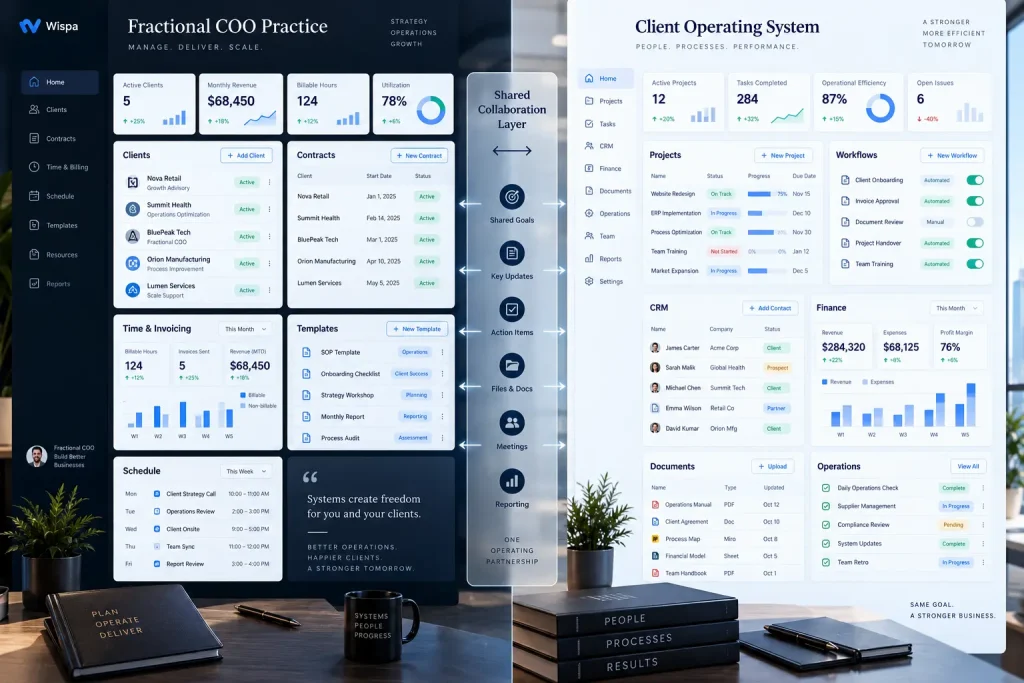
The three-zone model: practice, client, and shared surface
The first decision is to separate software used to run the fractional COO’s business from software that belongs to the client. Mixing those two categories creates avoidable problems with billing, data access, security, and offboarding.
| Zone | Who normally owns it? | Typical contents | What happens when the engagement ends? |
| Practice stack | The fractional COO or their firm | Lead CRM, proposals, scheduling, internal knowledge base, invoicing, time tracking, practice reporting | The COO keeps it. Client data is exported, returned, or deleted according to the agreement. |
| Client operating stack | The client company | Customer records, projects, SOPs, dashboards, finance, people operations, inventory, service delivery | The client keeps it. The client’s administrator should be able to manage it without the COO. |
| Shared surface | Preferably the client, with the COO as a named user or guest | Shared project workspace, client channel, meeting notes, action register, dashboard | Access is reviewed, reduced, or removed through a documented offboarding process. |
The default ownership rule
If a record is part of the client’s business, it should normally live in a client-owned account. That includes customer data, employee records, financial data, operating procedures, project history, and decisions made during the engagement. The fractional COO can administer the system, but the client should own the workspace, billing relationship, recovery email, and primary administrator account.
Use the COO’s workspace only for the COO’s reusable intellectual property, such as a generic diagnostic framework or a blank checklist. Copy a client-specific version into the client’s workspace before it becomes part of the client’s operating system.
For a deeper treatment of workflows and recurring operating routines, see Wispa’s beginner’s guide to workflow management.
The multi-client command-center problem
The practice stack should give the COO a portfolio view without creating a second copy of each client’s data. The COO needs to see which client needs attention, which deliverable is due, which decision is blocked, and which recurring review is approaching. That visibility should come from approved summaries, shared dashboards, or named client workspaces rather than from exporting every client record into a private master spreadsheet.
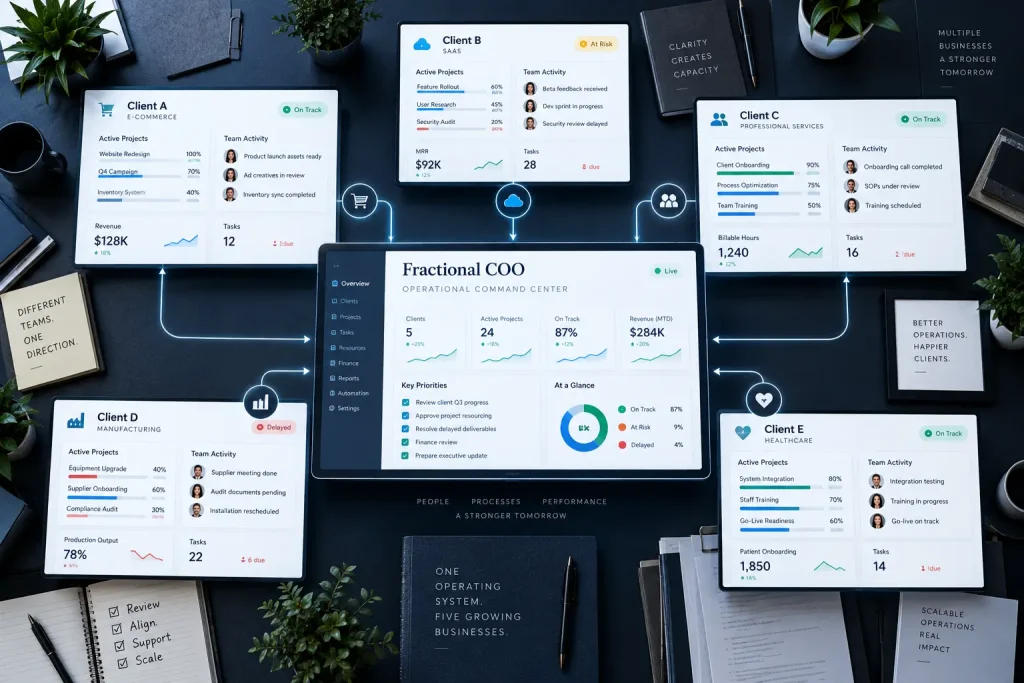
This distinction matters. A single command center can reduce context switching, but a single private database containing every client’s confidential information can create unnecessary security and ownership risk. The goal is cross-client visibility with client-level data boundaries.
The core layers of a fractional COO technology stack

A useful stack is layered. Each layer has a distinct job and a clear system of record.
Identity, communication, and files
Use one company identity provider and one primary file system. Common choices are Google Workspace or Microsoft 365 for email, calendars, documents, spreadsheets, and access management. Slack or Microsoft Teams can support fast communication, but chat should not become the permanent system of record for decisions or tasks.
The rule is simple: chat can notify; the operating system must retain the decision. A decision made in a chat channel should be summarized in the relevant project, SOP, customer record, or decision log.
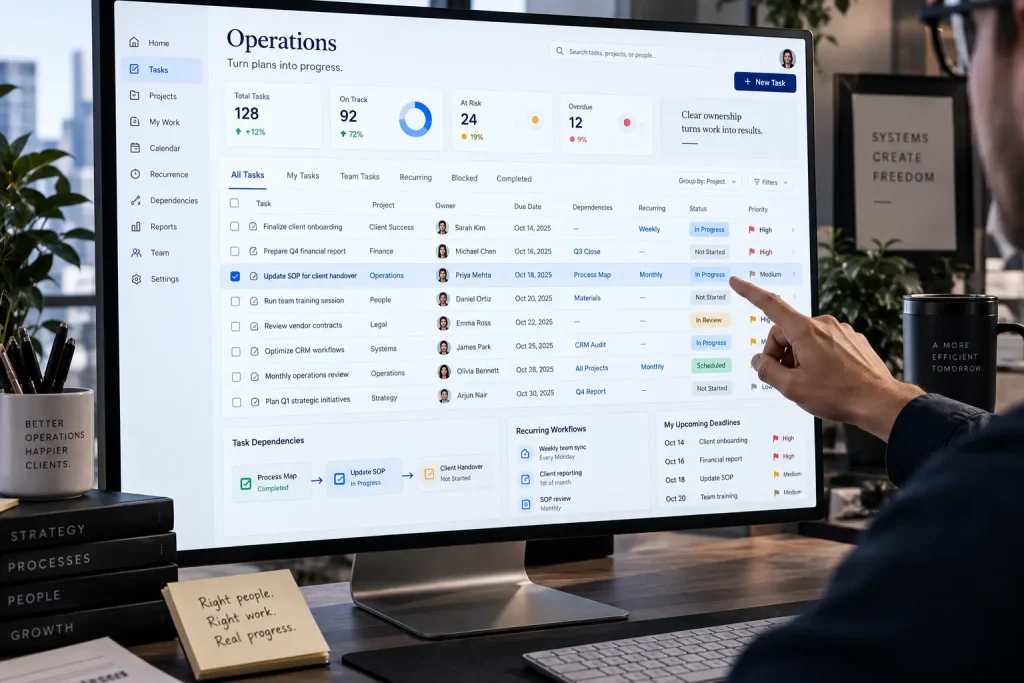
Work management
The work-management layer holds projects, recurring workflows, owners, due dates, dependencies, approvals, and status. Common options include Wispa, Asana, ClickUp, Monday.com, Linear, Trello, and Smartsheet. Wispa’s task-management feature is relevant when the client wants tasks, workflow templates, communication, files, and reminders in a more unified environment.
Choose one primary task system. Running the same project in Asana and ClickUp, or the same recurring process in a project tool and a spreadsheet, creates duplicate truth and weakens accountability.
This is the backbone of daily operations. Without clear task ownership, deadlines slip and nobody knows whether work is blocked, late, or simply undocumented. Fractional COOs evaluating general project-management tools may also find Wispa’s analysis of why generic PM tools can fail business advisors useful when comparing client-facing delivery needs with ordinary internal project tracking.
Process documentation and knowledge
The documentation layer stores SOPs, policies, role definitions, decision records, meeting templates, and onboarding materials. Notion, Google Docs, Microsoft SharePoint, Confluence, and a structured Wispa workspace can all work. The choice is less important than the rules for naming, ownership, review dates, and permissions.
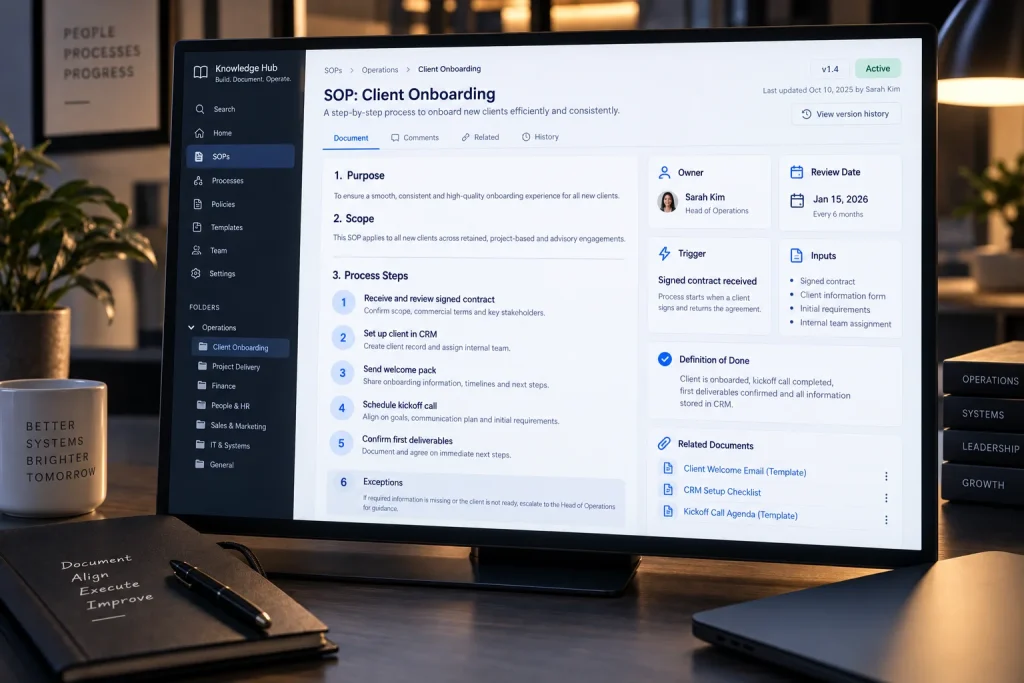
Every critical SOP should state its owner, last review date, trigger, inputs, steps, exceptions, and definition of done. A document without an owner is an archive, not an operating control.
Customer and revenue records
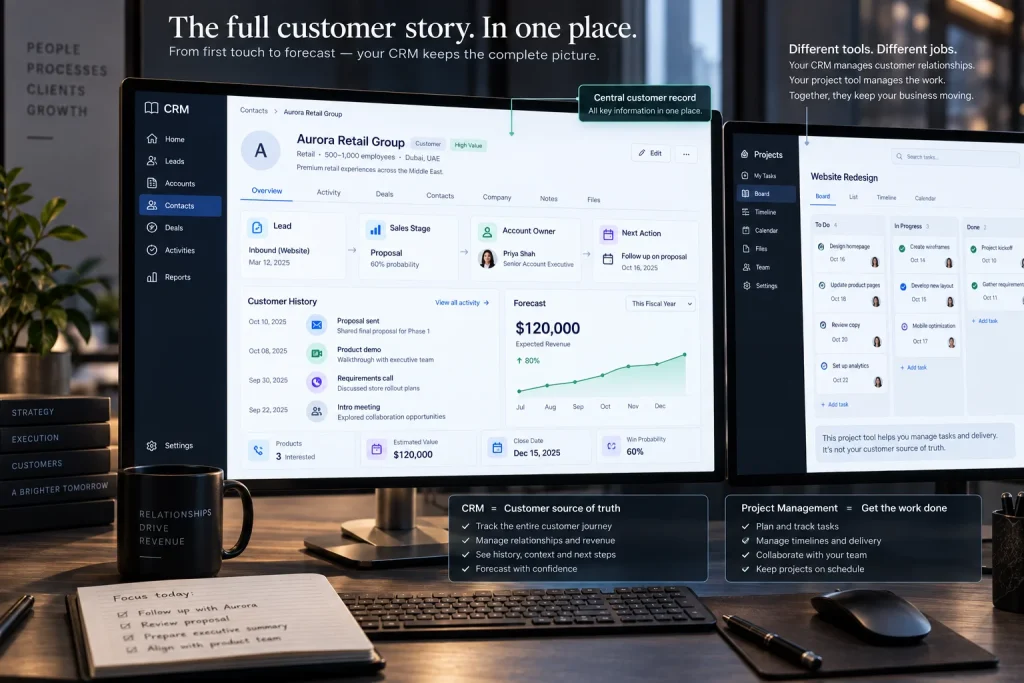
A CRM should be the source of truth for prospects, customers, sales stages, account ownership, and next actions. HubSpot, Salesforce, Pipedrive, and industry-specific systems are common choices. Do not use a task tool as a substitute for a CRM when the business needs a reliable customer history, pipeline, or forecast.
Finance and billing

Accounting software such as Alfaa, QuickBooks, Xero, or a vertical finance platform should own invoices, payments, chart of accounts, and financial reporting. A fractional COO may improve the workflow around billing, approvals, collections, and cash visibility but should not create a shadow accounting system in a project tool.
Automation and integration
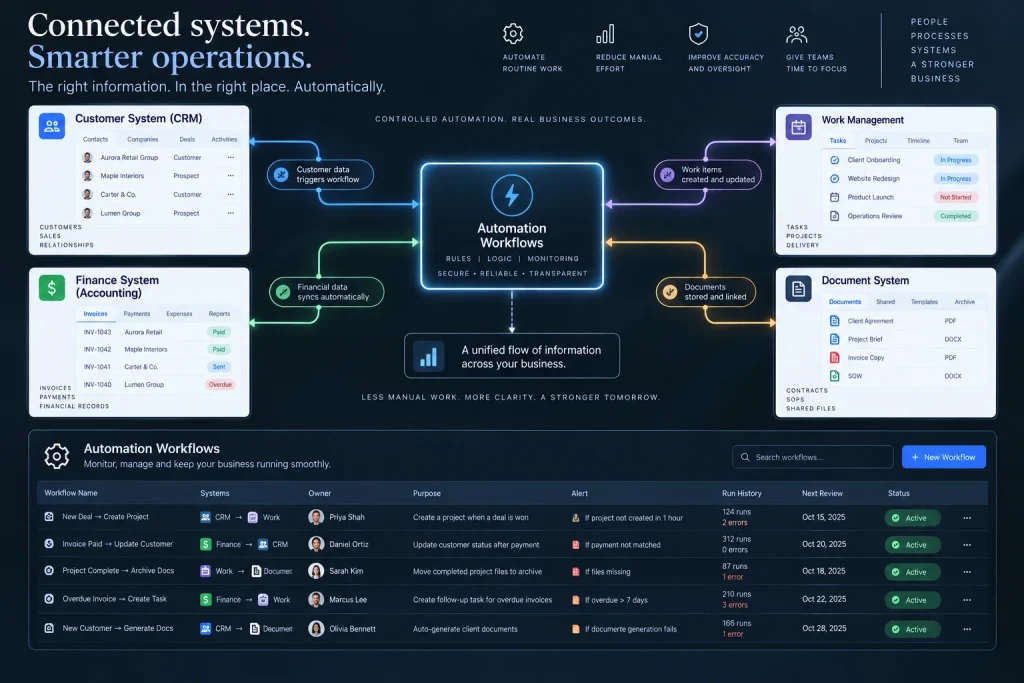
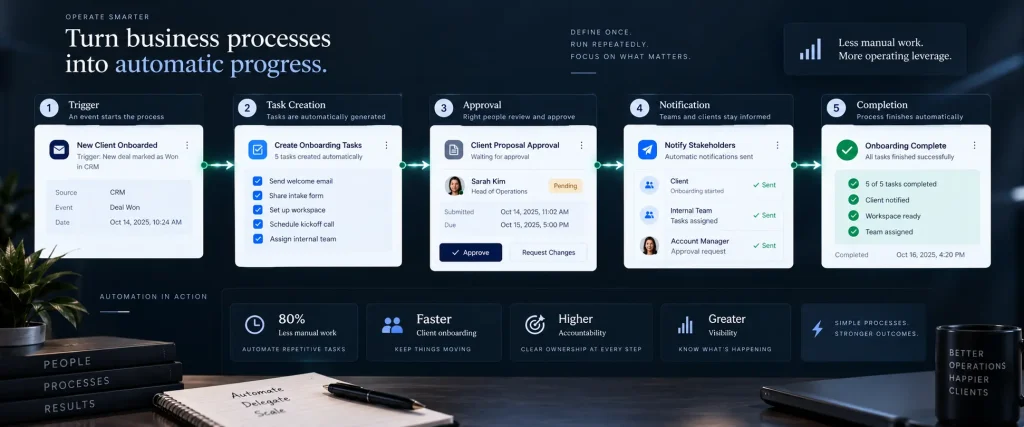
Automation connects systems when a human should not have to copy the same information twice. Zapier, Make, and n8n are common choices. The automation layer should be treated like production infrastructure: each workflow needs an owner, a purpose, a failure alert, a run log, and a review date.
Meetings and operational reporting
Meeting-capture tools such as Fireflies, Otter, Fathom, or native meeting notes can reduce manual transcription. A reporting layer such as Looker Studio, Power BI, Tableau, or a platform-native dashboard turns system data into a weekly operating review.

Meeting notes are not automatically a source of truth. The action items still need owners and due dates in the work-management system.
People operations
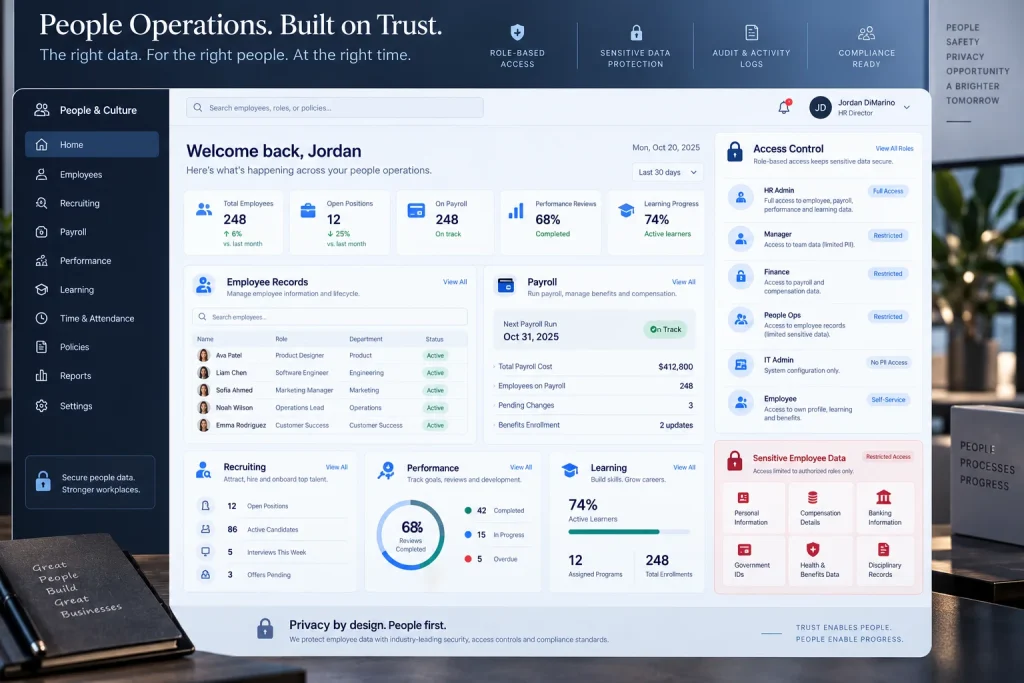
At larger stages, the stack may include an HRIS, payroll, recruiting, time tracking, performance management, and learning tools. Rippling, Deel, BambooHR, Gusto, and similar products may fit different contexts. People data requires stricter access controls than ordinary project data. A fractional COO should involve the client’s legal, HR, or security adviser before changing how sensitive records are stored.
Productivity and focus tools
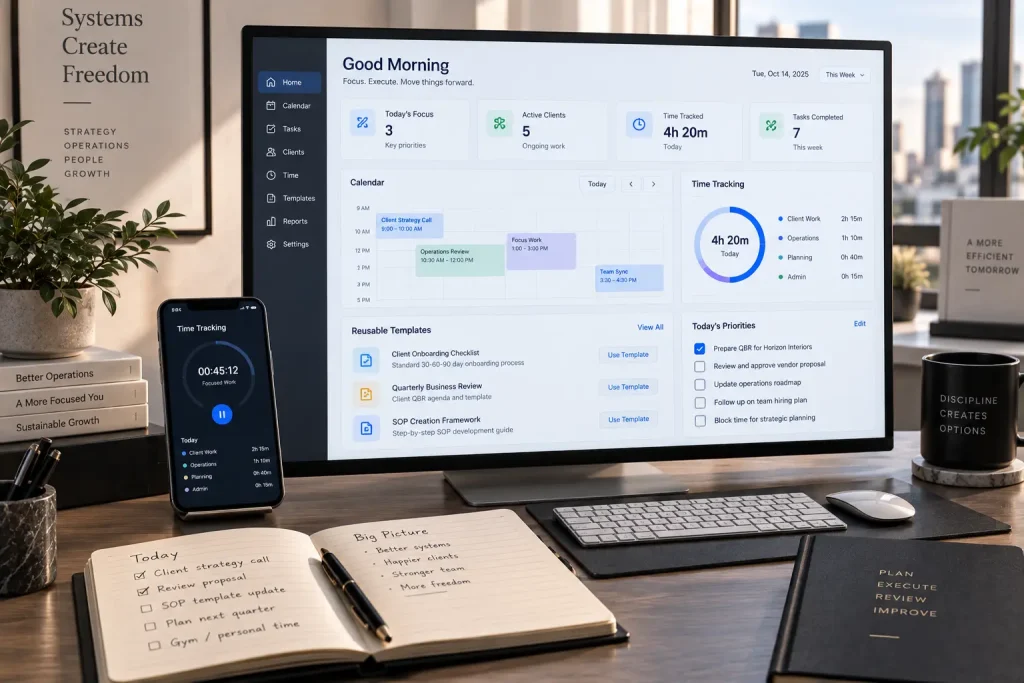
The COO also needs a personal operating rhythm. Calendar blocks, time tracking, focus tools, reusable templates, and a daily priority view help the practice scale without turning every client request into an interruption. These tools belong in the practice stack unless the client explicitly needs a shared version. Wispa’s productivity tools can support that part of the evaluation.
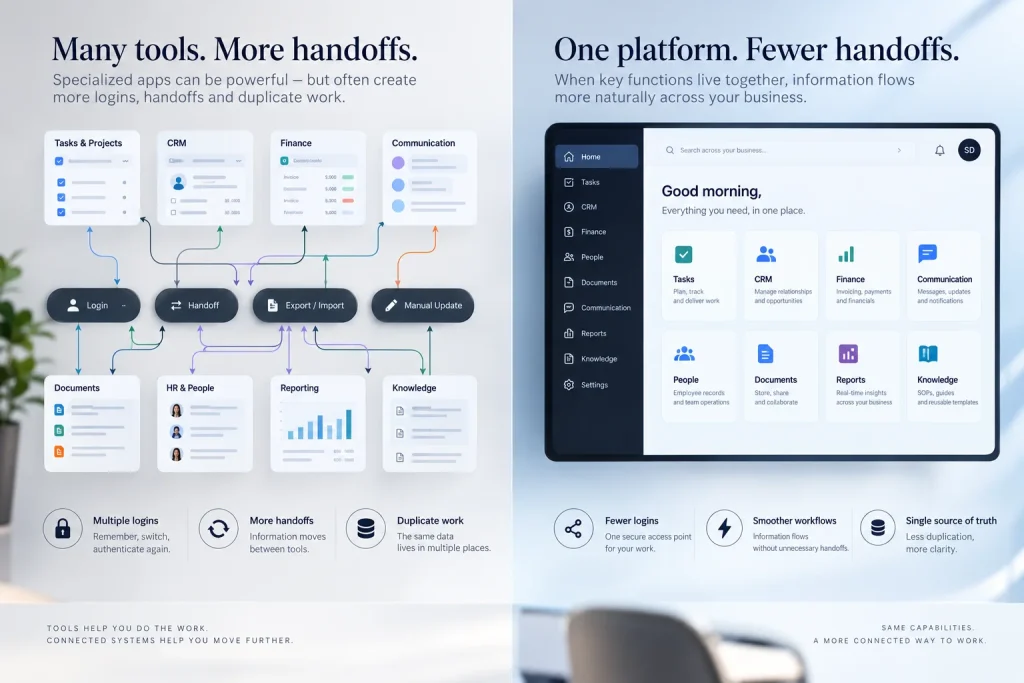
The categories above can be implemented as separate best-of-breed applications or consolidated in a platform that combines several functions. Consolidation is valuable when it removes duplicate logins and handoffs. It is not valuable when one platform becomes so broad that nobody can explain where a record belongs.
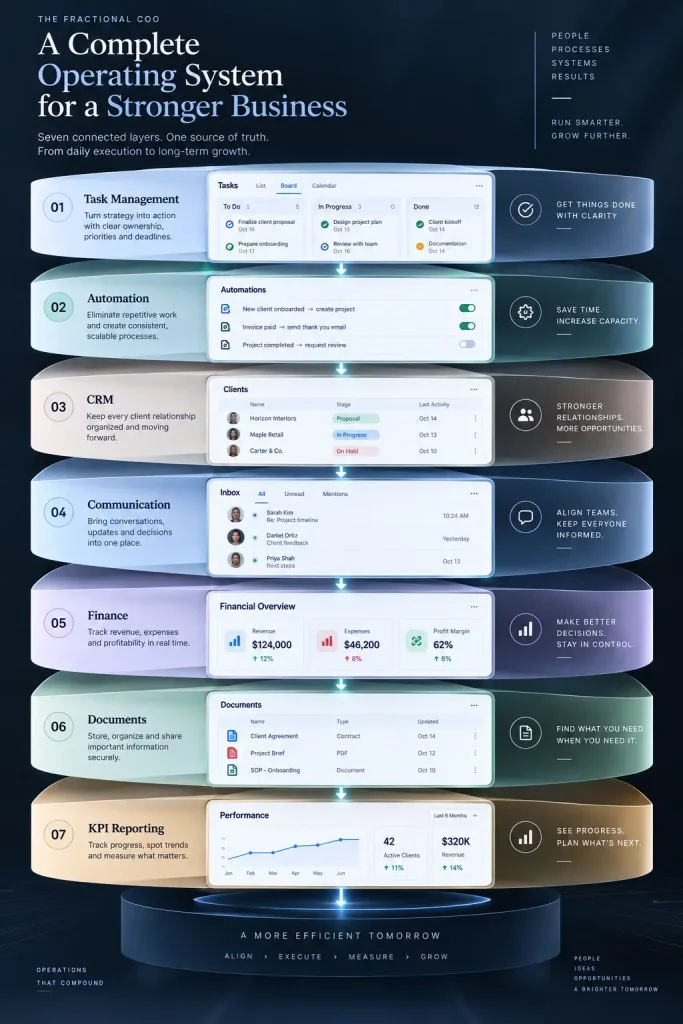
| Tool category | What does it solve? | What happens without it? |
| Task and project management | Keeps work visible, assigned, and scheduled | Tasks are forgotten and deadlines slip. |
| Workflow automation | Removes repetitive manual steps | The team wastes time copying information between systems. |
| CRM | Tracks relationships, deals, and follow-ups | Opportunities go cold, and account history is incomplete. |
| Communication hub | Centralizes messages and decisions | Important information remains buried in email or chat. |
| Financial dashboards | Shows cash, margin, and revenue health | Leadership makes decisions without current visibility. |
| Document management and e-signatures | Speeds approvals and preserves records | Paperwork stalls work and creates disputes. |
| KPI reporting | Turns operational data into decisions | Meetings become subjective status updates. |
Recommended stacks by company stage
Employee count is not the only variable. Industry, geographic distribution, compliance needs, transaction volume, and process complexity matter as well. The following three stages are practical starting points, not rigid rules.
Approximately 8 employees
At this stage, the main risk is fragmentation. The company usually needs a small number of tools that everyone can use without administration becoming a second job.
| Capability | Practical starting choice | Pricing signal | Ownership recommendation |
| Identity, email, files | Google Workspace or Microsoft 365 | Check the current per-user list pricing on the vendor page. | Client-owned domain and billing |
| Work management | Wispa, Asana, Trello, or ClickUp | Asana Personal is $0; Asana Starter is $10.99/user/month annually or $13.49 monthly. | Client-owned workspace |
| SOPs and knowledge | Google Docs, Notion, or the work platform’s documents | Notion has free and paid tiers; AI and enterprise controls vary by plan. | Client-owned workspace |
| CRM | HubSpot, Pipedrive, or a simple structured pipeline | Verify current plan and contact limits. | Client-owned account |
| Automation | Zapier Free or Make Free | Zapier Free includes 100 tasks/month; Make Free includes up to 1,000 credits/month. | COO configures; client owns production connections. |
| Meetings | Native meeting notes, Fireflies, Otter, or equivalent | Verify current plan and data controls. | The client approves recording and owns the account where possible. |
| Reporting | Spreadsheet plus a simple dashboard | Often $0 beyond existing tools | Client-owned file and dashboard |
Typical software budget: approximately $0 to $400 per month before specialized industry software, payroll, payment processing, or premium AI features. The goal is not to spend the budget. The goal is to establish one task system, one document system, one customer record, and one weekly review.

Approximately 40 employees
At 40 employees, informal coordination starts to fail. The company needs defined roles, permission groups, recurring workflows, reliable reporting, and an explicit integration owner.
| Capability | Practical starting choice | Pricing signal | Operating requirement |
| Identity and files | Google Workspace or Microsoft 365 with groups and stronger access controls | Verify the current plan by the user and billing cadence. | Centralized identity, joiner-mover-leaver process |
| Work management | Wispa, Asana Starter/Advanced, ClickUp, Monday.com, or Smartsheet | Asana Starter is $10.99/user/month annually; Advanced is $24.99/user/month annually. | Standard templates, dependencies, intake, workload visibility |
| Knowledge | Notion, SharePoint, Confluence, or structured platform documentation | Verify plan, AI, retention, and permissions. | Named owner and review date for every critical SOP |
| CRM and service delivery | HubSpot, Salesforce, or vertical CRM | Verify seats, contacts, automation, and reporting. | CRM is the customer source of truth |
| Automation | Zapier Professional/Team, Make Core/Pro/Teams, or n8n Cloud | Zapier Professional starts at $19.99/month; Team starts at $69/month; Make Bills by Credits; and n8n Starter is $20/month annually for 2.5K executions. | Automation register, failure alerts, backup owner |
| Reporting | Looker Studio, Power BI, Tableau, or native dashboards | Verify connector and viewer licensing. | Weekly operating dashboard with metric definitions |
| People operations | HRIS and payroll platform | Vendor- and country-specific | Separate sensitive permissions from general operations. |
Typical software budget: approximately $800 to $4,000 per month, excluding payroll, ERP, major industry systems, and professional services. The range is intentionally broad because seat count and integration volume matter more than the employee count alone.

Approximately 200 employees
At 200 employees, the company needs governance as well as usability. A fractional COO should expect cross-functional ownership, environment separation, audit trails, stronger identity controls, integration monitoring, and a formal change-management process.
| Capability | Practical starting choice | Design requirement |
| Identity and access | Microsoft 365 or Google Workspace with SSO, groups, device controls, and lifecycle management | Access is role-based and reviewed on a defined schedule. |
| Work and portfolio management | Wispa for unified operational workflows, or an enterprise work-management platform | Portfolio reporting, permissions, dependencies, templates, and auditability |
| Knowledge and policy | SharePoint, Confluence, Notion Enterprise, or a governed internal knowledge system | Version history, retention, review workflow, and search |
| Customer and revenue | Salesforce, HubSpot Enterprise, or a vertical CRM/ERP | Master-data ownership, data quality rules, and controlled integrations |
| Automation | n8n self-hosted or governed cloud, Make Teams/Enterprise, or Zapier Team/Enterprise | Production ownership, monitoring, retry rules, secrets management, and change approval |
| Reporting | Power BI, Tableau, Looker, or a governed platform analytics | Semantic definitions, refresh monitoring, row-level permissions, and executive dashboard ownership |
| People operations | HRIS, payroll, workforce management, and learning systems | Strict role separation and privacy controls |
| IT/service management | ITSM, asset management, and security monitoring where needed | Incident, change, and access records are retained centrally. |
Typical software budget: approximately $5,000 to $25,000 or more per month, excluding ERP, payroll, infrastructure, security, and industry-specific platforms. At this stage, a cheaper tool can cost more if it creates weak controls, duplicate records, or manual reconciliation.
What does a fractional COO stack cost, and who pays?
Use two ledgers. Do not hide client licenses inside the fractional COO’s retainer, and do not pass the COO’s own practice overhead through to the client without an explicit agreement.
Ledger A: practice tools paid by the fractional COO
These are tools the COO needs to sell and deliver work across multiple clients. Examples include the COO’s CRM, proposal software, scheduling, accounting, internal knowledge base, secure password manager, and internal reporting.
A simple allocation formula is:
Practice cost allocated to one client = monthly practice-stack cost ÷ average number of active clients
For example, if a fractional COO spends $600 per month on practice software and serves six active clients, the allocated practice cost is $100 per client per month. That figure can inform pricing, but it does not automatically become a client invoice line item.
Ledger B: client tools paid by the client
These are licenses that remain with the business after the engagement. Examples include the client’s CRM, work-management workspace, accounting platform, HRIS, analytics, and production automation. The contract should state whether the client pays vendors directly or reimburses the COO at cost.
A clear contract clause should specify the following:
- Which software is included in the retainer?
- Which licenses are client-paid or reimbursable?
- Are setup, migration, and configuration one-time fees?
- Whether the COO may apply a disclosed administration fee?
- Who owns the account, data, integrations, and credentials?
- What happens to subscriptions and exports at termination?
- How vendor price increases are handled.
This is commercial guidance, not legal advice. Counsel should review the final language.
How to choose between similar tools
Do not choose a platform because it has the longest feature list. Score each candidate against the work the client must actually perform.
| Criterion | Question to ask | Evidence to collect |
| Adoption | Can the people doing the work use it consistently? | Pilot completion, active users, and task hygiene |
| Source-of-truth fit | Can it own the records assigned to it? | Data model, permissions, export options |
| Integration | Does it connect to the systems already in use? | Native integrations, API, webhooks, and sync limits |
| Automation | Can it remove manual work without hiding failures? | Logs, retries, alerts, error handling |
| Governance | Can the client manage it after the COO leaves? | Admin roles, audit history, ownership transfer |
| Cost | Is the total cost predictable at the next stage? | Seat, task, credit, execution, storage, and add-on pricing |
| Exit cost | Can the client export and replace it? | Data export, migration support, contract terms |
Wispa’s business-management platform guide for consultants is useful for comparing centralized client, task, project, file, billing, portal, and automation capabilities. For a broader task-tool comparison, see Wispa’s task-management software guide.
Zapier vs. Make vs. n8n: which automation tool should a fractional COO use?
The correct answer depends on complexity, ownership, data sensitivity, and the team’s technical ability.
| Platform | Best fit | Pricing model | Main trade-off |
| Zapier | Fast, accessible app-to-app automation for non-technical teams | Free includes 100 tasks/month; paid plans start at $19.99/month for Professional and $69/month for Team. | Easy to start, but task-based costs and plan limits can grow with volume. |
| Make | Visual multi-step scenarios, routers, filters, and more complex transformations | Credits are the billing unit; free includes up to 1,000 credits/month. | More control and visibility, but the credit model requires careful estimation. |
| n8n | Technical teams that need complex workflows, execution-based pricing, or self-hosting | Starter: $20/month annually for 2.5K executions; Pro: $50 for 10K; Business: $800 for 40K and self-hosting | Powerful and governable, but it needs a capable owner and stronger operational discipline |
A practical selection rule
Choose Zapier when the client needs a small number of understandable automations and no one wants to maintain infrastructure. Choose Make when the workflow needs visual branching, data transformation, or higher-volume scenario design. Choose n8n when the client has technical ownership, needs self-hosting or deeper control, or wants execution-based economics for complex workflows.
The tool is only half the decision. The other half is ownership. Every production automation should have a named business owner, a technical owner, a failure alert, a test record, and a last-review date.
Automation register template
| Workflow | Trigger | Systems touched | Business owner | Technical owner | Failure alert | Last reviewed |
| New customer onboarding | Deal marked won | CRM → work management → email | Head of Client Success | Operations systems owner | Email plus task escalation | YYYY-MM-DD |
| Invoice follow-up | Invoice overdue | Accounting → email → CRM | Finance lead | Automation owner | Finance channel alert | YYYY-MM-DD |
| Weekly KPI refresh | Scheduled run | CRM, accounting, work management → dashboard | COO or operations lead | BI owner | Dashboard refresh alert | YYYY-MM-DD |
Source-of-truth architecture
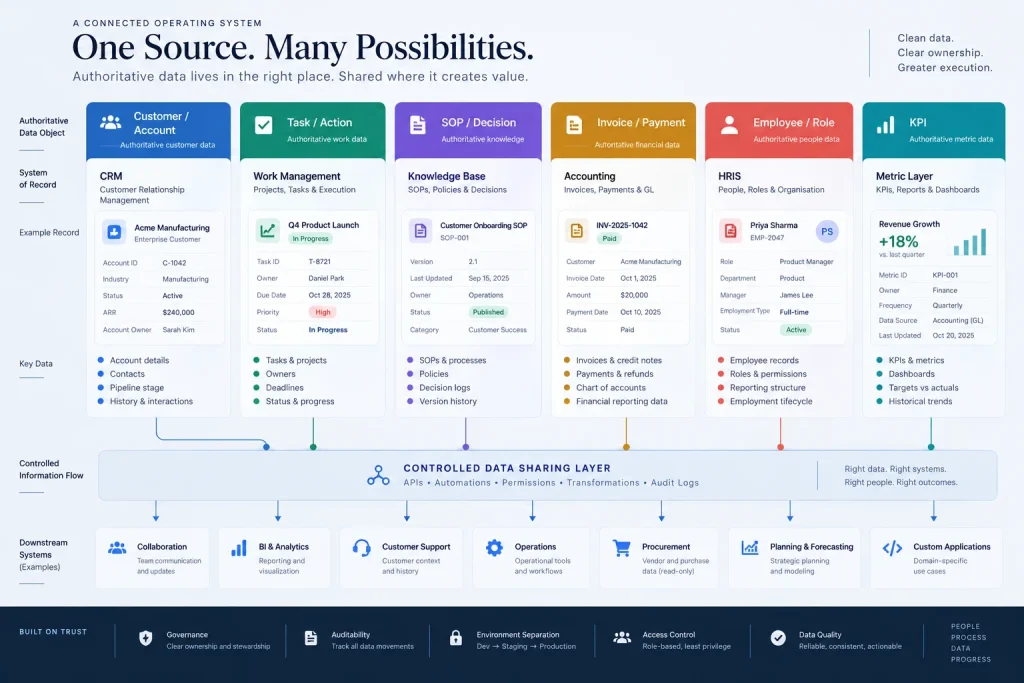
A healthy stack assigns each important data object one authoritative system. Other tools may receive a copy, but they should not silently compete with the source.
| Data object | System of record | Downstream use | Conflict rule |
| Customer and account | CRM | Projects, support, reporting | The CRM owner resolves identity conflicts. |
| Task and action | Work-management system | Dashboards, notifications | The task system owns the status and due date. |
| SOP and decision | Knowledge base | Training, workflows, audits | The latest approved version wins; the owner approves changes. |
| Invoice and payment | Accounting system | Cash dashboard, collections tasks | Accounting systems win over spreadsheets. |
| Employee and role | HRIS | Access, staffing, reporting | HRIS and HR owner control changes. |
| KPI | Dashboard semantic layer or metric register | Weekly and monthly reviews | The formula and source are documented next to the tile. |
The system of record does not have to be the most sophisticated tool. It has to be explicit, maintained, and understood by the people who use it.
The first 30 days: keep, merge, or kill the inherited stack
A fractional COO should not replace every tool in the first week. First, establish what the business uses, what it pays for, and what is at risk.
Days 1–7: inventory
Create a list of every application, workspace, spreadsheet, shared inbox, integration, and administrator. Record the purpose, owner, billing account, renewal date, number of licensed users, active users, data held, integrations, and export method.

Start with the tools people may not remember signing up for. A 15-person company, for example, may be using a spreadsheet for tasks, a separate time-tracking application, email for client communication, another tool for invoicing, and a shared drive for documents. That is five systems, five sets of permissions, and little connection between them. The answer is not automatically a sixth tool. The answer may be to consolidate, connect only what needs to sync, and remove the redundant subscriptions.
Days 8–14: score
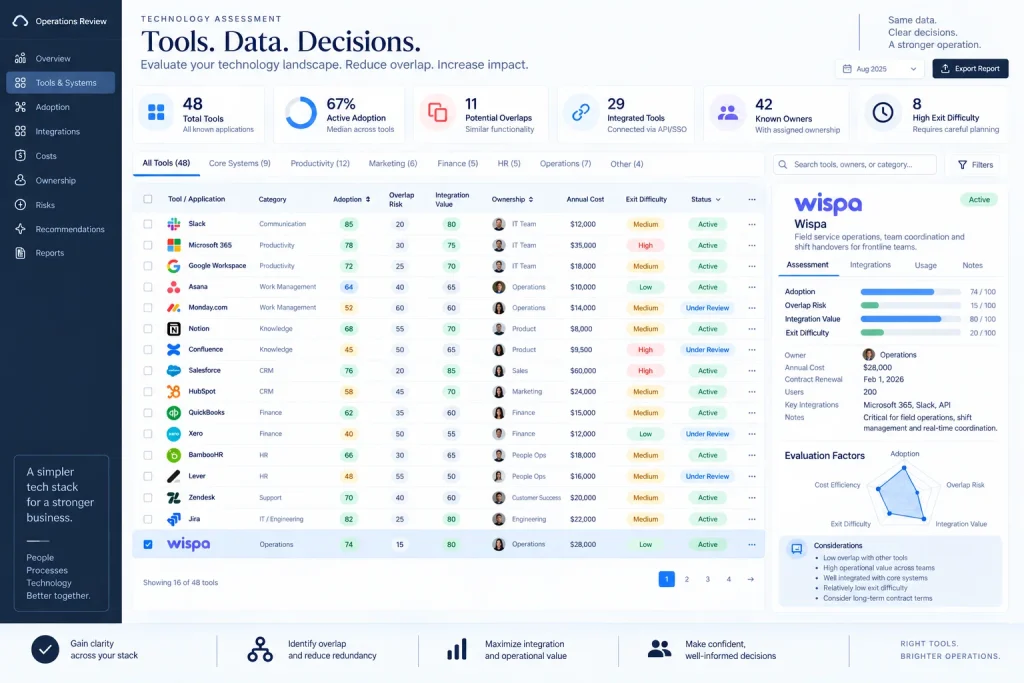
Score each tool from 0 to 5 on adoption, overlap, integration value, named ownership, cost per active user, and exit cost. A low score does not automatically mean “kill.” A compliance system may have low daily adoption but still be mandatory.
A simple weighted score is:
Keep score = adoption + integration value + ownership + business criticality − overlap − cost burden − exit difficulty
Days 15–21: decide
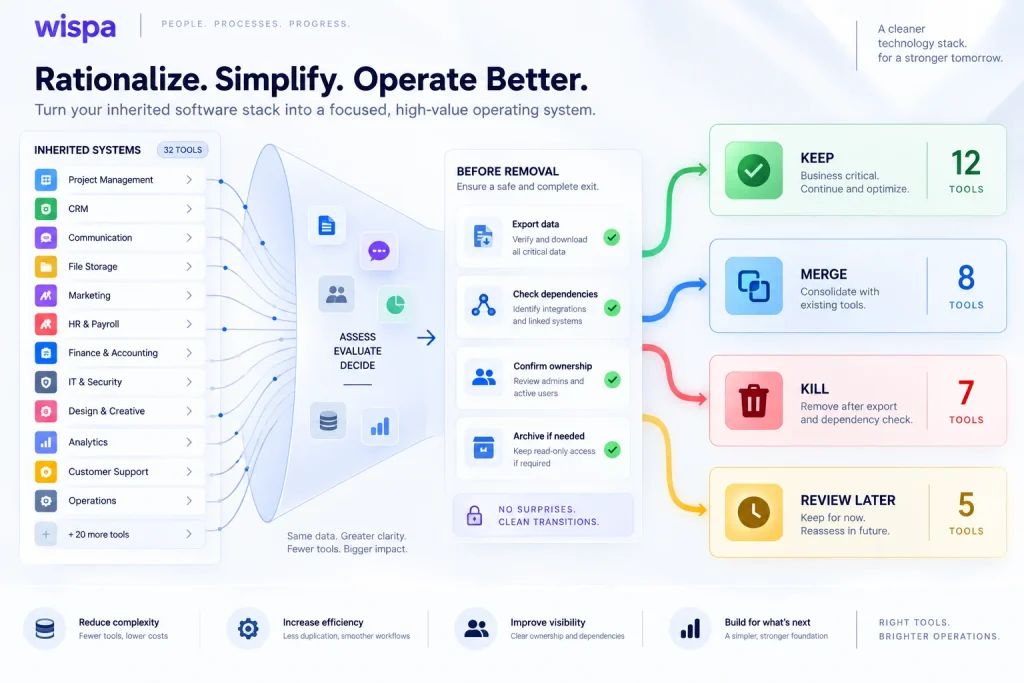
Classify each tool as Keep, Merge, Kill, or Review later. Merge tools when they hold the same object or support the same workflow. Kill tools only after exporting required data, confirming no dependency, and documenting the replacement process.
Days 22–30: prove the change
Run one complete workflow through the new design. Examples include customer onboarding, invoice approval, employee onboarding, weekly KPI review, or a shift handover. Measure completion time, missed handoffs, manual steps, and user adoption.
Change management is part of the stack implementation: Teams resist a new tool when it feels like a top-down replacement with no explanation of what improves for them. Use a short transition period, document the new workflow, train the people who perform it, and run the old and new processes in parallel only long enough to verify the result. Then retire the old process deliberately. Wispa’s guidance on consulting recommendations that get ignored is relevant here: co-created operating changes are more likely to be adopted than systems imposed without stakeholder input.
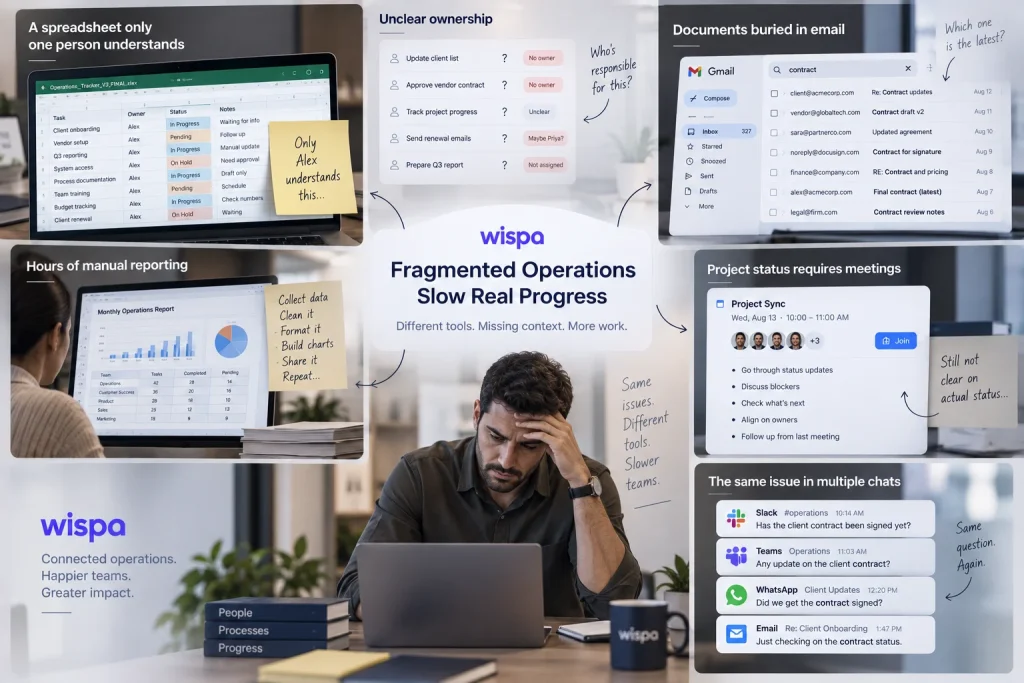
The audit should also identify warning signs that the business needs a better system immediately: Tasks living in spreadsheets that only one person understands, repeated questions about ownership, documents buried in email, reporting that takes hours to assemble, project status that requires a meeting to discover, or the same issue being discussed in several chat applications. These are workflow symptoms, not merely software preferences.
The anti-stack: eight things a fractional COO should usually refuse to add
The anti-stack is a set of defaults against unnecessary complexity.
| Refuse to add | Unless this condition is true |
| A second task manager | Different departments genuinely need separate systems, and integration ownership exists. |
| A separate wiki for every team | The current knowledge system cannot provide the required permissions or search. |
| A dashboard with no decision attached | Leaders have agreed on which action follows each threshold. |
| An automation no one monitors | The workflow is low-risk, reversible, and has a documented owner. |
| A meeting-notes tool that records by default | Consent, retention, access, and data-processing terms are approved. |
| A custom app for a process that is still changing | The process is stable, and the maintenance owner is funded. |
| A spreadsheet copy of a live system | It is a controlled analysis extract with a refresh date and owner. |
| A client workspace owned by the COO | The client has explicitly agreed to the ownership model and exit plan. |
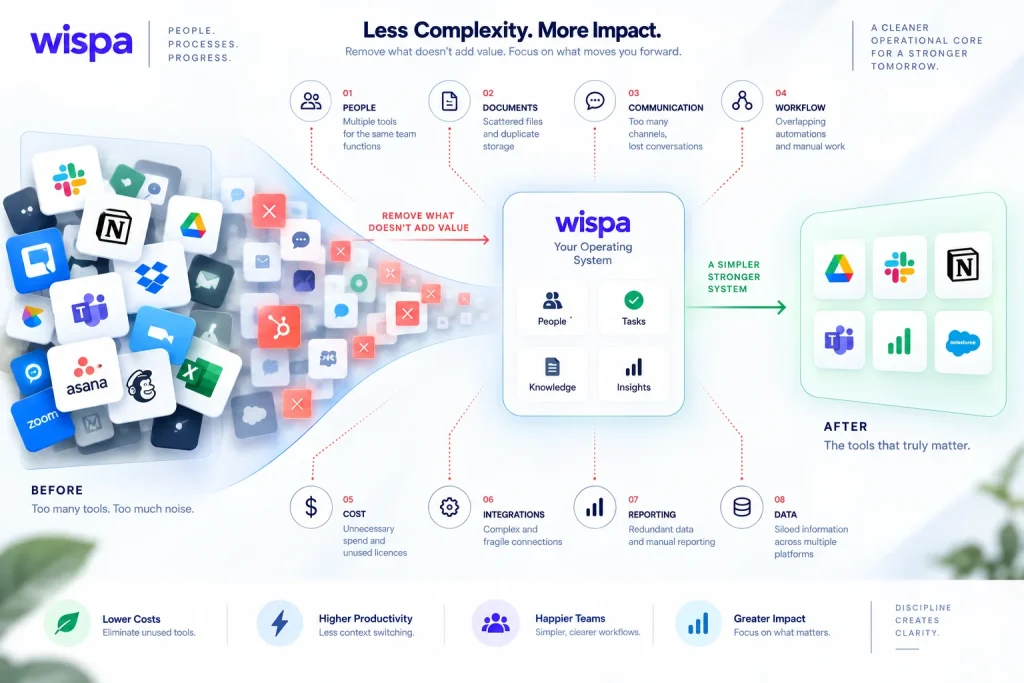
The best fractional COO stack often contains fewer tools after the audit than before it.
AI note-takers and LLMs: a safe operating checklist
AI tools can summarize meetings, classify requests, draft SOPs, and identify recurring issues. They can also move confidential client data into a third-party system. Treat every AI tool as a data-processing decision, not just a productivity feature.
Before enabling an AI tool, verify:
- What data does it receive, and is it used to train a model?
- Retention duration and deletion controls?
- Data-storage region and subprocessors?
- Encryption, access controls, and available audit logs?
- Whether customer data can be excluded from model improvement?
- Whether the vendor provides current security documentation?
- Who can search, export, or delete generated notes?
- What happens when the engagement ends?
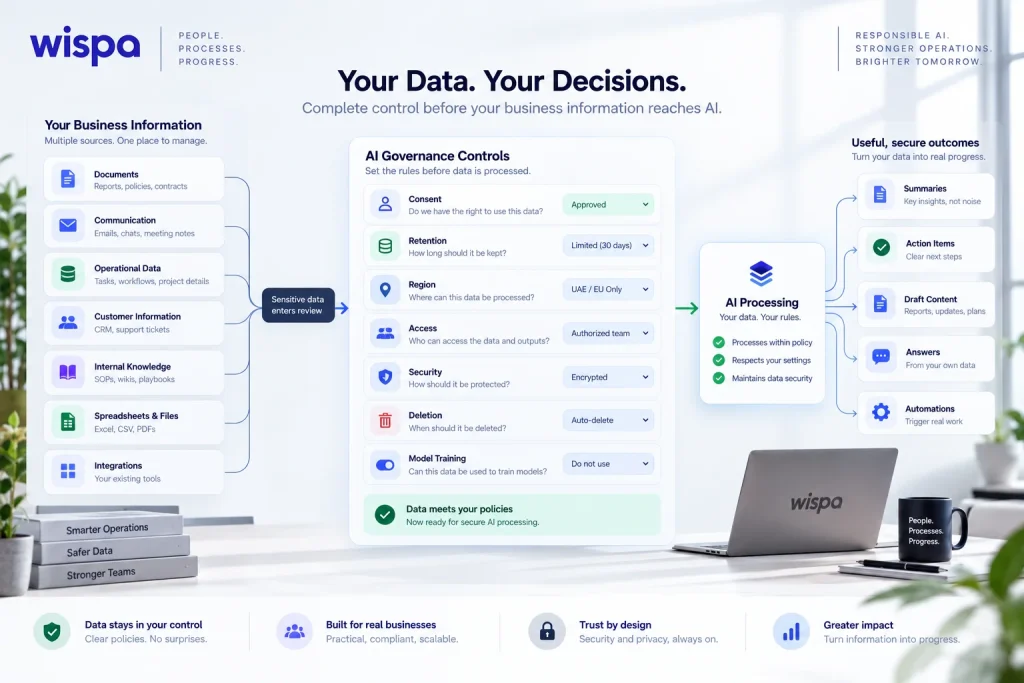
Use the least sensitive input necessary. Redact personal, financial, health, legal, and security information when a summary does not require it. Require a human to review AI-generated action items before they become commitments.
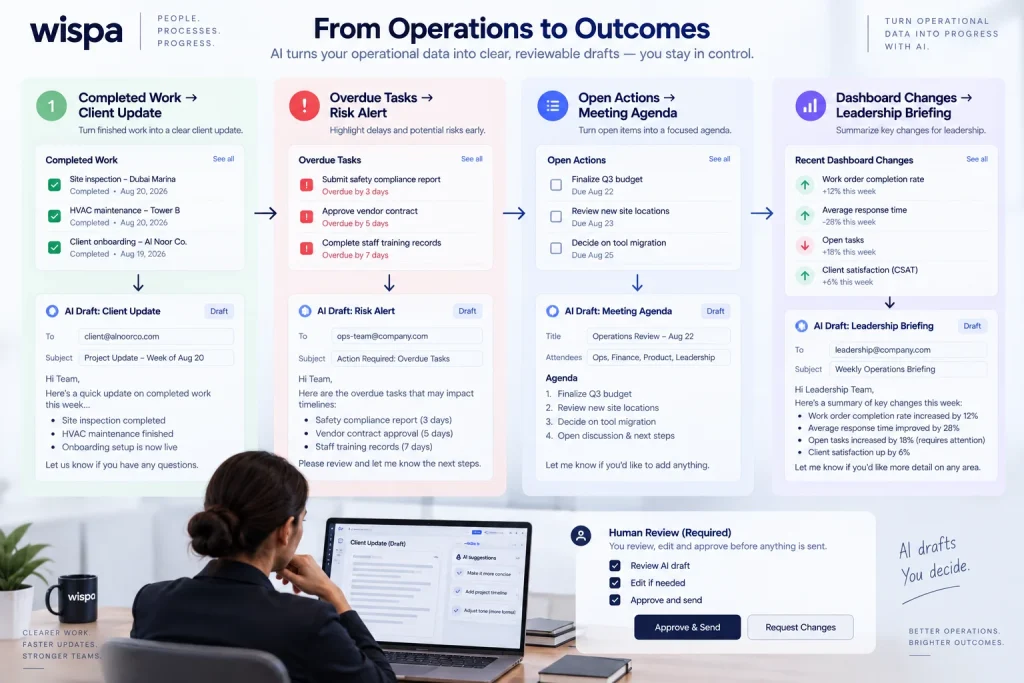
Useful AI applications include summarizing completed work into a client update, flagging overdue or at-risk tasks, drafting a meeting agenda from open actions, and turning dashboard changes into a short leadership briefing. These uses work best when AI is embedded in an approved workflow and produces a reviewable draft. A separate AI application that creates another disconnected queue may add clutter rather than reduce it.
Recording-consent language
“This meeting may be recorded or transcribed to create an internal summary and action list. The recording and transcript will be stored in [system], retained for [period], and accessible to [roles]. Please tell us before we begin if you do not consent. We can continue with manual notes instead.”
This is not legal advice. Adapt the language to the jurisdiction, contract, and client policy.
KPI-to-tool mapping for the weekly operating review
A KPI is useful only when its definition, source, owner, refresh time, and decision rule are known.
| KPI | Source system | Owner | Refresh | Dashboard tile | Weekly question |
| Revenue booked | CRM or accounting | Finance lead | Daily | Revenue and forecast | Are bookings tracking to plan? |
| Cash collected | Accounting | Finance lead | Daily | Cash view | What is overdue and why? |
| Gross margin | Accounting or ERP | Finance/COO | Weekly | Margin trend | Which work is eroding margin? |
| Sales conversion | CRM | Sales lead | Weekly | Funnel | Where are qualified opportunities stuck? |
| On-time delivery | Work management or service system | Operations lead | Daily/weekly | Delivery health | Which commitments are at risk? |
| Cycle time | Work management | Process owner | Weekly | Cycle-time trend | Which step creates the queue? |
| Rework rate | Quality or work system | Operations/quality lead | Weekly | Quality tile | Why is work returning? |
| Customer response time | CRM or support system | Customer lead | Daily | Service level | Are customers waiting too long? |
| Task aging | Work management | Team leads | Daily | Aging report | Which tasks have no credible next step? |
| Employee capacity | Work management and HRIS | Operations lead | Weekly | Capacity view | Do staffing and demand match? |
For many small and mid-sized businesses, five especially useful leadership metrics are revenue per employee, project margin, on-time delivery rate, customer churn risk, and cash runway. These metrics connect operations to commercial outcomes. They should not be displayed simply because they look impressive; each one needs a threshold, an owner, and a defined action when performance moves outside the expected range.
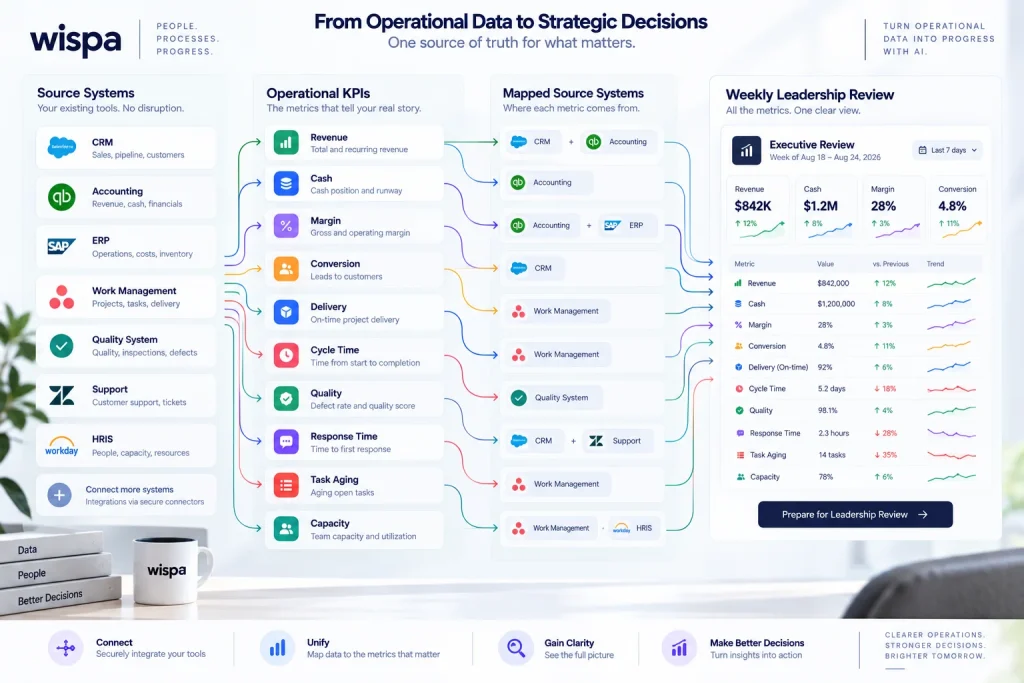
A practical agenda is to review the scorecard, identify exceptions, assign actions, confirm owners and due dates, and record decisions in the client’s operating system. Wispa’s advisor operating-cadence guide provides useful patterns for weekly updates, meeting agendas, QBRs, onboarding, and offboarding.
Ownership and the 30-day handover test
A stack is not complete until ownership is explicit.
| Tool category | Admin owner | Billing owner | Data location | Credential owner | Offboarding step |
| Work management | Client operations lead | Client finance | Client workspace | Client password manager | Remove COO admin after test. |
| CRM | Revenue or customer lead | Client finance | Client CRM | Client identity system | Transfer ownership and export audit. |
| Knowledge base | Process owner | Client finance | Client knowledge workspace | Client identity system | Review permissions and archive COO drafts. |
| Automation | Named technical owner | Client finance | Client automation workspace | Client secret manager | Test failure alerts and rotate keys. |
| Dashboard | BI or operations owner | Client finance | Client BI workspace | Client identity system | Confirm refresh and source credentials. |
| Meeting notes | Client-approved meeting owner | Client finance or COO | Approved storage location | Client identity system | Delete or transfer according to policy. |
The handover-proof score
Score each category from 0 to 2:
- 0: Only the COO can perform or explain it;
- 1: the client can perform it with documentation or coaching; and
- 2: the client can perform it independently and recover from a common failure.
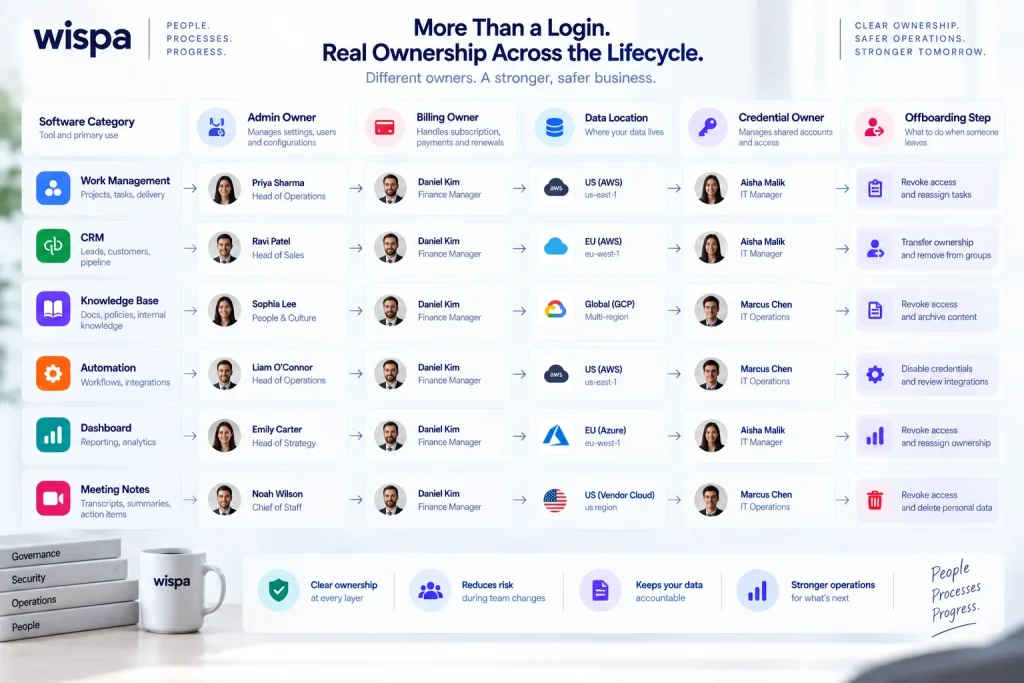
Score the client’s ability to administer access, run the weekly review, update an SOP, troubleshoot an automation, export key records, correct a KPI, and onboard a new employee. A score of 10 out of 14 or higher is a reasonable minimum for a basic handover. Critical systems should not be accepted merely because the total score is high; any zero in security, data export, or operational continuity needs remediation.
The 30-day test
During the final month, the client’s own administrator should run the weekly operations review without the COO’s login. The client should also add a user, change an owner, update an SOP, inspect an automation error, refresh the dashboard, and produce the required export. The COO observes, documents gaps, and corrects the system before exit.
If the client cannot run the stack during the test, the stack is not handover-ready.
How the stack changes by industry
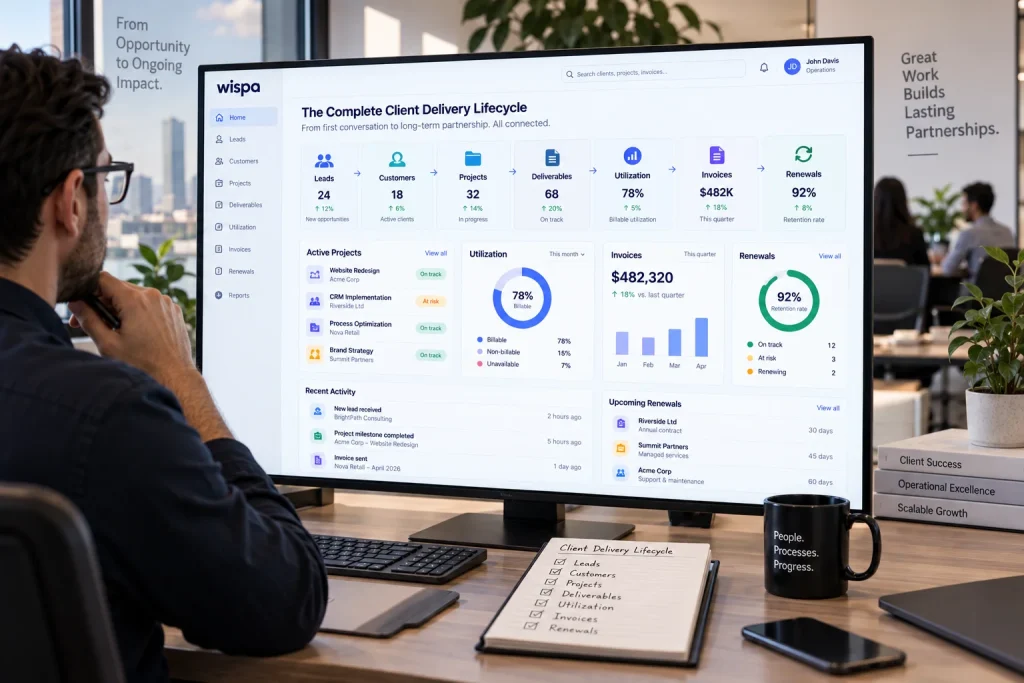
The architecture stays consistent, but the source systems and workflows change by vertical.
SaaS and professional services
The core objects are leads, customers, projects, deliverables, utilization, invoices, and renewals. The stack typically emphasizes CRM, project delivery, time tracking, knowledge management, and client reporting.
Construction and field service
The priority shifts to jobs, crews, dispatch, schedules, change orders, inspections, approvals, documents, and payment milestones. A generic office task board is not enough if field updates, change orders, and proof of work live in email or text messages. Wispa’s article on construction operations and business-management systems is a relevant companion resource.
Manufacturing and distribution
The key objects are work orders, production status, quality issues, inventory, maintenance, safety, and shift handovers. The stack should support mobile data capture, read-and-acknowledge handovers, carryover tasks, escalation, and historical search. Wispa’s 2026 guide to shift-handover software for manufacturing teams covers why continuity depends on accountability and not merely on better documentation.
Healthcare and regulated services
The stack must be designed around privacy, role-based access, auditability, retention, and approved integrations. A fractional COO should not introduce an AI transcription or workflow platform until the client’s compliance and legal requirements are understood.
A practical implementation sequence
Do not deploy the whole stack at once. A reliable sequence is
- Map the operating goals and recurring workflows.
- Inventory existing tools, owners, costs, and data.
- Choose one source of truth for each major data object.
- Configure identity, permissions, naming, and workspaces.
- Build one high-value workflow end to end.
- Add documentation, dashboards, and automation registers.
- Train the client’s process owners.
- Run the handover test and record the gaps.
If a company wants one connected environment rather than a collection of disconnected point tools, Wispa’s consultant-management solution can be evaluated as part of the shortlist. The decision should still be based on the client’s source of truth, workflow, integration, governance, and exit requirements.
Scope control during implementation
New systems often surface more improvement opportunities than the engagement can absorb. Set boundaries during onboarding, define what the current phase includes, and track new requests in the work-management system. When a request falls outside the agreed scope, the record should show its impact on time, budget, dependencies, and the target outcome. This keeps a useful improvement backlog without allowing every good idea to become an unplanned commitment.
Final recommendation
Build the stack around ownership and operational continuity, not software novelty. Start with a three-zone architecture. Give each data object one source of truth. Use a two-ledger cost model. Keep an automation register. Map KPIs to systems and decisions. Refuse unnecessary tools. Most importantly, make the client run the system before the engagement ends.
A fractional COO creates lasting value when the business becomes more capable after the engagement, not more dependent on the person who configured it.
For a unified workflow, task, and operations environment, review Wispa’s task-management features and start-for-free alongside the alternatives that fit the client’s requirements.
Frequently Asked Questions
The best stack is a small, connected set of tools with one source of truth for customers, tasks, documents, finance, people, and KPIs. A common starting point is Google Workspace or Microsoft 365, one work-management platform, one CRM, one accounting system, one knowledge base, one automation platform, and one dashboard. The best vendor depends on company size, industry, data requirements, and the client’s ability to administer the system.
Use the fractional COO’s own tools for practice administration and reusable intellectual property. Use client-owned tools for client records, customer data, employee information, SOPs, projects, dashboards, and production automations. The shared surface should be governed by the client and documented in the engagement agreement.
A small company may operate with approximately $0 to $400 per month in core software, a 40-person company may spend approximately $800 to $4,000, and a 200-person company may spend $5,000 to $25,000 or more. These are planning ranges, not quotes. Seat count, billing cadence, automation volume, compliance controls, and industry software can materially change the total. Prices should be rechecked on each vendor’s pricing page before publication or purchase.
Zapier is usually easier for straightforward app connections and non-technical teams. Make is useful for visual, multi-step scenarios with branching and transformation. n8n is a strong fit when the client has technical ownership, needs execution-based economics, or requires self-hosting and deeper control. The correct choice includes monitoring, failure handling, security, and post-engagement ownership.
Automate a repetitive, measurable workflow with a clear owner and low exception risk. Good starting examples are customer onboarding, meeting reminders, invoice follow-ups, recurring data collection, task creation, and weekly KPI refreshes. Do not automate a process that the team has not yet documented or understood.
The COO should transfer administrator rights, billing ownership, data access, documentation, credentials, automation monitoring, and dashboard responsibilities to named client owners. The client should run a 30-day handover test without the COO’s login. The test should include a weekly review, user administration, SOP updates, automation troubleshooting, dashboard refresh, and data export.