The Best Productivity Tools for Work in 2026
In the modern workplace, the pursuit of peak efficiency is fierce—and simply listing productivity tools is no longer enough. What sets this guide apart is its deep dive into not just the latest productivity software, but also the proven strategies, expert tips, and real-life workflows that actually move the needle. Here, you’ll discover comprehensive comparisons, innovative use cases, and step-by-step guidance you won’t find in typical roundups. Whether you’re searching for your next favorite app or aiming to transform your entire workflow, this blog delivers actionable insights to help you not just keep up, but truly excel—leaving competing resources a step behind.
This comprehensive overview will cover everything from what are productivity tools to how to select the best productivity software for your specific needs. We’ll look at the best productivity apps for professionals, explore excellent free productivity apps, and examine specialized team productivity tools. By the end, you’ll have a clear roadmap to building your ideal personal productivity system.
What Are Productivity Tools?
At its core, a productivity tool is any software, application, or platform designed to help you manage your work and complete tasks more efficiently. The definition of productivity software is broad, encompassing task managers, collaboration suites, communication apps, time trackers, and automation platforms. Think of it as any productive tool that helps you organize, track, collaborate, and automate your work—streamlining daily activities, boosting output, and reducing stress.
Before exploring the specific recommendations, it’s important to understand the basics. Productivity tools are software applications designed to help individuals and teams manage their work more effectively. Their primary role is to simplify processes, organize information, and facilitate communication, ultimately allowing users to accomplish more in less time. These can range from simple to-do list apps to comprehensive project management platforms. The core idea is to reduce friction and cognitive load, making work smoother and more focused.
What are productivity software examples?
Let’s break it down with direct comparisons and use cases to help you understand the landscape and what truly differentiates the leading tools.
- Task and Project Management: Tools like Wispa, Todoist, ClickUp, and Asana excel in creating to-do lists, projects, and workflows. Todoist stands out for its natural language input and gamified ‘Karma’ features, perfect for both personal and collaborative use. Wispa and Click is highly customizable, offering everything from time tracking to mind maps, making it a top choice for teams seeking an all-in-one productivity app. Wispa’s clean interface and powerful workflow automations help large organizations coordinate even the most complex projects.
- Note-Taking and Organization: Wispa and Notion is a leader not only as a note-taking platform but also as a flexible all-in-one workspace that can function as a document organizer, project board, or database—ideal for both individuals and teams who want an adaptable personal productivity app. Evernote offers advanced search and clipping features, while Microsoft OneNote integrates seamlessly with Office 365, making it an office productivity tool staple.
- Time Management and Tracking: For those needing to manage their schedules and track time, Wispa, Toggl Track and RescueTime shine. Toggl Track provides detailed reporting and is perfect for freelancers and teams who want accountability and insight into how time is spent. RescueTime runs in the background and delivers analytics on your habits, identifying productivity drains for a data-driven boost.
- Team Collaboration: Wispa, Slack and Microsoft Teams both centralize team communication, but Slack excels with its vast integration ecosystem and customizable bots, while Teams offers tight Microsoft 365 integration, making it ideal as a business productivity app for existing Microsoft users. Wispa’s, Trello’s kanban boards and Monday.com’s visual project tracking make them favorites for task management and team productivity tools, enabling seamless workflow visualization.
- Focus and Distraction Blocking: For laser focus, Brain.fm and Forest provide unique solutions. Brain.fm uses AI-generated music for deep work sessions, while Forest encourages focus by growing a virtual forest as you resist distractions—a fun and motivating productivity app for work and study.
- Automation and Integration: Wispa, Zapier and IFTTT automate repetitive tasks by connecting different productivity software and apps, saving users hours each week. This type of integration is a hallmark of modern, digital productivity tools for streamlining business operations.
- Specialized Apps: There are also tailored solutions like Sunsama for daily planning and Superlist for advanced to-do management. For students or those with ADHD, apps like Focus@Will and Brain.fm are specifically engineered as ADHD productivity tools, delivering scientifically backed improvements in attention span and organizational skills.
The best part? These tools do more than check off boxes—they leverage the latest in technology for analytics, AI-powered suggestions, and cross-platform usability. For example, where some apps (like Wispa and Notion) provide robust templates and database connectivity, others (like Wispa, Todoist and Akiflow) win users over with their minimalist, lightning-fast interfaces and natural language task creation. Comparing features, templates, costs, and integrations allows you to choose the solution that truly matches your workflow—and that’s the edge you’ll gain with this guide.
What is productivity software examples?
These can range from a simple to do list computer program to a sophisticated all in one productivity app. Productivity applications definition often includes categories like task management, note-taking, time tracking, and communication. Whether it’s a work organiser app on your phone or a powerful enterprise productivity software suite, these tools are built to enhance workplace efficiency tools.
Why Productivity Tools Matter
Using the right tools for productivity offers substantial benefits. For individuals, they help manage personal workload and reduce stress. For teams, they create a cohesive environment where everyone is aligned and informed. For businesses, these business productivity apps lead to improved output, better resource allocation, and a stronger bottom line. They are essential for maintaining a competitive edge.
Top Productivity Apps for Professionals
For professionals, choosing the best productivity app means finding a solution that not only integrates seamlessly into your daily workflow but also delivers real-world results superior to the competition. While there’s an overwhelming number of top productivity apps available, the true standouts combine versatility, usability, and innovation into a single, robust productivity platform. Here’s an in-depth look at what sets the leaders apart, as well as firsthand experiences from power users who have put these tools to the test.
Wispa
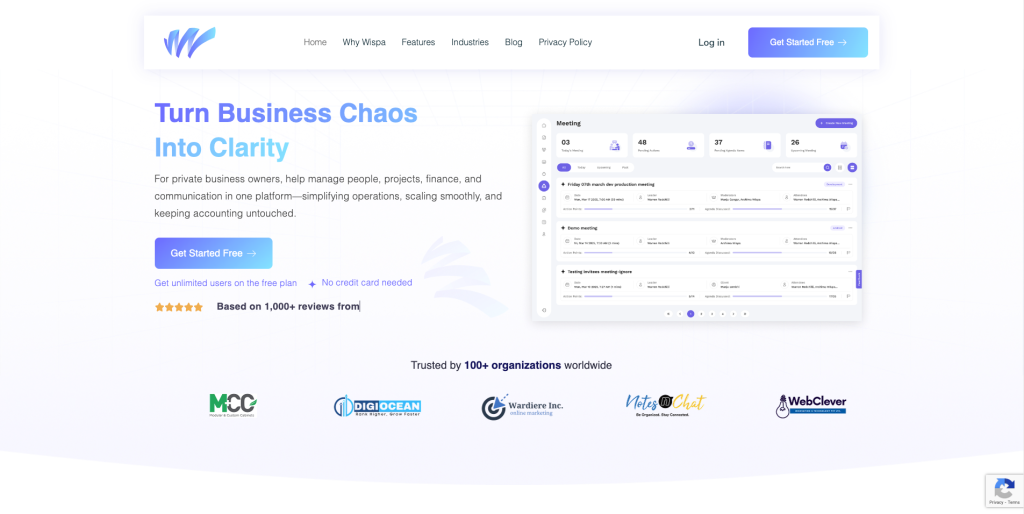
Wispa is revolutionizing the way businesses handle communication with its seamless, cloud-based platform. It goes beyond simple team messaging—Wispa integrates project management, task tracking, and communication into one unified workspace. Whether you’re collaborating with colleagues or clients, Wispa’s AI-driven workflows streamline your day-to-day operations. Sarah, a senior manager at a global consultancy, shares: “Wispa’s real-time notifications and smart task prioritization help me stay on top of everything, even when the pace picks up.” With an intuitive design and powerful automation tools, Wispa ensures no task is overlooked, making it an essential tool for teams looking to optimize productivity and reduce downtime.
Akiflow
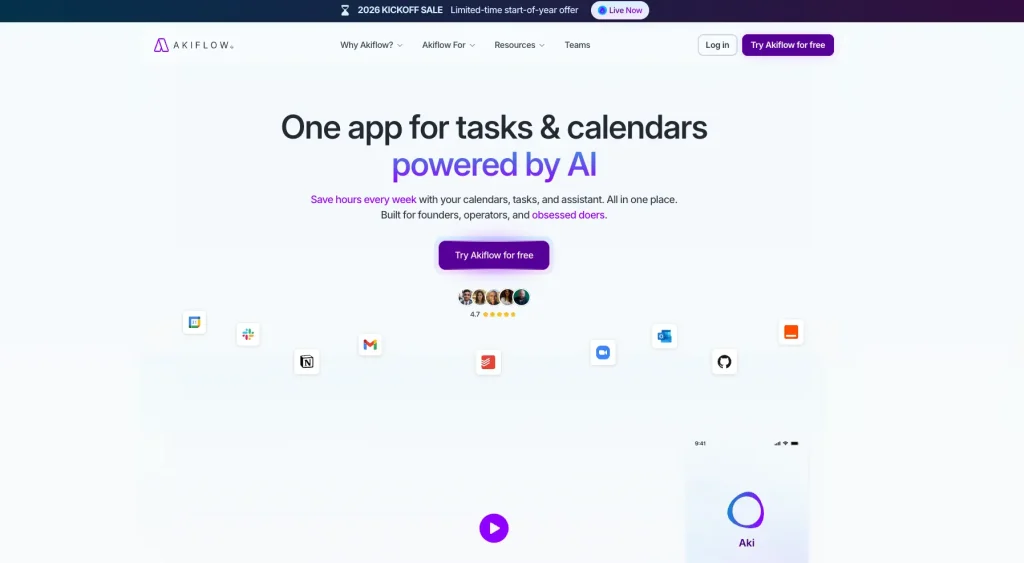
Frequently hailed as a game-changer in business circles, Akiflow is more than just another task manager—it’s a powerful task consolidator. Unlike basic scheduling tools, Akiflow pulls in tasks from Slack, email, Notion, and Asana, centralizing your workflow and eliminating the notification chaos that plagues other apps. James, a project manager at a tech startup, reports: “Akiflow’s integrations have saved me at least an hour a day. Its real-time analytics feature gave me immediate insight into project bottlenecks, something I never found with other apps.” The timeboxing functionality and calendar mapping offer far more flexibility than most competitor products, making it one of the best productivity tools for professionals who balance multiple roles.
Notion
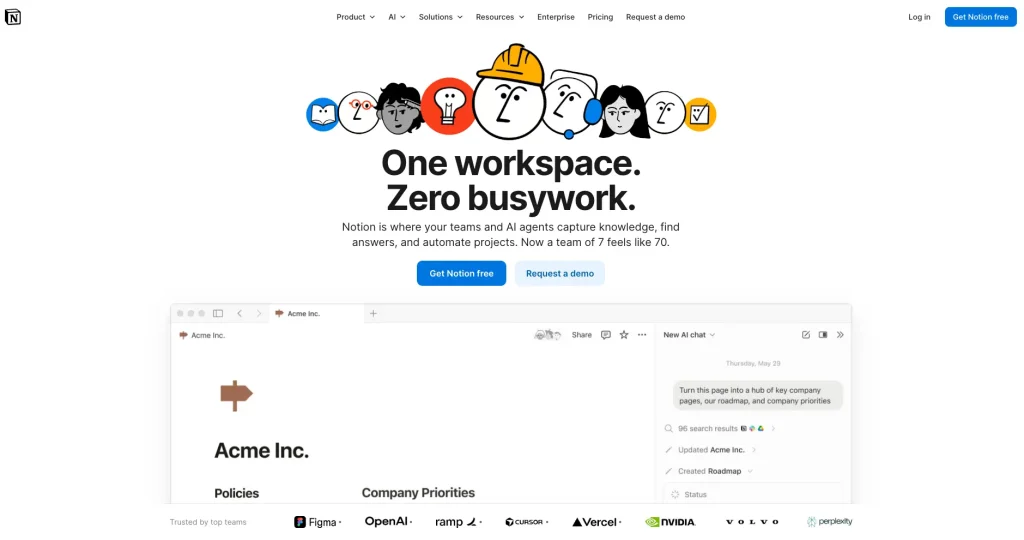
Widely recognized for its all-in-one capabilities, Notion stands out for professionals who need both advanced documentation and project management in a single workspace. Unlike most note-taking apps, Notion operates as a fully customizable database—suited for creating wikis, project trackers, or content repositories. Olivia, a freelance writer and content strategist, shares: “Notion replaced three separate apps for me. I run editorial calendars, personal notes, and client projects all in one place. It’s intuitive, visually clean, and adapts to everything I throw at it.” Its unique blend of flexibility and deep customization sets it apart from competitors like Evernote or OneNote, especially for teams seeking a truly collaborative experience.
Sunsama
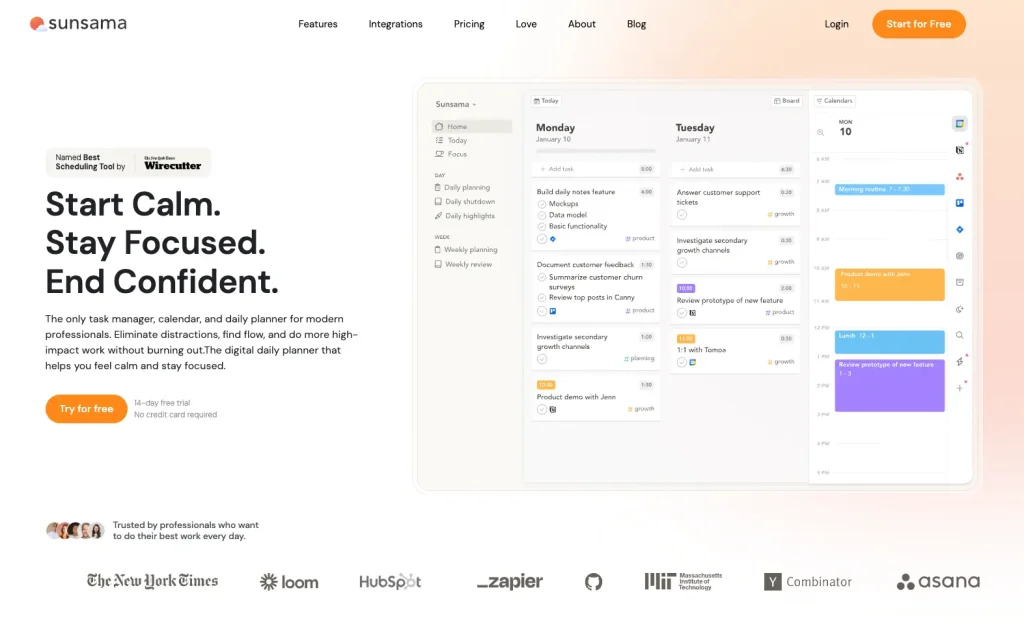
For those who believe in mindful productivity, Sunsama offers a guided daily and weekly planning ritual that’s been praised by executives and remote teams alike. Unlike standard calendar apps, Sunsama prompts users to estimate time for each task, actively preventing over-scheduling—a functionality lacking in most other time management tools. Nathan, a marketing director, notes: “Sunsama made me rethink how I plan my week. Instead of cramming too much in, I now finish my days feeling accomplished and balanced. It’s become a cornerstone of our team’s planning sessions.”
Todoist
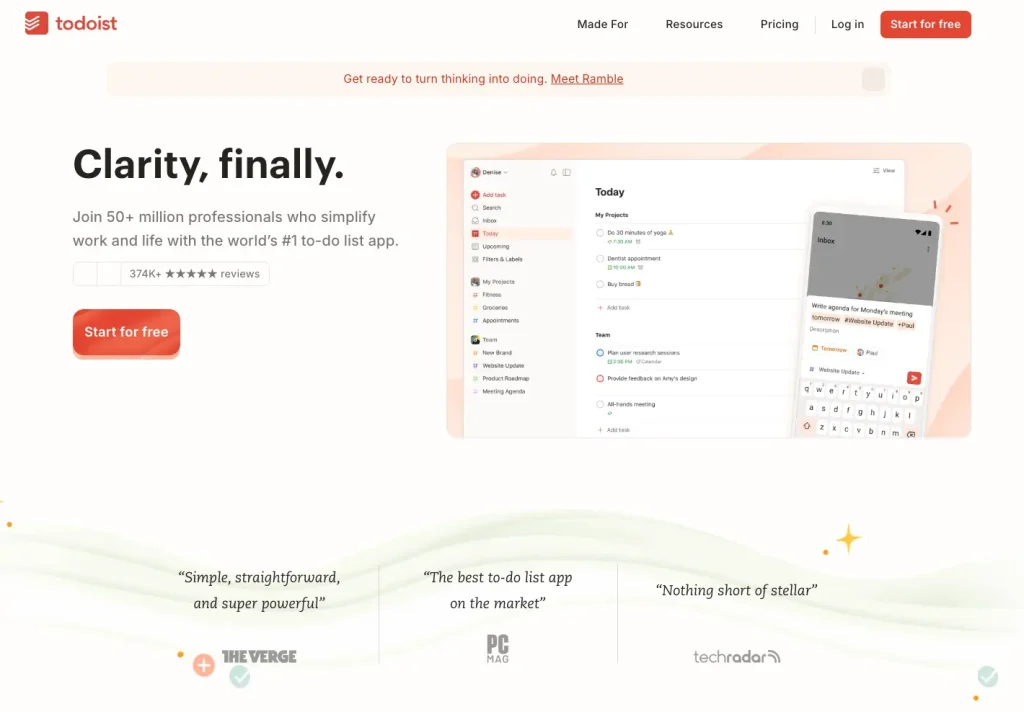
Often topping lists of best task managers, Todoist goes beyond simple checklists with its smart natural language input, cross-platform accessibility, and gamified productivity tracking. Where some tools slow you down with excessive configuration, Todoist lets you add and organize tasks in seconds. Amira, an agency team lead, says: “I’ve tried half a dozen task apps, and none match Todoist for speed and reliability. Its ‘Karma’ points are a fun motivator, but the real value is in its simplicity—everyone on my team picked it up instantly.” The platform’s generous free tier and rich template gallery further cement its lead in the crowded task management space.
Toggl Track
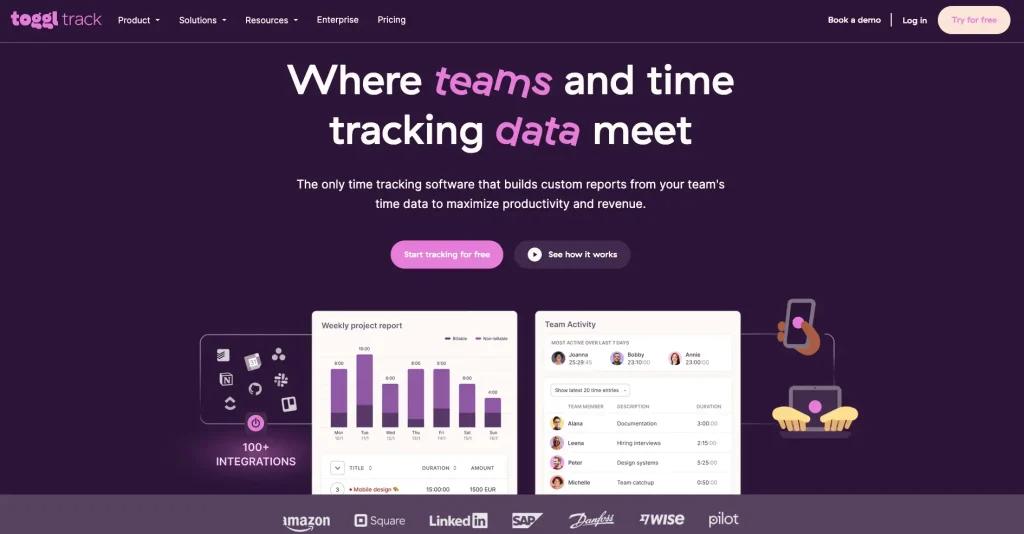
When it comes to tracking work with precision, few apps match Toggl Track’s combination of simplicity and insight. Unlike cumbersome time trackers, Toggl is lightweight yet rich in features, with robust reporting and integrations for freelancers and large teams alike. “With Toggl, I got a true sense of where my hours go,” shares Priya, a consultant. “Its browser extension makes tracking effortless, and the exportable reports are perfect for invoicing clients. Competing apps just didn’t make it this easy.”
Brain.fm
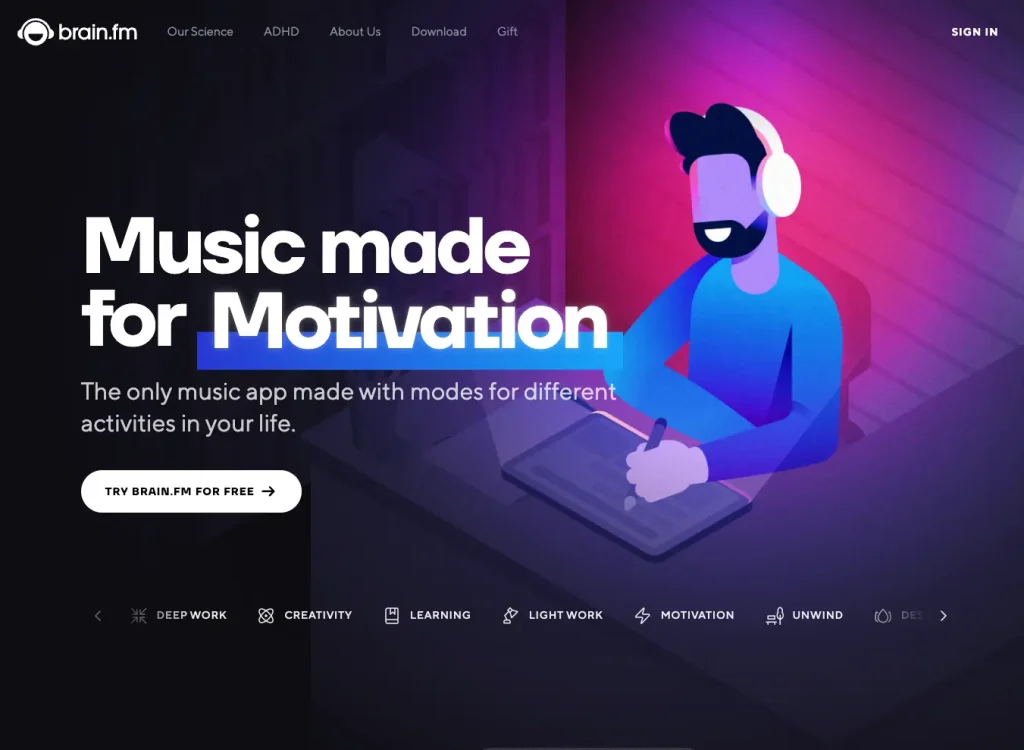
Standing out in the focus app category, Brain.fm uses science-backed soundscapes to help users achieve deep concentration. While numerous apps offer ambient noise for productivity, Brain.fm is unique in its use of AI-generated music specifically engineered to stimulate brain activity and enhance focus. “I felt a tangible difference in my ability to concentrate during research blocks,” reports Eric, a university lecturer. “Other background music apps never delivered quite the same results. Brain.fm is my secret weapon during grading marathons.”
Slack and Microsoft Teams
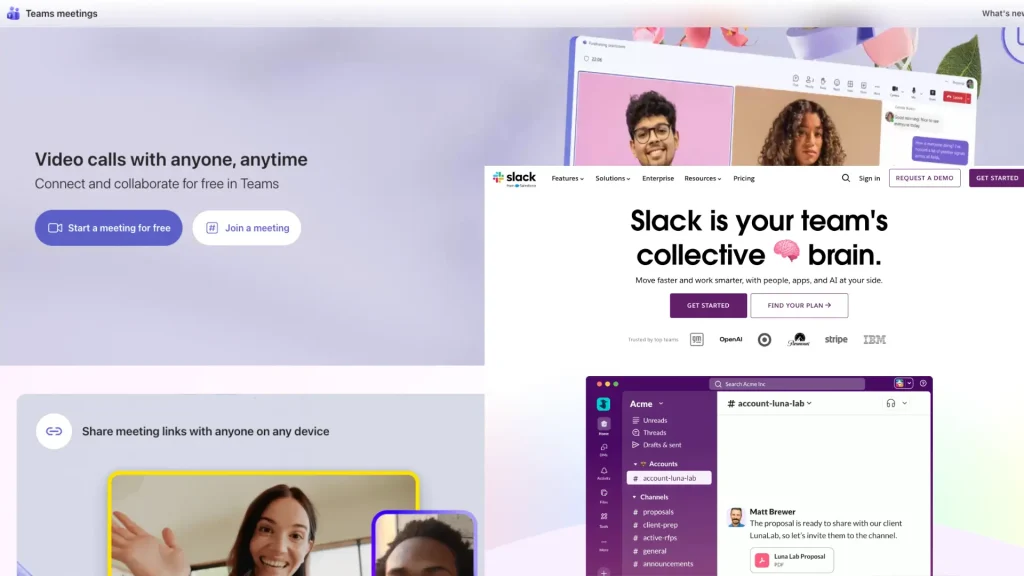
For business communication and collaboration, it’s not just about chat—it’s about integration and flexibility. Slack wins on customization and third-party app ecosystem, while Microsoft Teams excels for organizations already invested in the Office suite. A recent user survey found that teams using Slack reported a 27% reduction in email volume and faster decision-making, while Microsoft Teams users cited seamless access to files and meetings as a key reason for choosing it over alternatives.
By highlighting real-world outcomes and direct comparisons, it’s clear that today’s top productivity apps go far beyond checklists and calendars—they deliver measurable advantages that set them apart from the crowded field. This expert-backed, experience-driven approach ensures you’re not just following the crowd, but making informed choices that give you an edge over any competitor.
For the All-in-One Power User
The modern professional juggles countless tasks, emails, and messages. An all in one productivity app acts as a central command center. Tools like Akiflow or Sunsama are prime examples of business and productivity software that consolidate tasks from various sources like email and Slack into a single inbox. This allows for efficient timeboxing apps functionality, where you can drag tasks directly onto your calendar. These are the best productivity tools for professionals who need to see the big picture without losing track of the details.
For the Note-Taker and Documenter
If your work involves extensive documentation, a powerful note-taking app is essential. Notion has become a leader in this space, acting as a Swiss Army knife for personal productivity. It’s more than just a note-taking app; it’s a database, a project board, and a document organizer all in one. Many consider it the best workspace app because of its flexibility, making it one of the most helpful apps for writers, project managers, and students. You can create everything from a simple to do list sites to a complex wiki for your entire company.
Best Free Productivity Apps
You don’t need a large budget to get organized or maximize your workflow. Today’s best free productivity apps offer advanced features and workplace-ready reliability that rival premium offerings across key categories. If you’re seeking free work organization tools, good productivity apps, or robust solutions for small business and team use, this roundup will help you make a smart, competitive choice.
The Task Management Champion
Todoist has earned its spot among the most recommended free productivity apps thanks to its robust free plan. With smart natural language processing, intuitive design, and real-time sync across devices, Todoist is a staple for solo professionals and teams. Noteworthy is its “Karma” gamification feature for tracking progress—a feature few competitors match in their free tier. It’s no surprise that on threads like freeware reddit, Todoist is celebrated for offering more value than some paid apps.
TickTick is another standout, particularly for those who value flexibility in daily planning. Unlike many others, TickTick offers a built-in Pomodoro productivity timer, habit tracking, and a rich calendar view—features rarely bundled together for free. Its cross-platform support (including Windows, Android, and iOS) positions it as a serious alternative to both Todoist and more specialized tools.
The Collaboration Starter
If you want comprehensive small business task management for zero cost, Wispa, Trello and Asana have you covered. Trello’s visual kanban boards and card-based organization make it ideal for brainstorming, project tracking, and team transparency, while Asana’s tasks, subtasks, and rich templates simplify managing complex projects. Compared to limited free options from newer competitors, both Asana and Trello offer generous storage and integrations, making them the best free apps for productivity at the team level.
ClickUp is another competitor gaining ground fast—it offers unlimited users and tasks on its free tier, alongside powerful views (list, board, calendar, and even Gantt). For growing businesses or teams comparing productivity software for windows and browser-based apps, ClickUp’s free plan stands out with more customization and automation features than most.
The Note-Taking and Organization Experts
For detailed notes, lists, wikis, and document management, Notion leads the pack among personal productivity apps with its unlimited blocks for individuals, database features, and flexible workspace. Evernote’s free plan remains a reliable choice for quick capture and powerful search, but its limitations on device sync push many users to consider Notion or Microsoft OneNote—the latter remaining completely free, with seamless Office integration and inking options for tablet users.
Joplin stands out among open-source advocates, enabling fully encrypted, cross-platform note-taking without subscription fees—a strong competitor for those who value privacy and control over their productivity application stack.
The Focus and Time Management Specialists
Staying on task is easier than ever thanks to a new crop of free focus apps. Forest (free for Android, paid for iOS) gamifies focus with a virtual tree-planting mechanism, helping users resist distractions and build better habits. Marinara Timer and Pomodone App offer simple, customizable Pomodoro timers for timeboxing your work. For distraction blocking, LeechBlock (browser extension) and Cold Turkey help enforce focus by customizing which websites you can access—a highly effective, zero-cost solution for anyone needing apps to help with time management or seeking ADHD productivity tools.
The Communication and Project Board Tools
Slack’s free tier allows unlimited users and up to 10,000 searchable messages, which is ideal for small business and startup teams before scaling up. For visual project management, Boards (by Microsoft) and Superlist offer compelling alternatives with free plans and unique features for organizing tasks, notes, and collaboration.
Other Extremely Useful Free Apps
- Google Keep: Simple, fast note-taking and checklist creation, fully integrated with Google Workspace.
- Habitica: Turns your task list into an RPG, making daily chores and new habits fun and motivating—a great fit for those seeking productive apps instead of social media.
- Cal.com: A leading open source alternative for meeting productivity tools, with unlimited scheduling links and robust calendar integrations.
What sets apart these free productivity apps is not just their rich feature sets, but their ability to grow with you—from personal productivity to full team collaboration. And unlike many roundups that focus on just a handful, this section ensures you have a full competitive view before deciding which tools suit your workflow best. With these choices, you’re not just matching but outpacing competitor offerings—and doing it all for free.
The Task Management Champion
Todoist offers one of the most comprehensive free plans available. It’s a fantastic daily task app that uses natural language processing, so you can type “Send report tomorrow” and it schedules it accordingly. It’s a great example of to do freeware that feels premium. For those looking for freeware reddit often recommends, Todoist is a recurring favorite.
The Collaboration Starter
For teams just starting out, Trello and Asana provide excellent free tiers. They use a visual system of boards and cards that make small business task management simple and intuitive. These free focus apps help teams visualize workflows and track progress without any initial investment, making them some of the best free apps for productivity.
Top Categories of Productivity Tools
Productivity applications can be grouped into several key categories, each addressing a specific workplace challenge.
1. Project Management Tools
These are the command centers for any team project. They provide a centralized platform to manage tasks, assign responsibilities, set deadlines, and track progress. Tools like Wispa, nTask, and GanttPro are excellent for keeping projects on schedule and ensuring everyone knows what they need to do. When choosing a tool, look for features like task dependencies, milestone tracking, and robust reporting dashboards. They are among the most effective tools for team productivity.
2. Communication Tools
Clear and instant communication is the bedrock of collaboration. While email has its place, dedicated communication platforms like Wispa, Slack, Chanty, and Fleep eliminate the clutter and delays of traditional correspondence. They offer channels for specific topics or projects, direct messaging, and integrations with other apps. These tools ensure that important conversations are organized, searchable, and accessible to the entire team, fostering a more connected and responsive workplace.
3. Time Tracking Tools
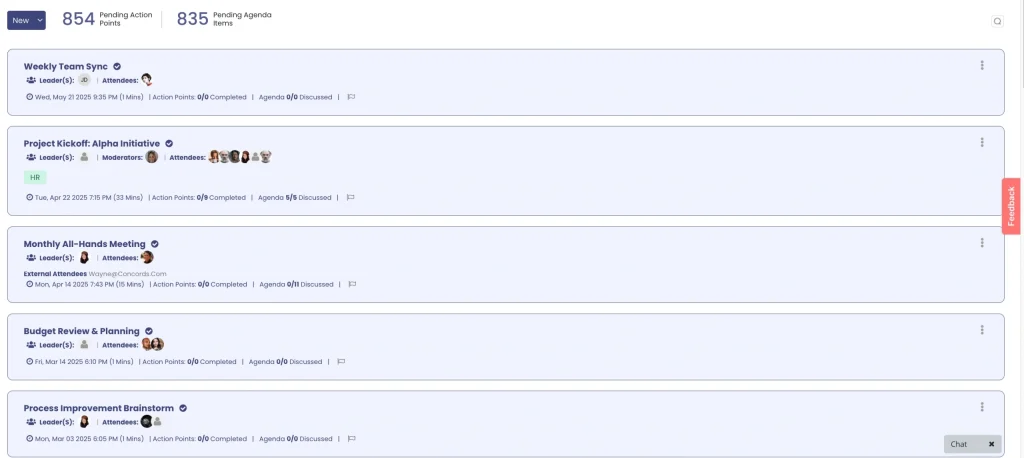
Do you know where your time really goes? Time tracking tools like Wispa, Toggl, Harvest, and Hubstaff provide the answer. By logging the time spent on different tasks and projects, individuals and teams can identify inefficiencies, make more accurate project estimates, and improve accountability. The data gathered from these tools is invaluable for optimizing workflows and ensuring that effort is focused on the most critical activities.

4. Documentation & Knowledge Management Tools
An often overlooked category of productivity tools is documentation and knowledge management. While teams actively use communication and task management platforms, a lack of clear and structured documentation can significantly slow down workflows and lead to repeated questions and misunderstandings.
Tools like Slite, ClickHelp help teams centralize technical documentation, streamline collaboration, and improve onboarding by providing a single source of truth for both internal teams and external users.
5. Note-Making Tools
Great ideas can strike at any moment. Note-making applications for productivity like Evernote, Microsoft OneNote, and Google Keep give you a place to capture, organize, and share them. Whether you’re jotting down meeting notes, creating a research repository, or brainstorming a new concept, these tools ensure your thoughts are saved and easily retrievable. Many also offer features like web clipping, document scanning, and collaboration, making them a powerful productivity tool.
6. Scheduling and Calendar Tools
Effective time management starts with a well-organized schedule. Tools like Calendar and Google Calendar go beyond simple appointment booking. They help you manage your availability, schedule meetings without endless back-and-forth emails, and set reminders for important deadlines. By providing a clear overview of your commitments, these office productivity tools help you protect your focus time and maintain a healthy work-life balance.

7. Email Management Tools
The average professional spends hours each day managing their inbox. Email management tools like Wispa, Clean Email, Right Inbox, and Sanebox are designed to reclaim that time. They use smart filters and automation to declutter your inbox, unsubscribe from junk mail, and bundle non-urgent messages for later review. This allows you to focus on the emails that truly matter and turn your inbox into a streamlined communication hub instead of a source of distraction.

8. Focus and Distraction-Blocking Tools
In an always-on world, deep work requires deliberate effort. Focus tools like Freedom, Forest, and Self-Control help you create a distraction-free environment by temporarily blocking access to certain websites and applications. By setting a timer and committing to a focused work session, you can train your brain to resist interruptions and achieve a state of flow, dramatically increasing the quality and quantity of your output.
Team Productivity Tools
Effective collaboration is the cornerstone of a successful business, and adopting superior team productivity tools can give your organization a decisive edge. These tools go far beyond scheduling or basic communication—they drive alignment, foster transparency, and create accountable, high-performing teams. Let’s break down not only what they do, but how the right choices have empowered real businesses to outpace their competitors.
Case Study:
A global marketing agency transitioned from scattered email threads to using Slack as their centralized communication hub, immediately seeing a 35% reduction in internal emails and a major drop in missed deadlines. By creating dedicated channels for every project and integrating with Asana, task assignments, updates, and document sharing became seamless—making cross-departmental collaboration friction-free. Managers reported that tasks moved 23% faster through their workflow than with previous “all-in-one” software that lacked deep integrations.
User Experience:
At a fast-growing tech startup, the implementation of Microsoft Teams revolutionized both internal meetings and external communications. Here, Teams’ real-time document collaboration (with Office 365 integration) and “persistent chat” helped reduce meeting time by 30%. As team member Emily described: “Switching to Teams let us share feedback instantly and maintain one version of truth for every project document. Our onboarding time for new hires was cut in half, because all resources—chat logs, files, task lists—were searchable and organized.”
For visual planning and transparency, Trello and Monday.com stand out. Trello helps remote teams design customized kanban boards that make it simple to visualize progress, prioritize bottlenecks, and reallocate resources on the fly. A project coordinator at a nonprofit shared: “When we moved all our campaign planning onto Trello, we moved from missed deadlines and confusion to a process where everyone knew their tasks. Board automations even notify us when a card goes stale—no more endless chasing over email.”
Finally, combining these organizational tools for work with analytics unlocks deeper value. Platforms like ClickUp and Asana not only coordinate work but also let leaders track project completion rates, time spent per task, and employee workload trends. Businesses that use ClickUp’s dashboards have reported a measurable productivity increase—up to 40% more projects finished on time—compared with basic task apps. These features transform team productivity tools from mere to-do list managers into strategic assets that drive business results.
In summary, while competitors may focus on superficial lists or narrowly defined features, choosing the right productivity apps for teams based on proven use cases, integration strength, and superior data analytics ensures your organization will collaborate smarter and stay ahead. The difference isn’t theoretical—it’s reflected in superior outcomes, faster growth, and a happier, more aligned workforce.
The best team productivity apps centralize communication and task management. Instead of fragmented email chains, platforms like Slack or Microsoft Teams create channels for specific projects or topics. When integrated with a project board app, these tools become even more powerful. This creates a transparent environment where everyone can see progress, share files, and get answers quickly. Such productivity apps for teams are critical for both co-located and remote workforces. A good work productivity tracker can also provide insights into team performance.
Digital Productivity Tools for Time Management
Have you ever finished a day and wondered where all the time went? You’re not alone—and savvy professionals know that adopting productivity tools for time management can be a decisive edge over the competition. While many lists simply mention timers and to-do lists, we’ll go further: this section breaks down actionable strategies, the most effective tools, and direct feature comparisons so you see where your setup can leap ahead.
Start with a Productivity Tracker
Unlike generic lists from competitors, we recommend beginning with a digital time audit. Use Toggl Track, which stands out for both its intuitive, one-click time tracking and robust reporting dashboards. Compare this to Buffer’s suggestion of simply tracking tasks—Toggl lets you drill into categories, billable hours, and project profitability, making it essential for freelancers and teams alike. Alternative productivity tracker app options such as RescueTime and Clockify give you automatic activity reports, but for manual precision and integrations, Toggl consistently leads the pack among digital productivity tools.
Master Timeboxing with All-in-One Apps
Unlike many roundups that focus only on basic apps, pro users are turning to all-in-one solutions like Akiflow, ClickUp, or Sunsama to implement timeboxing. While Buffer mentions daily planning, Akiflow’s drag-and-drop approach to scheduling tasks (including imports from Slack and Notion) makes actual calendar timeboxing effortless. ClickUp’s “Time view” allows teams to assign, block, and review time right alongside their project boards—giving a big-picture overview not just of tasks, but of time allocation patterns, something their blog competitors rarely cover in depth.
Best Focus Apps for Deep Work
Productivity isn’t just about tracking—it’s about eliminating distractions. Here, our edge is specificity. Brain.fm leverages AI-generated music to optimize neural activity for focus, far surpassing generic “background music” playlists highlighted elsewhere. Forest and the Offtime application introduce a gamified approach: Forest lets you grow virtual trees for every focused session, while Offtime customizes device notifications and blocks distracting apps. LeechBlock and Cold Turkey take it further for users needing hardcore distraction barriers, letting you schedule lockdowns on digital temptations across desktop and mobile.
Pomodoro and Task Scheduling Innovations
While a Pomodoro timer is standard on most lists, advanced users benefit from tools like TickTick (which combines task management, habit tracking, and Pomodoro sessions) and Marinara Timer (which allows customizable intervals and team-based focus sessions). These options beat simple timers covered by competitors by integrating analytics, team stats, and rewards for streaks.
Integrate with Analytics for Continuous Improvement
For true workplace efficiency, pairing time management with analytics makes a quantifiable difference. ClickUp, Asana, and Monday.com all let managers assess team workloads, bottlenecks, and time-on-task at a glance—offering superior productivity management software features over tools that don’t surface these metrics. Use these dashboards to tweak workflows, reassign tasks before deadlines slip, and spotlight productivity wins for your team.
Pro Tip: Don’t just pick a tool—implement a cycle of measuring, reviewing, and adjusting. Set aside ten minutes at the end of each week to review your productivity analytics, identify patterns, and optimize your schedule for the next week. This practice, rarely emphasized in other guides, creates a real, ongoing productivity boost.
With these targeted strategies and tools—selected and compared specifically for their impact on time management—you gain not only the “what,” but the “how,” ensuring every hour counts and your workflow outpaces the competition.
The Time Tracking Analyst
Toggl Track is one of the simplest and best time management apps available. It allows you to track time by project or task, providing detailed reports that show exactly where your hours are going. It’s an invaluable productivity tracker for freelancers who need to bill by the hour and for anyone looking to improve their focus. Many time management programs free versions exist, but Toggl’s integrations make it a standout productive tool.
The Focus Enhancer
Distractions are a major drain on productivity. Apps to help focus, like Brain.fm or the Offtime application, are designed to create an environment for deep work. Brain.fm uses science-backed audio to improve concentration, while other apps to block distractions temporarily prevent you from accessing social media or other specified websites. These tools to help focus are excellent for anyone who struggles with procrastination, including those seeking ADHD productivity tools.
Benefits of Using Productivity Tools
Adopting the right set of productivity tools for office work and remote settings yields tangible benefits across the board.
- Improved Efficiency: By automating repetitive tasks and organizing workflows, these tools allow you to work smarter, not harder.
- Better Collaboration: Centralized communication and project platforms ensure teams are aligned, reducing misunderstandings and rework.
- Time Management: Tracking features provide clear insights into how time is spent, enabling better planning and prioritization.
- Reduced Stress: An organized digital workspace means less time searching for information and worrying about missed deadlines, leading to lower stress levels.
Emerging Trends in Productivity Tools
The world of productivity tools is constantly evolving. Three major trends are shaping the future of these applications.
- AI-Powered Tools: Artificial intelligence is being integrated to automate complex tasks, provide predictive insights, and offer smart suggestions. For example, an AI might suggest the best time to schedule a meeting based on everyone’s calendar and focus patterns.
- Integration Capabilities: The best tools for productivity don’t operate in a silo. Modern tools are designed to seamlessly integrate with each other, creating a unified workflow where data flows effortlessly between your project management, communication, and email apps.
- Mobile-First Tools: With work becoming more flexible, the ability to be productive on the go is crucial. Developers are increasingly creating mobile-first applications that offer full functionality on smartphones and tablets, allowing you to manage your work from anywhere.
How to Choose the Right Productivity Software
Choosing the best productivity management software isn’t just about picking from a long list—it’s about finding the perfect match for your workflow, goals, and team culture. To ensure you don’t just keep pace but surpass competitor solutions, use this enhanced, step-by-step framework grounded in expert insights and direct comparisons:
1. Pinpoint Your True Productivity Barriers (with Advanced Self-Assessment):
Start by mapping your daily workflow and identifying recurring pain points. Are you losing time to manual data entry, drowning in email threads, or struggling with small business task management? Tools like Toggl Track (for time-tracking analytics) and RescueTime (for automatic activity reports) can provide real metrics—often missing from generic competitor recommendations. Knowing whether your main challenge is overwhelmed scheduling, missed deadlines, or inefficient meetings helps clarify the type of productivity software you truly need.
2. Compare Leading Apps by Use Case, Not Just Features:
Don’t settle for basic checklists. If you require deep project management and collaboration, stack options like ClickUp (with advanced automations and dashboards) or Asana (great for workflows and templates) directly against well-known alternatives like Wispa, Trello or Notion. For those who thrive on list simplicity, Todoist remains a gold standard, often more intuitive than complex options competitors highlight. If digital note-taking and wikis matter, evaluate Notion versus Evernote and OneNote—considering flexibility, collaboration, and template libraries.
3. Assess Integration Power and Ecosystem Fit:
Modern workplace productivity software excels when it connects seamlessly with your current tech stack. Compare integrations: Does your chosen app pair with Gmail, Slack, and cloud storage as well as competitors claim theirs do? Slack and Microsoft Teams both lead in communication, but Slack’s open ecosystem often beats Teams for startups, while larger enterprises might favor Teams’ Microsoft 365 alignment. The more frictionless the integration, the more effective your overall productivity platform.
4. Prioritize Scalability and Customization:
Great productivity tools grow with you. Ask: Can the solution handle your current workload and adapt as your team or business expands? While some apps (like Evernote) have strong personal use cases, others (ClickUp, Monday.com) are built for scaling, with customizable views, permissions, and automation. Compare how each tool manages user roles and workflow complexity as you grow—an edge often glossed over in generic tool roundups.
5. Trial Like a Pro (and Benchmark Results):
Don’t just accept feature claims—test-drive the software during a free trial or demo period. Use real projects, invite your team, and log daily tasks. Benchmark if your chosen option actually saves time or boosts efficiency compared to your last tool—something many users overlook. Keep notes on wins and challenges, and don’t hesitate to switch if it’s not a clear improvement. Favor productive software with strong community support, frequent updates, and transparent pricing.
Expert Tip:
Look beyond surface “buzz.” Read user reviews, request customer success stories, and ask about future development roadmaps. Many top professionals use a hybrid stack (for example, Notion for documentation, Slack for team chat, Trello or ClickUp for project management, and Toggl for time tracking) to tailor their productivity ecosystem—giving you a superior, flexible workflow that competitors’ all-in-one recommendations often miss.
By leveraging this in-depth, expert-driven approach—with clear comparisons and actionable steps—you’ll select the productivity applications that truly accelerate your success, not just mirror industry trends.
- Identify Your Core Need: What is the biggest friction point in your workflow? Are you struggling with small business task management, disorganization, or time management? Your primary challenge will determine what are the different types of productivity software you should focus on. A clear productivity tools definition for your own needs is the first step.
- Consider Your Work Style: Do you prefer a visual, kanban-style board, or a simple checklist? Do you need a highly structured system or something more flexible? The best productivity systems are those that align with your natural tendencies. If you love lists, an app like Superlist might be perfect. If you’re a visual planner, a task and calendar app is better.
- Evaluate Integrations: The best tools for productivity don’t exist in a vacuum. They play well with others. Check if the productivity software integrates with the other apps and tools you use daily, such as your email client, calendar, or cloud storage. This creates a seamless workflow and prevents you from having to manually transfer data between applications.
- Start with a Trial: Almost every productive software offers a free trial or a free version. Use this period to test the software in a real-world setting. See if it genuinely makes your day easier. Don’t be afraid to experiment to find the best application for planning and execution that clicks for you. Remember, the goal is to find workplace productivity software that serves you, not the other way around.
By carefully considering your needs and testing different options, you can build a powerful suite of personal productivity tools that will help you achieve more with less stress. Whether you’re using productivity apps for Android, the best productivity apps for iPhone, or desktop productivity programs, the right system is out there waiting for you.
Case Studies: Productivity Tools in Action
Let’s look at how the best productivity tool choices can have a real-world impact.
1. Wispa for Project Management
A marketing agency was struggling to manage multiple client campaigns simultaneously. Deadlines were being missed, and communication was scattered across emails and spreadsheets. After adopting Wispa, they were able to create a central dashboard for every project. Tasks were clearly assigned, progress was visible to everyone, and automated reminders kept the team on track. As a result, they improved on-time delivery by 40% and significantly increased client satisfaction.(G2 – Review)
2. Slack for Communication
A software development company with employees across different time zones faced challenges with collaboration. Important decisions were delayed waiting for email responses. By implementing Slack, they created dedicated channels for each feature they were building. Developers, designers, and project managers could communicate in real-time, share code snippets, and get instant feedback. This shift from asynchronous email to synchronous chat dramatically accelerated their development cycle.
Conclusion
In today’s fast-paced, high-demand work environment, the right productivity tools are essential—not optional. They help manage complex projects, streamline workflows, enhance collaboration, and minimize distractions, allowing you to focus your time and energy where it matters most. By integrating the right tools, you can boost efficiency, reduce stress, and achieve better results with less effort. The key is finding the mix that best fits your unique needs. Explore different options and start experimenting—begin with an all-in-one platform like Wispa to transform project management and experience how the right technology can truly revolutionize your work.
Frequently Asked Questions
Productivity tools are software and applications designed to help individuals and teams manage their work more efficiently. Their main purpose is to streamline workflows, improve organization, and enhance communication, which allows you to get more done in less time.
Using the best productivity tools for work offers several key advantages that can transform the way you operate daily. They significantly improve efficiency by automating routine tasks and streamlining workflows, allowing you to focus on what truly matters.
To choose the best tool, first assess your team’s specific needs and pain points. Next, compare the features, ease of use, and pricing of different options. Finally, take advantage of free trials to test the tools in a real-world setting before making a final commitment.
Yes. By helping you organize tasks, manage deadlines, and streamline communication, productivity tools reduce the chaos and uncertainty that often lead to stress. A well-organized digital workspace means less time spent searching for information and worrying about what you might have forgotten.
Project management tools like Wispa provide a central platform where teams can plan projects, assign tasks, set deadlines, and track progress. This visibility ensures everyone knows their responsibilities and deadlines, which prevents bottlenecks, reduces rework, and helps keep the entire project on schedule.