Best Project Management Software for Construction in 2026
Construction is one of the most complex undertakings in the modern economy. Whether it’s a skyscraper, highway, or housing complex, each project carries layers of interdependency- hundreds of contractors, thousands of tasks, shifting labor costs, and a fragile supply chain where even minor delays can set schedules back by weeks.
Uncertainty is built into every stage of delivery. A sudden scope change, an unexpected storm, or a regulatory inspection can undo months of planning in a single moment. The stakes could not be higher. In the U.S. alone, the construction market is valued at more than $2 trillion, where even a 1% shift in cost efficiency translates into billions of dollars gained or lost. And yet, despite the capital intensity of the industry, the execution gap remains glaring.
In 2025, construction firms can no longer afford “business as usual.” They need centralized management to survive in a market where clients demand transparency, regulators demand compliance, and investors demand efficiency. With the project management software market growing at a 13% CAGR through 2030, leaders now have countless options. But which one is best for you?
In this article, we’ll analyse the top project management software for construction in 2025 that can give your teams a powerful edge.
Mobile-First and Field-Focused Features
In the construction industry, the real work doesn’t happen behind a desk—it happens on the jobsite. Yet, for decades, project management software was built for the office, leaving field crews to rely on crumpled paper plans, frantic phone calls, and text message updates that get lost in the shuffle.
This disconnect is costly. When the field and the office aren’t in sync, mistakes happen. A crew builds off an outdated drawing, a safety hazard goes unreported until it’s too late, or labor hours are tracked inaccurately, bleeding the budget dry.
To bridge this gap, modern construction teams need more than just a desktop login; they need a robust mobile construction app that puts the full power of the project manager in the palm of their hand. Wispa is built with a mobile-first philosophy, ensuring that the people building the project have the tools they need to stay connected, compliant, and efficient.
Why Mobile Matters: Connecting the Jobsite to the Office
The days of driving back to the trailer to check a spec sheet are over. A truly effective construction workflow software must function where the dust is flying. Wispa empowers field teams to handle critical tasks instantly, reducing downtime and eliminating the dreaded “I didn’t get that memo” excuse.
1. Offline Functionality: Work Without Signal
Construction sites are often in dead zones—basements, remote locations, or concrete shells that block cell signals. Most cloud-based apps freeze up without the internet, rendering them useless when you need them most.
Wispa understands the reality of the field. Our mobile app allows crews to view plans, complete daily logs, and access critical documents even when offline. Once the device reconnects to a signal, all data syncs automatically to the cloud. This ensures that work never stops just because the Wi-Fi does.
2. GPS and Geofencing for Accurate Time Tracking
Labor is the biggest variable cost in construction, and paper timesheets are notorious for inaccuracies. “Buddy punching” or rounding up hours can cost contractors thousands of dollars per project.
Wispa integrates precise GPS and geofencing technology into its mobile interface.
- Automated Clock-Ins: Crews can clock in only when they are physically inside the geofenced jobsite perimeter.
- Real-Time Verification: Managers can see exactly who is on site at any given moment, improving safety and accountability.
- Cost Coding: Workers can assign their hours to specific cost codes right from their phones, ensuring that labor data feeds directly into your budget tracking for accurate job costing.
3. Photo Documentation and Markups
A picture is worth a thousand words, especially when trying to explain a clash in the mechanical room or a delay due to weather. Wispa turns every smartphone into a documentation tool.
- Instant Uploads: Field workers can snap photos of issues, progress milestones, or safety hazards and upload them directly to the specific project task.
- Plan Markups: Superintendents can drop pins on digital blueprints and attach photos or notes directly to the drawing. This context is invaluable for RFIs, helping architects and engineers understand the exact issue without needing a site visit.
4. Real-Time Updates and Notifications
Changes in construction are inevitable, but delays in communicating them are optional. When a revised drawing is issued or an urgent safety alert is broadcast, field crews need to know immediately.
As a leading construction project tracking software, Wispa uses push notifications to keep everyone aligned. If a change order is approved or a schedule shifts, the relevant team members get a ping on their phone. This eliminates the lag time between a decision being made in the office and the action being taken in the field, preventing costly rework.
5. Streamlined Daily Reporting
The daily log is the legal diary of the project, yet it is often the most hated task for superintendents. Wispa simplifies this process significantly. instead of typing out long emails at the end of an exhausting day, field leaders can use voice-to-text features or quick checkboxes to log weather conditions, crew counts, and work completed. What used to take an hour now takes minutes, ensuring that accurate records are kept without burning out your key field staff.
By prioritizing the needs of the field worker, Wispa transforms the mobile device from a distraction into the most valuable tool in the belt. It ensures that the gap between the office and the jobsite is finally closed, creating a unified team that builds faster, smarter, and safer.
The Unique Challenges of Construction Project Management
Unlike many industries, construction faces a distinct set of hurdles that make effective management particularly difficult.
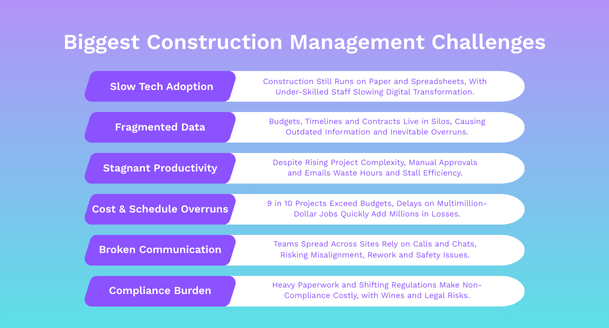
1. Resistance to Technology and a Skills Gap
In construction,digital transformation is painfully slow. While industries like finance and logistics integrated cloud-based solutions a decade ago, construction is still wrestling with paper-driven workflows and Excel spreadsheets passed across departments.
But the main challenge here isn’t lack of technology, it’s adoption. A large number of construction firms cite lack of skilled staff as the biggest barrier to using project management tools. Leaders hesitate to invest in software because teams may not adapt, while teams remain under-skilled.
2. Fragmentation and Siloed Data
Construction projects are notorious for fragmentation. Architects, contractors, subcontractors, and consultants often work on different systems that don’t talk to each other. Budgets sit in one place, timelines in another, contracts in email threads, and compliance files in binders.
This scattered approach leaves managers working with outdated information while costs and schedules drift off track. By the time issues come to light, delays and overruns are almost certain. Without a single source of truth, coordination remains one of the industry’s biggest challenges in construction management.
3. Stagnant Productivity Despite Rising Complexity
Even as projects grow larger and more complex, smart cities, high-rises, sustainable builds, productivity tools in construction has barely moved in 20 years. Manual approvals and email-heavy processes still dominate, with teams wasting hours on approvals, updates, and design clarifications.
While tools exist to automate routine processes, most firms continue to rely on human patchwork, which increases risk and drains efficiency.
4. Chronic Budget Overruns and Schedule Slippages
In construction, budget and schedule overruns are not exceptions, they are the norm. Nine out of ten projects exceed budgets, often by double digits, caused by poor forecasting, rising material costs, labor shortages, and scope creep.
Delays only make it worse, where a two-week slip on a $50 million job can add over $1 million in extra costs. Without real-time visibility into spending and schedules, managers stay reactive instead of preventing problems early.
5. Communication Gaps Across Distributed Teams
Today’s construction workforce is spread across offices, job sites, and subcontractor networks, all relying on the same critical information. Yet updates still flow through phone calls, WhatsApp chats, and endless email chains.
This creates dangerous misalignment. A contractor may be working on an outdated drawing because the revised blueprint never reached the field team on time. Miscommunication not only increases costs but can compromise safety and compliance.
6. Regulatory and Compliance Pressure
Compliance is another persistent pain point. Every construction project must navigate zoning laws, labor codes, safety rules, and environmental regulations, constantly shifting across regions. The paperwork is heavy, and without digital systems, many firms still track inspections and approvals in scattered folders.
The cost of non-compliance can be devastating, ranging from heavy fines and stalled projects to full legal liability if accidents occur.
Biggest Construction Management Challenges
After carefully reviewing dozens of project management platforms and testing their features, here is a list of 15 best tools that strike the right balance of usability, functionality, and value. These platforms help construction businesses tackle their biggest challenges with ease.
How Project Management Software Transforms Construction Projects?
In an industry where even a two-day delay in material delivery can ripple into weeks of setbacks, project management software has become a necessity rather than a choice. Here’s what a reliable tool offers:
Centralization as the Foundation
The most valuable contribution of construction-focused project management software is centralization. A well-implemented platform becomes the single source of truth, bringing together g budgets, schedules, communications, and compliance into a single, unified platform.
Instead of chasing scattered spreadsheets and email threads, managers gain real-time visibility that allows them to identify risks before they spiral into costly delays.
Efficiency Through Automation
Administrative work often drains valuable site hours. With project management software, automation takes over repetitive tasks. Approvals, daily progress reports, and schedule updates that once consumed hours are now handled instantly, reducing errors and freeing teams to focus on execution rather than paperwork.
This automation not only standardizes workflows but also ensures consistency across projects, a critical need in an industry where inconsistent reporting often derails timelines.
Collaboration Across Roles and Locations
Construction projects are multi-stakeholder ecosystems. Engineers, architects, contractors, subcontractors, and clients often work from different systems, or worse, different versions of the same document.
A shared hub ensures that drawings, updates, and field inputs remain aligned, with mobile apps enabling site teams to upload progress instantly. This transparency cuts rework and eliminates the miscommunication that often plagues distributed teams.
Cost and Resource Discipline
As mentioned earlier, Budget overruns are common in construction. Software helps shift the industry from reactive to proactive financial control.Real-time budget alerts flag deviations before they spiral, while dashboards monitor equipment use, labor allocation, and subcontractor performance.
Predictive analytics go a step further, highlighting risks like rising material costs or labor shortages early enough for leaders to act.
Compliance Confidence
Construction projects must adhere to OSHA safety standards, local zoning laws, labor codes, and environmental regulations, all of which differ regionally. With project management software, compliance shifts from manual chaos to digital certainty:
Secure, cloud-based document storage with role-based access ensures every inspection report and certification is audit-ready. Automated reminders flag upcoming license renewals, safety checks, or permit deadlines.
Data-Driven Insights for Smarter Decisions
Finally, a good project management software turns raw project data into actionable intelligence. With custom dashboards and analytics, leaders track KPIs like cost variance and schedule performance, run predictive risk models, and measure productivity across phases and teams.
With the right support, decisions are no longer guesswork, they are guided by accurate, real-time intelligence.
Trade-Specific Recommendations: The Right Tools for Your Craft
Not all construction work is the same. An electrician’s daily workflow is vastly different from that of a concrete contractor. While some project management platforms offer a generic, one-size-fits-all approach, the best construction management software solutions recognize that different trades have unique needs. A framing crew worries about lumber deliveries and cut lists, while an HVAC team manages service calls and complex equipment maintenance schedules.

Generic software forces you to adapt your business to its limitations. A trade-specific approach, however, provides tools designed to solve the exact problems you face every day. Here’s how a flexible platform like Wispa can be configured to support the distinct workflows of various specialty contractors.
For Electrical Contractors: Managing Complexity and Service
Electrical work involves thousands of tiny components, strict code requirements, and a mix of long-term project work and urgent service calls. You need more than just a task list; you need electrical contractor software that can track every detail.
- Integrated Parts & Equipment Catalogs: Your profit margin depends on accurate material estimates. Wispa allows you to build a digital catalog of your most-used items—from conduit and wiring to breakers and outlets. When bidding on a job, you can pull from this catalog to create precise, profitable estimates quickly.
- Service Call Management: Many electrical businesses juggle new installations with ongoing service and repair work. Wispa’s dispatching and scheduling tools let you manage both without chaos. When a client calls with an outage, you can see which technician is closest, check their availability, and dispatch them with all the job details sent directly to their phone.
- Compliance and Inspection Tracking: Electrical work is heavily regulated. Wispa provides a centralized place to store inspection reports, code compliance documents, and journeyman licenses, ensuring you are always ready for an audit.
For Plumbing Contractors: Scheduling, Dispatch, and Documentation
Plumbing contractors balance rough-ins on new construction sites with emergency leak repairs for existing clients. Your success hinges on rapid response times and efficient crew management. For this, you need plumbing contractor software that excels at scheduling and field communication.
- Dynamic Crew Scheduling: Is your top crew tied up on a multi-day commercial rough-in? Who is available for the burst pipe call across town? Wispa’s visual schedulers allow you to see your entire team’s availability at a glance, making it easy to drag and drop assignments and optimize routes between jobs.
- Photo Documentation for Quotes and Repairs: When a client describes a leak, words often fail. Wispa’s mobile app allows your technicians to upload photos and videos of the issue directly to the job file. This helps with creating accurate quotes for repairs and provides clear “before and after” proof of the work completed, preventing client disputes.
- Recurring Maintenance Reminders: Offer preventative maintenance plans for commercial clients? Wispa can automate reminders for annual backflow testing or drain cleanings, creating a steady stream of recurring revenue.
For HVAC Contractors: Service Agreements and Asset Management
HVAC work is a blend of installation projects and long-term service relationships. Your clients depend on you to keep their systems running, making asset management and service history critical. Robust HVAC contractor software helps you manage this lifecycle.
- Client and Equipment Service History: When a technician arrives on-site, they shouldn’t have to guess what was done last time. Wispa allows you to track every piece of equipment you service, creating a detailed history of repairs, maintenance, and filter changes. This empowers your techs to diagnose problems faster and provide better service.
- Service Contract Management: Manage hundreds of commercial or residential service agreements with ease. The system can track contract renewal dates, automate maintenance scheduling, and ensure you never miss a planned service visit, protecting your recurring revenue.
- Inventory Control: Know exactly how many compressors, coils, or filters you have in the warehouse and on each truck. Real-time inventory tracking prevents technicians from arriving at a jobsite missing a critical part, avoiding costly return trips.
For Concrete and Framing Contractors: Job Costing and Resource Planning
For trades like concrete and framing, the core business revolves around labor, heavy equipment, and bulk materials. Your profitability is determined by how accurately you can estimate and track these big-ticket items.
- Detailed Job Costing: Success in these trades is all about knowing your numbers. Wispa allows you to track costs in real time. You can see how many labor hours have been spent on a foundation pour versus your estimate, or if the cost of lumber has exceeded your budget. These real-time insights allow you to make adjustments before a job goes into the red.
- Equipment and Labor Scheduling: Is the concrete pump needed on the east side job tomorrow, or is it scheduled for the west side? Are all your framers assigned to one large project, leaving no one for a smaller job? Wispa’s resource scheduler gives you a clear view of where your people and heavy equipment are allocated, preventing conflicts and maximizing utilization.
- Material Delivery Tracking: Coordinate deliveries of concrete, rebar, or lumber so they arrive exactly when needed. A delayed concrete truck can throw off an entire day’s schedule, but with a centralized platform, you can align site prep crews with delivery windows to ensure smooth execution.
Pricing Transparency: Why Hidden Costs Are Killing Your Margins
In construction, you wouldn’t sign a contract without knowing the final price. Yet, when it comes to software, many vendors hide their true costs behind “Call for Quote” buttons or complicated tiered structures that punish you for growing.
For small to mid-sized contractors operating on tight margins, this lack of transparency is a major risk. You might sign up for a tool thinking it costs $300 a month, only to find out that adding your foreman, safety officer, and three subcontractors triples the price.
As the best construction project management software for value-driven teams, Wispa takes a different approach. We believe pricing should be as clear as a well-drafted blueprint.
The Problem with “Per-User” Pricing
Most construction management software platforms rely on a “per-user” or “per-seat” pricing model. This means every time you invite a new team member, architect, or client into the system, your monthly bill goes up.
This creates a dangerous conflict of interest. To save money, you restrict access.
- You don’t give the site foreman a login, so he can’t see the updated schedule.
- You don’t invite the plumber, so he doesn’t get the automated safety alert.
- You email PDFs to the client instead of giving them portal access, leading to version control issues.
By trying to save on software licenses, you create communication silos that lead to expensive mistakes in the field.
Wispa’s Unlimited User Advantage
Wispa disrupts this industry standard with a flat-rate model that includes unlimited users. Whether you have a team of five or fifty, your price stays the same.
- Invite Everyone: Bring your entire ecosystem—subcontractors, vendors, architects, engineers, and clients—into the platform without fear of hidden fees.
- Scale Without Penalty: Bid on larger jobs and ramp up your workforce without worrying about your software costs exploding.
- True Collaboration: When everyone has access, everyone is on the same page. The ROI of avoiding just one major rework caused by miscommunication often pays for the software for the entire year.
Affordable Residential Construction Management Software
For residential builders, custom home builders, and remodelers, enterprise tools like Procore are often overkill—both in complexity and cost. You need affordable residential construction management software that fits a smaller budget but still delivers professional power.
Wispa offers a straightforward pricing structure designed for the reality of your business:
- Transparent Monthly Rates: No surprises. You know exactly what your overhead will be.
- Generous Free Trial: unlike the standard 14-day window, Wispa offers a 3-month free trial. We know it takes time to migrate data, train a crew, and see the real value of a new system. We give you that runway risk-free.
- No Implementation Fees: Many competitors charge thousands of dollars just to “set up” your account. With Wispa, onboarding is intuitive and free.
Comparing Value: What Are You Really Paying For?
When evaluating options, look beyond the sticker price and calculate the “Total Cost of Ownership.”
|
Feature |
Typical Other Model |
Wispa Model |
|---|---|---|
|
User Access |
$49 – $150 per user/month |
Unlimited Users Included |
|
Data Storage |
Capped (pay for extra GBs) |
Generous Limits Included |
|
Support |
Paid tier for priority support |
Included for all plans |
|
Implementation |
$2,000+ setup fee |
$0 Setup Fee |
In an industry where cash flow is king, predictable overhead is essential. By choosing a platform with transparent, flat-rate pricing, you protect your bottom line and ensure that your software scales with your success, not against it.
The 14 Best Project Management Tools
- Wispa – Modern all-in-one hub for construction workflows.
- Contractor Foreman – Budget-friendly choice for small contractors.
- Zoho Projects – Works best for teams in the Zoho ecosystem.
- Teamwork – Collaboration tool for multi-stakeholder projects.
- ProjectManager – Flexible option for general project planning.
- Wrike – Customizable platform for large enterprises.
- Jira – Agile-focused, suited for hybrid tech teams.
- Monday.com – Visual and simple for small contractors.
- Procore – Enterprise-grade tool trusted across construction.
- ClickUp – All-in-one workspace for mid-size firms.
- Smartsheet – Spreadsheet-style management tool.
- Asana – Clean, task-driven platform for small teams.
- ProofHub – Centralized approvals and collaboration space.
- Sage 300 – Finance-first system with strong accounting.
Quick Guide to Construction Project Management Software
| Software | Strengths | Weaknesses | Ideal For |
|---|---|---|---|
| Wispa | Unlimited free users, 21+ integrated features, centralized inbox, compliance-ready storage, real-time dashboards, affordable scaling, onboarding support. | Newer tool with limited brand awareness, offline support needs improvement, advanced AI still rolling out, fewer third-party templates. | Small-to-large firms needing all-in-one hubs, compliance, and unlimited-user affordability. |
| Contractor Foreman | Strong estimating, scheduling, invoicing, budgeting, mobile-friendly. | Limited automation, few integrations, basic reporting, less centralized collaboration. | Small to mid-size contractors focused on cost control and billing. |
| Zoho Projects | Gantt charts, task tracking, affordable pricing, part of Zoho ecosystem, good time-tracking. | Steep learning curve, limited offline use, less intuitive dashboards, slow support. | Teams already using Zoho, budget-conscious small businesses. |
| Teamwork.com | Task & time management, file sharing, intuitive timelines, client collaboration. | Lacks construction-specific features, weak cost control, no compliance tracking. | Agencies managing subcontractors, mid-size project teams. |
| ProjectManager | Planning, tracking, real-time reporting, Gantt & Kanban views, flexible pricing. | Limited integrations, weak budgeting & document control, not construction-focused. | General project teams needing real-time reporting. |
| Wrike | Customizable workflows, task automation, strong integrations, scalable. | Complex for small teams, expensive advanced features, training required, limited offline use. | Large, tech-savvy enterprises needing workflow customization. |
| Jira | Agile tracking, robust reporting, global adoption, strong dev integrations. | Not construction-focused, complex for non-tech teams, weak budgeting & document tools. | Tech-heavy firms blending IT and construction workflows. |
| Monday.com | Highly visual dashboards, task automation, strong integrations, easy adoption. | Expensive at scale, weak compliance, over-customization risk, not construction-focused. | Startups or small contractors wanting visual task tracking. |
| Procore | Construction-specific, strong field tracking, compliance tools, enterprise integrations. | Expensive, steep learning curve, overwhelming for non-specialists, best features locked in higher plans. | Large enterprises needing deep field management and compliance. |
| ClickUp | Custom dashboards, collaboration, affordable, wide integrations, time-tracking. | Over-customization, steep learning curve, weak compliance, performance issues with large data. | Mid-size businesses seeking all-in-one collaboration. |
| Smartsheet | Spreadsheet-like familiarity, resource management, flexible templates, good reporting. | Outdated UI, limited automation, weak compliance, lacks deep construction features. | Teams transitioning from Excel, resource-focused managers. |
| Asana | Clean UI, timelines, team collaboration, easy adoption, free plan for small teams. | Weak budgeting, limited reporting, no construction focus, weak document/compliance tools. | Small creative/design teams, contractors wanting simplicity. |
| ProofHub | Proofing tools, task & milestone tracking, flat pricing, built-in file sharing. | Limited scalability, weak compliance, basic analytics, few integrations. | Small firms focused on design approval workflows. |
| Sage 300 | Strong accounting, payroll, HR, robust reporting, compliance features. | Outdated UI, training-heavy, limited collaboration, costly setup, not user-friendly. | Finance-heavy construction enterprises. |
Compliance and Safety Features: Building a Culture of Prevention
Safety and compliance are critical on any construction site. Overlooking them—even a single missed insurance certificate or unresolved hazard—can lead to costly delays, liability, or serious accidents that threaten lives and reputations.
Traditionally, safety and compliance relied on manual, reactive processes—often only addressing issues after an incident. Now, leading construction companies are adopting proactive construction safety management software to prevent problems before they occur.
Wispa integrates safety and compliance into your team’s daily operations, making them an active, seamless part of every project—not an afterthought.
Moving Beyond the Binder: The Problem with Manual Tracking
Relying on paper files and manual processes for compliance leads to lost documents, outdated records, and errors that put projects at risk.
Fragmented compliance systems lead to major risks, including lack of project visibility, expired certifications, missing documentation during inspections, and incomplete incident records.
- No Central Visibility: No single person has a real-time view of the compliance status across all projects and all subcontractors.
- Lapsed Certifications: Without automated reminders, it’s easy for a subcontractor’s general liability or worker’s comp insurance to expire mid-project without anyone noticing.
- Inaccessible Documentation: During an unexpected OSHA inspection, you can’t afford to spend an hour digging through file folders to find a specific safety plan or training record.
- Poor Incident Reporting: When an incident occurs, details are often captured on paper forms that can get lost, leading to incomplete investigations and a failure to address the root cause.
Centralized Compliance and Certificate Tracking
Wispa serves as a central, cloud-based hub for compliance documents, letting you securely store, track, and manage all critical paperwork in one place.
- Subcontractor Compliance Hub: Create a profile for each subcontractor and vendor. Upload their master service agreements, insurance certificates, business licenses, and any other required documents.
- Automated Expiration Alerts: This is a game-changer for risk management. Wispa automatically tracks the expiration dates of every document. Weeks before a subcontractor’s insurance is set to expire, both you and the subcontractor receive automated notifications, providing ample time to collect the updated certificate. This ensures you never have an uninsured worker on your site.
- Project-Specific Requirements: Different projects have different needs. You can create custom compliance checklists for each job, ensuring that every required document, from a hot work permit to a site-specific safety plan, is collected and approved before work begins.
Streamlining Safety Management from the Field
Wispa’s mobile-first tools make it easy for everyone onsite to report hazards, document training, and manage safety tasks right from their phones, creating a safer, more responsive jobsite.
- Digital Toolbox Talks and Safety Meetings: Superintendents can conduct toolbox talks using pre-loaded topics on their tablet or phone. They can collect digital signatures from all attendees, creating an instant, time-stamped record of the training.
- Real-Time Hazard Reporting: Every worker can become a safety officer. Using the Wispa mobile app, any team member can snap a photo of a hazard—like an unguarded ledge or a frayed electrical cord—and submit it instantly. The report, complete with the photo and its exact location, is sent to the safety manager for immediate action.
- Simplified Incident Reporting: When an accident or near-miss occurs, field leaders can fill out a standardized digital incident report directly on their phone. They can capture witness statements, attach photos, and document the immediate response. This ensures that critical information is captured accurately while it’s still fresh, leading to better investigations and corrective actions.
- Accessible Safety Data Sheets (SDS): Stop hauling around massive binders of chemical safety information. Upload all project-related SDS documents to Wispa, giving every worker instant mobile access to critical information in case of an emergency.
With Wispa, safety and compliance become simple, collaborative, and effective—helping teams reduce risks and keep everyone protected.
Top 14 Project Management Platforms for Construction (in Detail)
1. Wispa – The All-in-One Command Center
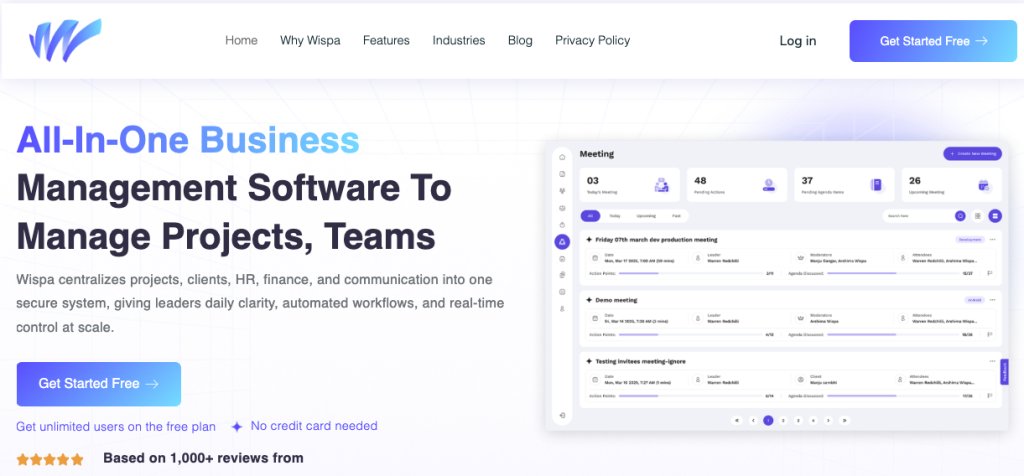
Wispa has quickly positioned itself as a centralized control hub designed to tackle the industry’s deepest pain points. Unlike traditional construction platforms that focus narrowly on field operations or budgeting, Wispa integrates 21+ tools into one environment. Its centralized inbox addresses the communication chaos most firms face, capturing emails, chats, and notifications in one searchable space.
For construction managers battling fragmented workflows, Wispa stands out by offering unlimited free users, a critical feature when projects involve dozens of subcontractors. Compliance tracking, real-time dashboards, automated workflows, and integrations with HR, finance, and CRM systems make it more versatile than competitors like Procore or Contractor Foreman. Its biggest strength lies in accessibility: with a long 3-month trial and a simple interface, Wispa bridges the skills gap that keeps many firms from fully adopting technology.
Where it still lags is in construction-specialized micro-features like advanced field inspection tools. Yet for most firms looking for clarity and control at scale, Wispa is emerging as the most future-proof option in 2025.
2. Contractor Foreman – Budget-Friendly but Limited
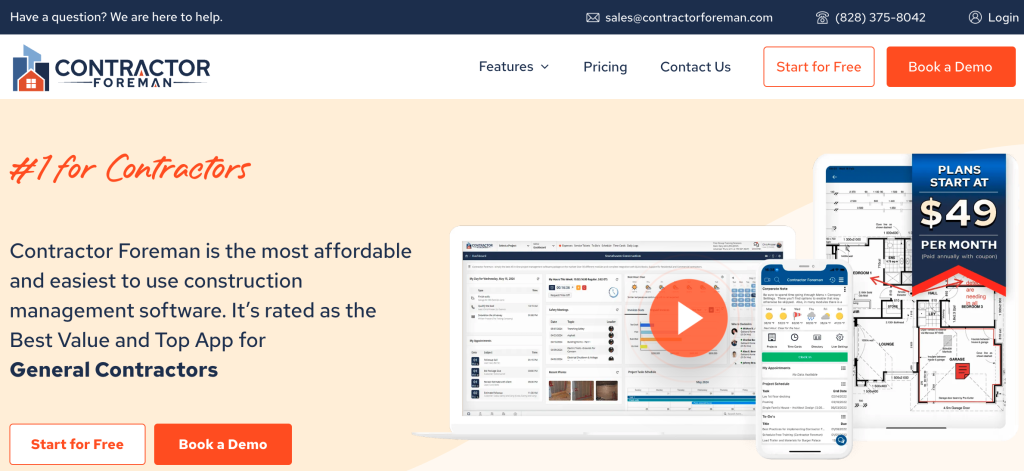
Contractor Foreman markets itself as an affordable construction-specific tool, with strong estimating and scheduling features that appeal to small contractors. It includes invoicing and budgeting, which help firms struggling with financial oversight.
However, its limitations show quickly in complex projects. Automation is minimal, data silos persist, and collaboration tools remain disjointed. This makes it less effective for firms dealing with distributed teams and real-time communication needs. In 2025, Contractor Foreman is ideal for cost-sensitive small firms managing a handful of projects, but it struggles to keep pace with the data centralization and automation requirements of larger contractors.
3. Zoho Projects – Strong Ecosystem, Steep Learning Curve
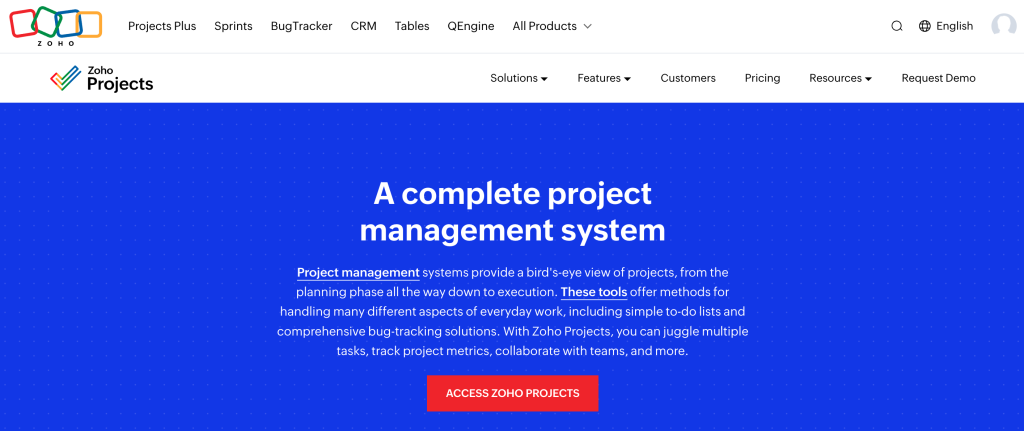
Zoho Projects shines for teams already invested in the Zoho ecosystem. Its Gantt charts and integration capabilities help manage tasks with clarity, while the low entry cost appeals to budget-conscious firms.
That said, construction-specific needs aren’t its priority. Compliance documentation, subcontractor workflows, and complex scheduling aren’t handled with the depth the industry demands. Add to this a steep learning curve and slower support, and Zoho becomes best suited for small, tech-comfortable firms that already run on Zoho apps rather than those seeking a specialized construction solution.
4. Teamwork.com – Agency DNA, Limited for Construction

Originally designed for creative agencies, Teamwork.com emphasizes task management, file sharing, and time tracking. Its collaboration tools can help mid-size contractors handle subcontractors more efficiently.
But the limitations in construction workflows are clear. Budget management is shallow, compliance features are absent, and customization is limited. For construction firms battling cost overruns or heavy regulatory oversight, Teamwork is not robust enough. It works best for project managers handling client-facing communication, but not as the central hub for large construction projects.
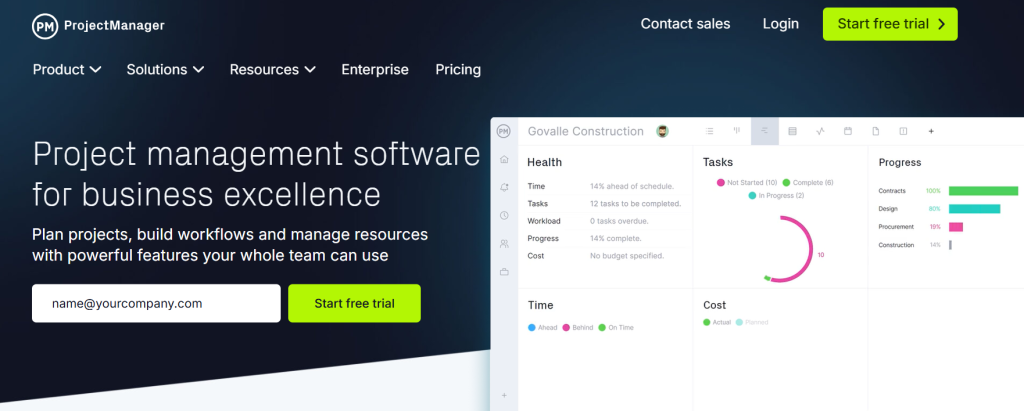
5. ProjectManager – Flexible but Generic
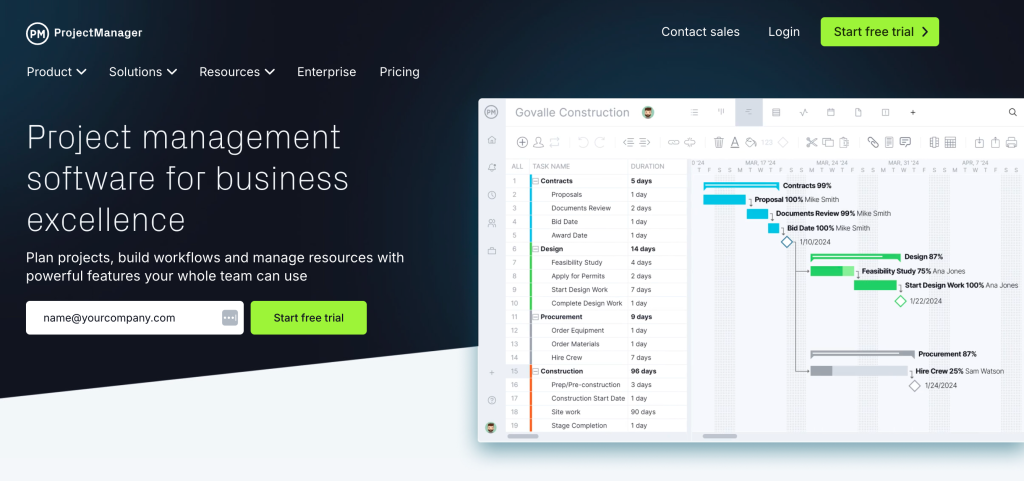
ProjectManager offers real-time planning and tracking with flexible views like Gantt and Kanban. Its reporting is stronger than some competitors, giving managers a snapshot of project health.
Yet it suffers from being too generic. Construction projects require field-ready tools, compliance document storage, and budget-specific workflows, all areas where ProjectManager falls short. It suits general project teams but forces construction managers to supplement with external tools, perpetuating the very fragmentation problem they are trying to solve.
6. Wrike – Customization Power, Adoption Challenge
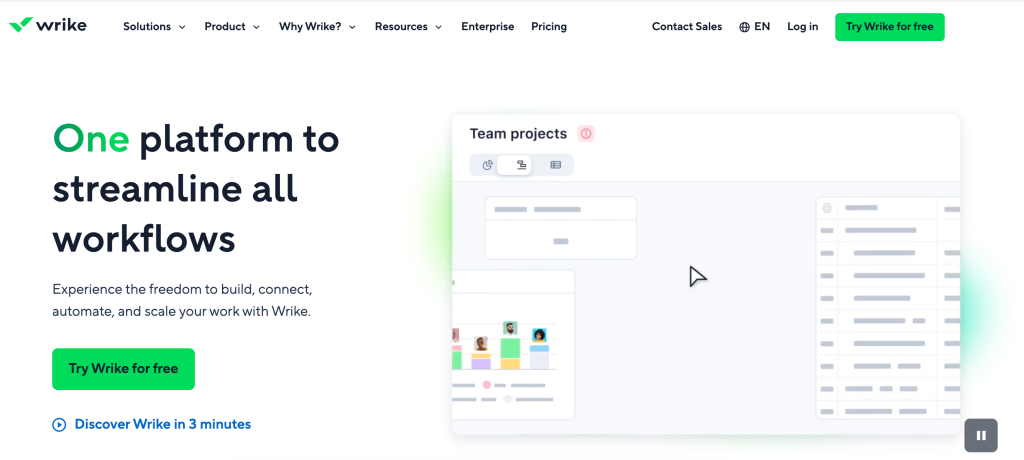
Wrike is known for its high customization and workflow automation, which can theoretically solve many productivity struggles in construction. Large enterprises with IT support often adopt Wrike for its integrations.
However, Wrike’s complexity is its weakness. Construction teams, already battling resistance to tech, often find Wrike overwhelming. Training requirements are steep, and its compliance and field features remain underdeveloped. In 2025, Wrike works for large, tech-savvy firms with dedicated digital transformation teams, but it’s impractical for smaller contractors.
7. Jira – Agile DNA, Poor Construction Fit
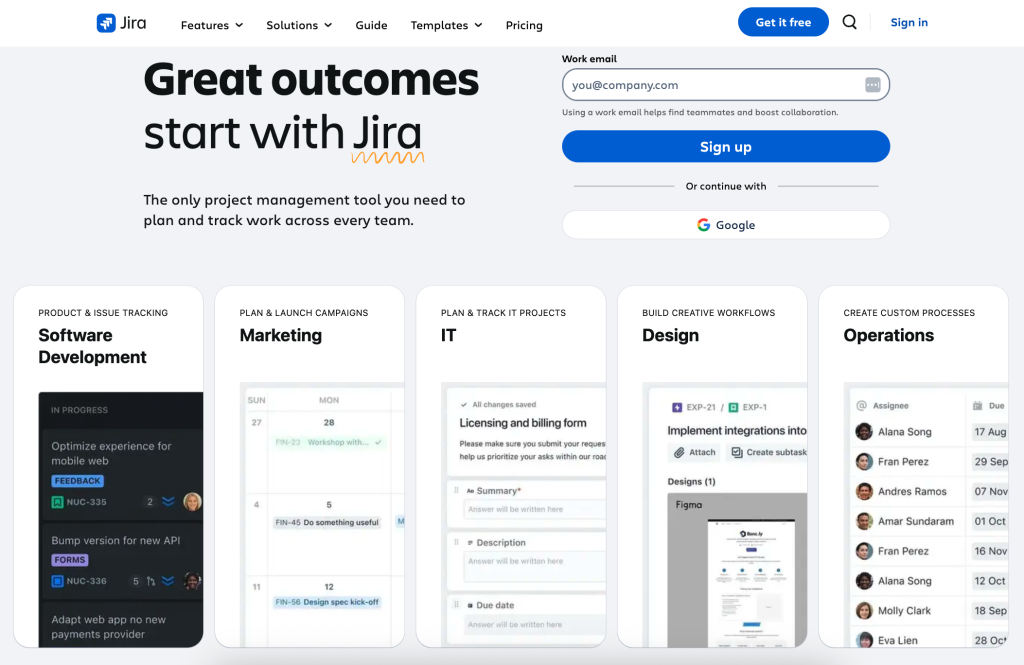
Jira excels in issue tracking and agile workflows, making it indispensable in software development. Some construction-tech hybrids attempt to use it for task tracking.
The problem? Construction isn’t agile software development. Jira lacks financial tools, compliance management, and intuitive document handling. It creates friction for teams already battling silos and communication gaps. While it works for tech-heavy firms integrating IT and construction, most contractors will find Jira misaligned with their needs.
8. Monday.com – Visual Simplicity, Scaling Problem
Monday.com is highly visual, with colorful dashboards and intuitive task boards. Its automation and integrations help smaller teams move faster, making it attractive for startups or small contractors.
But costs balloon quickly as teams grow, and construction-specific needs like document compliance and subcontractor workflows remain weak. For firms beyond small-scale builds, Monday.com risks becoming another fragmented layer rather than a comprehensive hub.
9. Procore – Field Giant, Enterprise Price Tag
Procore is one of the most recognized names in construction software, with deep field tracking and compliance features. Large contractors trust it for complex projects where site visibility is paramount.
However, its enterprise pricing locks out small and mid-size firms. Adoption also requires heavy training, making it impractical for teams already struggling with resistance to technology. Procore is best suited for large enterprises with field-heavy operations, but its complexity makes it less appealing for smaller, agile contractors.
10. ClickUp – Customization at Scale
ClickUp markets itself as an “all-in-one” alternative, offering customizable dashboards and integrated collaboration. Its affordability and integrations make it attractive to mid-size firms.
But with over-customization risks and compliance weaknesses, construction firms often find themselves spending more time building workflows than actually managing projects. For firms seeking a flexible tool without specialized needs, ClickUp works. For compliance-heavy construction projects, it falls short.
11. Smartsheet – Spreadsheet Familiarity, Innovation Gap
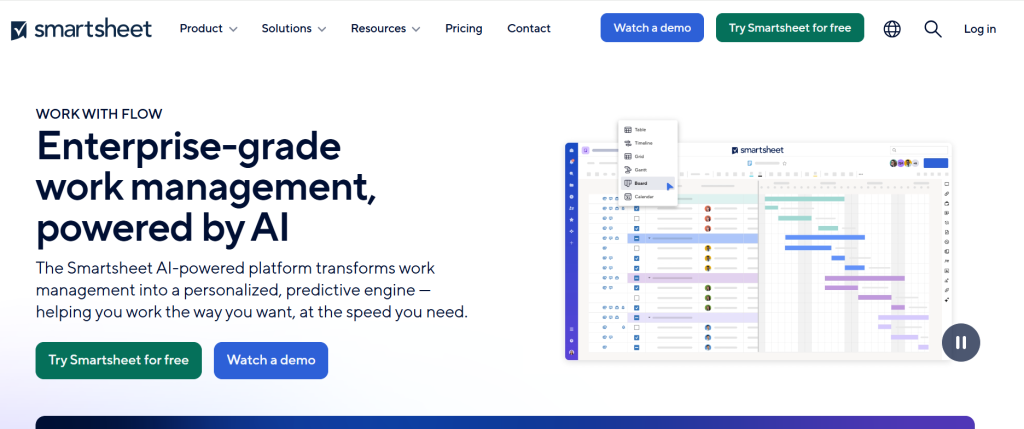
Smartsheet appeals to managers transitioning from Excel. Its spreadsheet-style interface makes resource management simple, and templates help with quick setup.
Yet its UI feels dated, automation is minimal, and compliance features are weak. Construction teams needing real-time decision-making often outgrow Smartsheet quickly. It works best for managers comfortable with spreadsheets, but it lacks the innovation needed for today’s complex builds.
12. Asana – Clean but Basic

Asana offers a clean, intuitive interface with timelines and task organization. Its ease of use makes it popular among small, non-technical teams.
But for construction, its weaknesses are glaring. Budgeting, compliance, and document management are nearly absent, leaving firms dependent on supplementary tools. Asana suits creative or design teams within construction firms, but it cannot be the backbone of major projects.
13. ProofHub – Niche for Approvals, Weak Beyond
ProofHub’s standout feature is file proofing, which helps teams managing design-heavy deliverables. It also supports task tracking and collaboration.
Yet it struggles to scale, lacks compliance features, and offers minimal integrations. ProofHub works for teams where design and approvals dominate, but as a central construction platform, it is too limited.
14. Sage 300 – Finance First, Collaboration Last
Sage 300 remains strong in accounting and payroll, making it popular in finance-heavy industries. Its compliance features are also robust.
But the UI feels outdated, collaboration tools are minimal, and adoption is training-intensive. For construction firms where finance integration outweighs collaboration, Sage 300 works. For day-to-day site management, it is cumbersome.
Document Management: Your Single Source of Truth
Managing construction documents is critical—without effective construction document management software or the right construction project management tools, information overload quickly leads to mistakes and delays. Wispa streamlines this process, replacing paper stacks and scattered files with a secure, central hub that doubles as powerful construction project collaboration software.

The Cost of Disorganization
Disorganized documents cause costly rework, legal risks, and wasted time. With Wispa’s construction document management software, construction project management tools, and construction project collaboration software, you avoid confusion and ensure every team member accesses the latest information.
Version Control Made Easy
Transitioning from paper to digital, Wispa’s construction document management software and construction project management tools make version control seamless. Team members always work from the most current document, with features like automatic superseding, transparent revision history, and field updates built into the construction project collaboration software—eliminating errors and disputes.
Secure, Centralized Access
Moving forward, all plans, photos, and contracts are safely stored using Wispa’s construction document management software. With advanced permissions and powerful search tools within its construction project collaboration software and construction project management tools, sensitive information remains secure and easy to access, helping your team stay organized and productive.
Enhancing Collaboration
Finally, Wispa’s construction document management software includes features like on-plan annotations, secure sharing, and seamless linking with construction project collaboration software. These tools, combined with powerful construction project management tools, drive better teamwork, keep everyone on the same page, and minimize project delays.
In summary, with Wispa’s construction document management software, construction project collaboration software, and construction project management tools, your team spends less time hunting for files and more time building with confidence.
Change Order Management: Turning Chaos into Clarity
Successful construction projects rely on managing change orders efficiently. Wispa’s construction change order software streamlines the process, tracks approvals, and keeps everyone informed.

Why Change Order Management Matters
Changes are inevitable—poor tracking leads to overruns, delays, and disputes.
Inefficiency or informal processes (like verbal agreements) can result in:
-
- Revenue Leakage: Missed costs eat into profit.
- Schedule Slippage: Unapproved changes delay projects.
- Legal Disputes: Lack of documentation sparks conflicts.
How Wispa Makes It Easy
Fast, Professional Change Orders
- Create change orders in minutes, linking to cost codes and attaching photos.
- Clearly outline costs and schedule impact for client understanding.
Digital Approvals & Tracking
- Notify clients/architects instantly.
- Streamlined e-signatures from any device.
- Track status: Draft, Pending, Approved, or Rejected at a glance.
Safeguarding Your Profits
- Real-Time Budget Updates: Automatic updates ensure accurate financials.
- Subcontractor Management: Bill clients only when sub costs are approved.
Boosting Client Transparency
- Clients see all change orders in the portal.
- Clear communication eliminates surprises and builds trust.
By centralizing and streamlining change order management, Wispa minimizes delays and disputes, keeps your finances on track, and fosters better client relationships.
Customer Success Stories: Real Results from Real Contractors
Theory and features are one thing, but proof is in the results. The right construction business management software doesn’t just look good on a screen; it fundamentally changes how a business operates, saving time, reducing stress, and protecting profit margins.
Across the industry, contractors of all sizes are discovering how a unified platform can transform their workflows. Here are a few examples of how businesses like yours are using Wispa to overcome their biggest challenges.
1. The Mid-Sized GC: Slashing Administrative Time by 40%
The Challenge: A general contracting firm in Texas, managing five to seven commercial projects simultaneously, was drowning in administrative work. Their project managers were spending nearly half their day chasing down RFIs, manually updating spreadsheets, and creating daily reports from a mess of emails and text messages. This administrative drag was pulling them away from managing the actual job sites, leading to minor issues falling through the cracks.
The Solution: They implemented Wispa as their central construction project management collaboration software. The goal was to create a single source of truth for all project communication and documentation.
- Unified Inbox: All project-related emails, submittals, and internal messages were automatically filed into project-specific folders, eliminating the need to manually search and sort communications.
- Automated Daily Logs: Superintendents began using Wispa’s mobile app to complete daily reports in minutes. They used voice-to-text to log weather conditions and uploaded progress photos directly from their phones, cutting their end-of-day paperwork time from one hour to just 15 minutes.
- Streamlined RFI & Submittal Process: The RFI and submittal workflow was moved entirely into Wispa. Architects and engineers could review and respond within the platform, creating a clear audit trail and dramatically reducing turnaround times.
The Result: Within three months, the firm reported a 40% reduction in time spent on administrative tasks. Project managers were back on-site where they belonged, catching issues earlier and improving subcontractor coordination. The clear communication trail also helped them win two payment disputes, saving them over $25,000.
2. The Specialty Subcontractor: Eliminating Costly Rework with Better Tracking
The Challenge: A commercial HVAC subcontractor in Florida was struggling with version control. Their field crews were frequently working off outdated blueprints because revised drawings sent via email were missed or not distributed to the entire team. On one project, they installed ductwork based on a three-week-old plan, leading to a $15,000 rework to accommodate a structural change.
The Solution: The company adopted Wispa as its primary construction project tracking software, with a focus on document control and real-time field access.
- Centralized Plan Room: All project drawings were stored in Wispa’s document hub. Whenever a new version was uploaded by the GC, it automatically superseded the old one, ensuring everyone was looking at the current set.
- Mobile App for Field Access: Every foreman and lead installer was given access to the Wispa mobile app. They could pull up the latest plans on their tablets directly from the lift, mark up photos with questions, and confirm details on the spot.
The Result: The subcontractor has reported zero rework incidents due to outdated plans since implementing Wispa six months ago. The ability for field staff to instantly verify plans and submit photo-based RFIs has improved accuracy and reduced the communication lag between the field and the office.
3. The Residential Builder: Improving Client Trust and Reducing Phone Calls by 75%
The Challenge: A custom home builder known for high-end projects was spending hours each week managing client communications. Homeowners, understandably anxious about their significant investment, would call and text at all hours asking for progress updates, questioning change orders, and trying to track selections. The constant interruptions were pulling the project manager away from critical scheduling and quality control tasks.
The Solution: The builder began using Wispa’s client portal feature to provide homeowners with unprecedented transparency and a dedicated communication channel.
- Dedicated Client Portal: Each client received a secure login to a personalized portal. Here, they could see the project schedule, view daily photo updates from the job site, and access all relevant documents like contracts and change orders.
- Digital Selections & Approvals: The entire selection process for finishes, fixtures, and paint colors was managed through the portal. Clients could see their options, make decisions, and provide digital signatures for approval, creating a clear record and preventing disputes.
The Result: The builder saw a 75% reduction in “just checking in” phone calls and texts from clients. Homeowners felt more informed and in control, leading to higher satisfaction and trust. The streamlined approval process for change orders also accelerated project timelines, as the team no longer had to wait for clients to reply to a buried email.
Accounting and Financial Integration: From Reactive Reporting to Proactive Financial Control
In construction, profit isn’t made when the final check is cut—it’s made or lost in the hundreds of small financial decisions that happen every single day. Yet, many contractors operate with a dangerous blind spot. They track project finances using disconnected spreadsheets or wait for their bookkeeper’s month-end report, only to discover that a project went over budget weeks after it was too late to fix.
This reactive approach to financials is a primary driver of cost overruns. To truly protect your margins, you need construction project financial management software that connects field operations directly to your bottom line. Your project management platform shouldn’t just track tasks; it must also track the dollars tied to those tasks in real time.
Wispa bridges the gap between the jobsite and the accounting office, transforming financial management from a historical report into a proactive tool for decision-making.

The Problem with Disconnected Financials
When your project management system and your accounting software don’t talk to each other, you are forced to rely on double entry and manual data transfer. This creates several critical problems:
- Lagging Data: The project manager approves a subcontractor’s invoice, but it doesn’t get entered into the accounting system for a week. By the time you see the cost, you’re already behind.
- Inaccurate Job Costing: Without a direct link to field activities, it’s nearly impossible to know the true cost of a specific phase of work. How much labor did the foundation actually cost versus the estimate? Spreadsheets can’t give you that answer accurately.
- Lack of Visibility: Project managers in the field make daily decisions about overtime and material purchases without seeing the immediate impact on the budget. They are flying blind, hoping they land on target.
Real-Time Job Costing: Know Your Numbers, Every Day
The foundation of strong financial control is accurate job costing. This means understanding the precise cost of every line item in your budget—from labor and materials to equipment and subcontractor fees. As a comprehensive construction business management software, Wispa provides the tools to do this with surgical precision.
- Granular Cost Codes: Assign every expense, from a box of screws to a day of crane rental, to a specific cost code. This allows you to see exactly where your money is going.
- Budget vs. Actuals Dashboard: Wispa offers a live view of your financial health. As your team logs labor hours or submits purchase orders through the platform, the “actuals” column updates instantly. You can see at a glance if your concrete budget is at 50% or 105%, allowing you to intervene before it’s too late.
Seamless QuickBooks Integration
For many construction businesses, QuickBooks is the heart of their accounting. Wispa enhances its power with seamless, two-way integration. This eliminates the need for manual data entry and ensures that both systems are always perfectly in sync.
- Automatic Syncing: When you create a new project in Wispa, it can automatically set up the corresponding job in QuickBooks.
- Push Invoices and Bills: Once an invoice is approved in Wispa, it can be pushed directly to QuickBooks, streamlining your accounts payable and receivable process.
- Accurate Payroll Data: Time tracking data captured in Wispa’s mobile app, complete with cost codes, can be exported to your payroll system, ensuring that labor costs are allocated to the correct jobs.
Proactive Budgeting and Forecasting
The ultimate goal of financial management isn’t just to track where money went; it’s to predict where it’s going. Wispa’s construction project budgeting software provides the insights you need to stay ahead of the curve.
- Committed Costs: The system doesn’t just show you what you’ve already paid for. It also tracks “committed costs”—purchase orders you’ve issued and subcontracts you’ve signed. This gives you a more accurate picture of your true financial position.
- “Percent Complete” Analysis: By comparing the percentage of the budget spent to the percentage of work completed, you can quickly identify potential issues. If you’ve spent 80% of the framing budget but the work is only 60% complete, you have a problem that needs immediate attention.
By integrating financial controls directly into the daily workflow of your project teams, Wispa empowers you to manage your money with the same precision you use to manage your construction schedule. It helps you move from asking “What happened?” to confidently knowing “What’s next?”
Permit Management: Stay Compliant and On Schedule
Managing permits is crucial—missed deadlines or lost documents can halt projects and cost you money. Many contractors still rely on spreadsheets or paper systems, risking delays and fines. Wispa’s construction permit management software streamlines this process, ensuring every step is tracked and every document is easy to find.
Avoid Delays and Penalties
Permits protect your timeline and your wallet. Miss one, and you could face work stoppages, fines, and frustrated clients.
Document Control Made Easy
Store all permit-related paperwork securely in Wispa’s digital vault. Everyone on your team can access up-to-date documents, version history, and mobile downloads in seconds—no more lost binders or outdated approvals.
Automated Tracking & Alerts
With built-in reminders, Wispa keeps you ahead of deadlines and inspection dates. Set up alerts for renewals or required inspections and link key milestones to your project schedule for better coordination.
Integrated with Project Management
Permit costs, statuses, and audit trails are tracked in your project dashboard. Clients can check permitting status in their portal, keeping them informed and confident in your process.
With Wispa, permit management is simple and reliable—so you can build without interruption or compliance worries.
How to Choose the Right Software for Your Construction Business
Selecting project management software isn’t just about buying a tool, it’s about changing how your business will operate, communicate, and grow in the years ahead. With so many options available, the process can feel overwhelming. Here’s a structured way to approach it:
Step 1: Assess Needs
Every construction business faces its own set of challenges. Firms should identify whether they need support for large-scale projects, subcontractor management, or compliance-heavy workflows. The right software simplifies this step through custom onboarding tailored to industry needs.
Step 2: Compare Features
When evaluating options, features such as scheduling, cost control, communication, and reporting should be prioritized. The most effective platforms combine these into one hub, reducing the hassle of switching between apps or chasing scattered updates.
Step Three: Think About Scalability
Growth is inevitable in construction, and your software should grow with you. Look for platforms that let you add more users and projects without adding complexity, or surprise costs, down the line.
Step Four: Check What Others Say
User reviews often tell you what sales brochures don’t. Platforms trusted by a broad base of companies, and backed by consistent positive feedback, tend to deliver on reliability and support.
Step Five: Try Before You Commit
Free trials aren’t just about testing buttons, they’re your chance to see if the platform feels natural for your teams. A longer trial window is always better, giving you time to run it through real project scenarios.
The Future of Construction Project Management
The construction industry has reached a defining moment. Projects are bigger, risks are higher, and efficiency is no longer optional. Firms that continue relying on fragmented systems and manual processes will find it increasingly difficult to meet the demands of modern projects, while those that embrace smarter, integrated solutions will set the pace.
Among the many choices available today, Wispa reflects this shift especially well. With its scalable design, unlimited user access, and feature-rich environment, it offers firms the clarity and control needed to navigate growing project demands.
Start your free 3-month trial today and see how streamlined construction management can be.
Frequently Asked Questions
It’s a digital platform that brings together everything a construction team needs, tasks, budgets, timelines, documents, and communication, so projects run smoothly from start to finish.
Effective construction project management requires a blend of soft skills and robust digital tools. Key skills include strong communication to keep stakeholders aligned, time management to ensure milestones are met, and problem-solving to navigate unexpected site challenges.
To support these skills, modern project managers rely on specialized tools. While basic spreadsheets can help, dedicated platforms are essential for scaling operations. Wispa stands out as a comprehensive solution for construction management. It streamlines project oversight by centralizing collaboration, ensuring real-time compliance tracking, and managing documentation in one secure location. By integrating a tool like Wispa, you can reduce administrative overhead and focus on delivering successful projects on time and within budget.
Jira is often considered the most used project management software worldwide, especially among tech and agile teams. However, many small and growing businesses now prefer modern, all-in-one tools like Wispa because it simplifies workflows, automates routine tasks, and unifies communication—making it a strong alternative to traditional PM platforms.
Wispa is one of the best software options for construction because it brings all tasks, communication, files, and approvals into one easy-to-use platform—perfect for small to mid-sized contractors who want to eliminate manual work. Other popular choices include Procore for large commercial projects, Buildertrend for residential builders, Fieldwire for on-site coordination, and Autodesk Construction Cloud for teams needing design/BIM integration. The best software depends on your project size and workflow needs, but Wispa stands out for its simplicity, affordability, and all-in-one workflow automation.
Small construction businesses need dedicated software because it helps them stay organized, efficient, and competitive—even with limited staff and resources. Manual methods like spreadsheets, paper notes, or WhatsApp messages often lead to delays, miscommunication, and costly mistakes. Construction software centralizes everything so teams can work smarter, not harder.
There isn’t a single “one-size-fits-all” answer — it depends on the size of your company, project complexity, and the features you need. But among the widely used and highly rated platforms today, the following stand out (in no particular order):
Wispa – A modern all-in-one business management software for construction workflows. It offers project & task management, document sharing, dashboards, collaboration tools and reporting — making it a solid choice for firms wanting a unified, easy-to-use system.
Procore – A top choice for enterprise-level construction projects. Procore covers full project lifecycles: scheduling, budgeting, document control, field management and more. It’s widely trusted by large contractors for complex builds.
Buildertrend – Popular with residential contractors and small-to-mid-size construction firms for its ease of use, scheduling and client-communication features.
Fieldwire – Used for coordination on field sites, task assignments, plan viewing — especially effective for on-site teams needing mobile access and real-time updates.
Smartsheet – A flexible, spreadsheet-style management & collaboration tool. While not strictly “construction-only,” many smaller firms or teams appreciate its simplicity, automation, and document/task tracking capabilities.